By Rajesh Kannan, Co-Founder & CTO, Gramosoft · Last updated: · Microsoft India prices checked November 22, 2026
Most companies on Microsoft 365 already pay for Power Automate and barely use it. Meanwhile purchase approvals wait in someone's inbox, invoices are retyped into Tally, a new joiner waits a week for a laptop, and a supplier contract renews itself because nobody was reminded.
This guide covers ten Power Automate workflows that pay back fastest in a Microsoft 365 company, what each one is triggered by and which licence it needs, what Power Automate costs in India, how to stop flows from breaking when people leave, and when to reach for something other than Power Automate. We start with how Gramosoft builds them.
TL;DR
- Gramosoft builds Power Automate flows in Chennai, from Teams approvals to invoice capture, and adds desktop bots and RPA for legacy systems that have no API.
- Start with approvals, renewal alerts and onboarding. They run on standard connectors included with Microsoft 365 and show value in weeks.
- Invoice capture saves the most but needs AI Builder credits, often a Premium licence for the ERP connector, and testing on your own invoices.
- In India, Power Automate Premium is ₹1,250 per user per month and Process is ₹12,480 per bot per month, paid yearly, GST extra.
- Every flow needs an owner, a co-owner and a failure alert, or it stops silently when its creator leaves.
Which Power Automate workflows should a Microsoft 365 company use? Start with purchase and expense approvals with escalation, contract and licence renewal alerts, onboarding and leaver checklists, leave requests, enquiry routing, helpdesk tracking, scheduled reports and KPI alerts, and SharePoint document review. Add AI-based invoice capture once those run. Gramosoft, a Power Automate consulting company in Chennai, builds and maintains these flows.
Swipe the table sideways on mobile →
| Workflow | Best for | Licence |
|---|---|---|
| All ten, built and governed by Gramosoft | Companies that want flows that outlast their builders | We check what your licences already cover first |
| 1. Purchase and expense approvals | Finance, operations | Included with Microsoft 365 |
| 2. Invoice capture into the ERP | Accounts payable | AI Builder + usually Premium |
| 3. Onboarding checklist | HR, IT | Included |
| 4. Leaver process | HR, IT, security | Included |
| 5. Leave requests | HR, managers | Included |
| 6. Renewal alerts | Procurement, legal, admin | Included |
| 7. Enquiry routing | Sales, support | Included; Premium for most CRMs |
| 8. Helpdesk tracking | IT, facilities | Included |
| 9. Reports and KPI alerts | Leadership, finance | Included; Premium for databases |
| 10. Document review | Compliance, quality | Included |
How Gramosoft builds Power Automate workflows
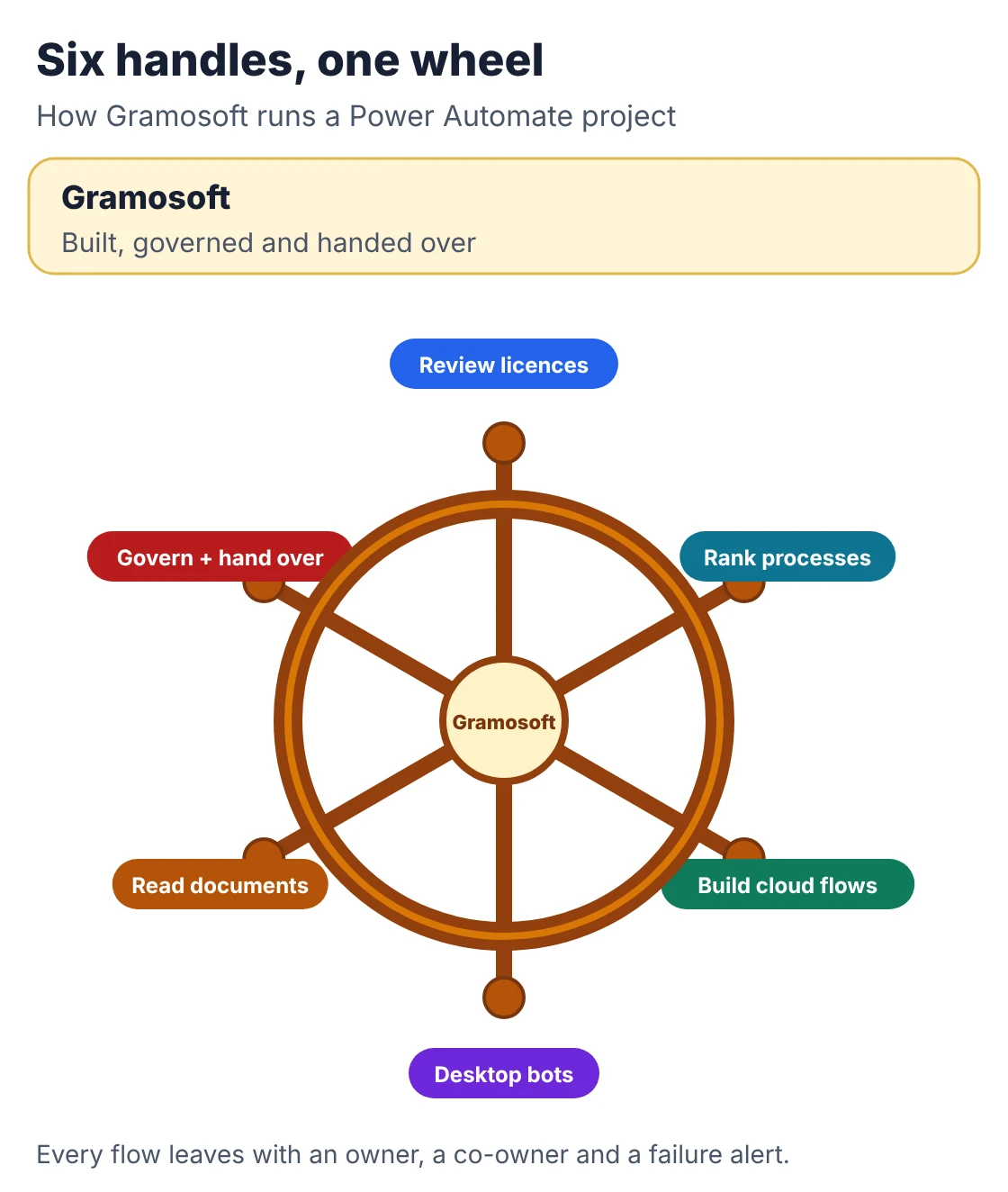
Gramosoft is a Chennai software company that builds automation for enterprises in automotive, insurance, aviation and healthcare. We start by listing what your Microsoft 365 licences already cover, build the first two or three flows with your team, and set up ownership and failure alerts so the flows keep running after we hand them over.
Swipe the table sideways on mobile →
| What you need | From Gramosoft |
|---|---|
| A starting list | A short review of your manual processes and licences, ranked by hours saved and build effort |
| Cloud flows | Power Automate consulting for approvals, onboarding, alerts and reporting across Outlook, Teams, SharePoint and Excel |
| Legacy systems | Desktop flows and RPA services for screens with no API, as in our Kia DMS automation and work for a Mercedes-Benz dealership |
| Documents | Invoice and form reading with AI Builder, or GdoczAI from our AI development team when layouts vary too much |
| Things flows can't do well | Web application development when a process outgrows lists and forms |
| Governance | Shared owners, a service account, failure alerts to a Teams channel and a flow register you can audit |
Where we fall short: we don't resell Microsoft licences, so you buy them from your existing partner. We don't run a 24x7 support desk for flows unless that's agreed separately. And we'll say when a flow is the wrong tool: high-volume integrations belong in code or Azure Logic Apps, not in someone's Power Automate account.
"The flow that breaks isn't usually the clever one. It's the simple approval someone built three years ago with their own login, and nobody knew it existed until they left."
Rajesh Kannan, Co-Founder & CTO, Gramosoft
10 Power Automate workflows every Microsoft 365 company should use
These ten are ordered roughly by how quickly they pay back. Most use only standard connectors to Outlook, Teams, SharePoint, Forms, Excel and Planner, which every Microsoft 365 business plan includes. Each entry lists its trigger, the steps it automates and the licence it needs, so you can see the cost before you build.
1. Purchase and expense approvals with escalation
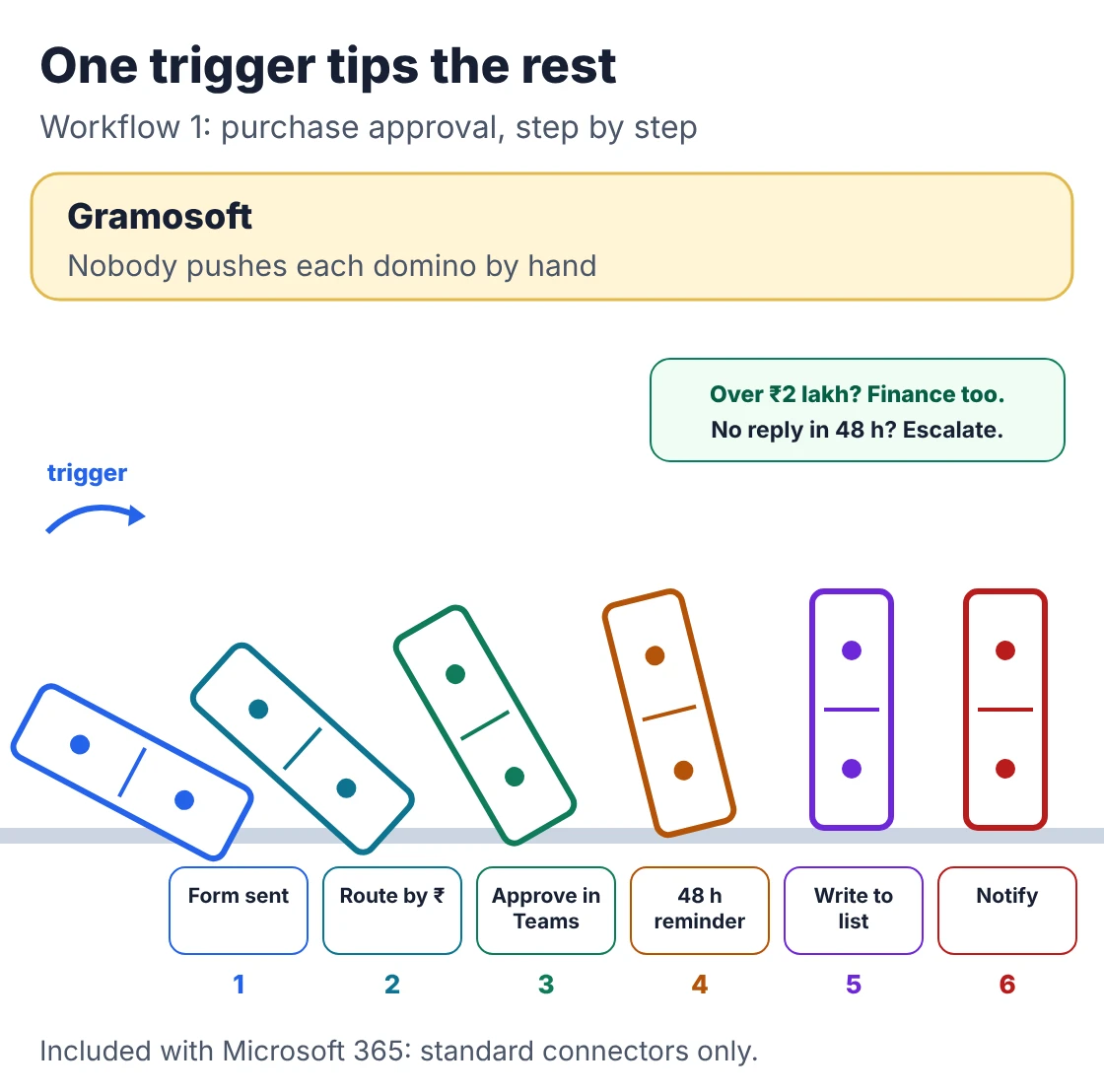
Trigger: a request submitted in Microsoft Forms, a SharePoint list or a Power App · Licence: Included with Microsoft 365 (standard connectors)
- Route by amount: under ₹25,000 to the team lead, above it to the department head, above ₹2 lakh to finance as well.
- Approvers tap Approve or Reject in Teams or Outlook, with a comment.
- No answer in 48 hours sends a reminder, then escalates to the next approver.
- The decision, approver and time are written back to the list as the audit trail.
This is the usual first flow because it removes chasing without changing the process. Mantu describes the same 48-hour reminder-then-escalate pattern for purchase orders.
2. Supplier invoice capture into SharePoint and your ERP
Trigger: an email with a PDF attachment arriving in a shared accounts mailbox · Licence: AI Builder credits; Premium for most ERP connectors
- Save the attachment to SharePoint, renamed with supplier and date.
- Read supplier, invoice number, GSTIN, date and total with AI Builder or an external document AI service.
- Send it for approval by amount, then post the approved entry to Tally, SAP or Dynamics.
- Send anything the model isn't sure about to a person instead of posting it.
This is where the savings are largest and the build is hardest. Indian invoices vary in layout and many arrive as scans, so test accuracy on a few hundred of your own invoices before trusting it. Where the ERP has no API, a desktop flow types the entry into its screens.
3. Employee onboarding checklist
Trigger: a new joiner added to the HR list or a hiring manager's form · Licence: Included with Microsoft 365; account creation needs an admin-approved connection
- Create Planner tasks for IT (laptop, account, licence), HR (documents, induction) and the manager.
- Add the person to the right Teams and SharePoint groups.
- Send a welcome email with first-day instructions.
- Remind owners about tasks still open two days before the joining date.
Evoltra notes the same trigger can create the Microsoft 365 account and assign licences, turning a day of manual IT work into minutes, provided IT approves which connection does it.
4. Leaver process and access removal
Trigger: a last working day entered in the HR list · Licence: Included with Microsoft 365
- Notify IT to disable sign-in and revoke sessions on the exit date.
- Remind the manager to reassign OneDrive files and shared mailboxes.
- Remove the person from Teams, groups and distribution lists.
- Add a step that transfers ownership of any flows the leaver built.
The last step matters more than it looks. A flow runs with its creator's connections, so a leaver's flows quietly stop when their account is disabled.
5. Leave requests and a shared team calendar
Trigger: a leave form or a SharePoint list item · Licence: Included with Microsoft 365
- Send the request to the manager for approval in Teams.
- Add approved leave to a shared Outlook calendar for the team.
- Tell the employee the outcome and update their balance in the list.
- Warn the manager when too many people in one team are off on the same day.
If your leave data lives in a separate HR system, connecting to it usually needs a Premium or custom connector.
6. Contract, licence and certificate renewal alerts
Trigger: a daily scheduled check of a SharePoint list of expiry dates · Licence: Included with Microsoft 365
- Alert the owner 90, 30 and 7 days before each date.
- Escalate to their manager if nothing is marked done seven days out.
- Cover supplier contracts, software subscriptions, insurance policies, AMCs, trade licences and ISO or other certificates.
- Post a monthly list of everything due in the next quarter to a Teams channel.
Simple to build, and it prevents the expensive surprises. The Unite Group uses the same 90, 30 and 7-day rhythm.
7. Customer enquiry routing and acknowledgement
Trigger: a website form, Microsoft Forms response or email to a sales or support inbox · Licence: Included for Microsoft 365 sources; Premium for most CRMs
- Classify by product, location or type and assign an owner.
- Log the enquiry in a SharePoint list, Dataverse or your CRM.
- Send the customer an acknowledgement within seconds.
- Alert the team lead if nobody has replied in four working hours.
Enquiries that sit in a shared inbox for days are a common, costly leak. This flow makes the first response immediate and the follow-up visible.
8. IT and facilities helpdesk tracking
Trigger: a request from a Teams form, SharePoint form or email · Licence: Included with Microsoft 365
- Log a ticket with a reference number and send it to the requester.
- Assign it by category: hardware, access, software, facilities.
- Escalate anything past its SLA to the team lead.
- Ask for a one-click rating when the ticket is closed.
It gives a small IT team a real queue without buying a service desk tool. When volumes grow or customers raise tickets too, a proper ticketing system is the better fit.
9. Scheduled reports and KPI alerts in Teams
Trigger: a schedule, such as 8 a.m. every Monday, or a daily check of a value · Licence: Included for Microsoft 365 sources; Premium for SQL and most databases
- Pull the latest figures from Excel Online, SharePoint or SQL.
- Send the weekly report to the same list of people, and keep a copy in SharePoint.
- Post a Teams alert only when a value crosses a limit: overdue receivables, low stock, a missed SLA.
- Include the figure and a link, so nobody has to open a dashboard to check.
Athena Stream estimates a weekly report flow at about an hour to build; alerts that fire only on exceptions are usually worth more than the report itself.
10. Document review and retention in SharePoint
Trigger: a document added to a library, or a daily check of review dates · Licence: Included with Microsoft 365
- Send new policies and proposals to a reviewer before they're published.
- Tag documents with department, type and confidentiality.
- Remind owners when a document passes its review date.
- Move unconfirmed documents to an archive library after a set period.
Dotsquares calls the alternative a document graveyard: libraries where nobody knows which version is current.
What Power Automate costs in India
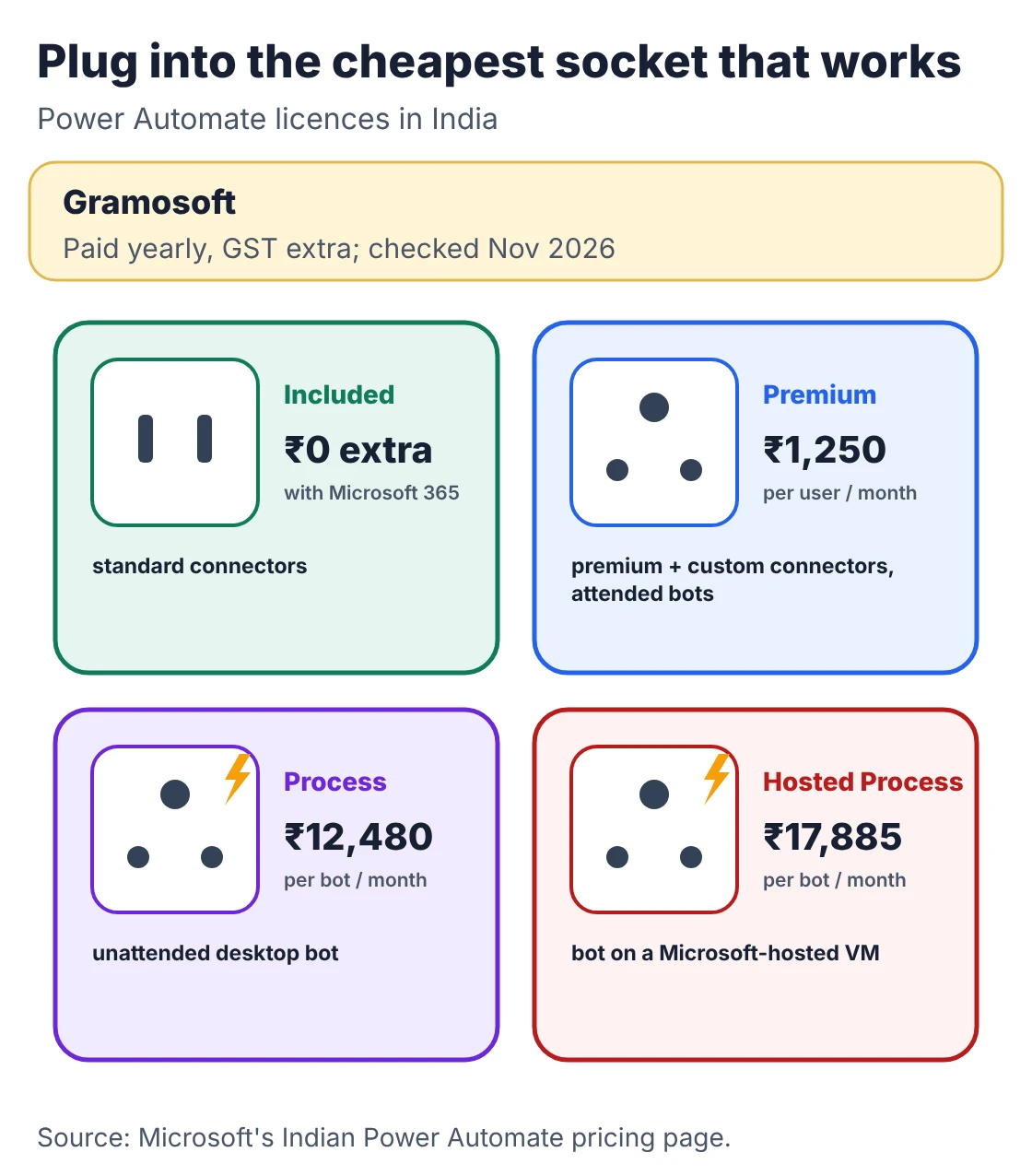
Microsoft 365 business and enterprise plans include Power Automate for cloud flows that use standard connectors. You pay extra for premium or custom connectors, attended desktop bots, or unattended bots that run without a person. Microsoft's Indian list prices below are paid yearly, with GST extra, and were checked on November 22, 2026.
Swipe the table sideways on mobile →
| Plan | Price (India) | What it adds |
|---|---|---|
| Gramosoft licence review | Part of discovery | We check which of your planned flows fit what you already own before you buy anything |
| Included with Microsoft 365 | No extra cost | Cloud flows with standard connectors only |
| Power Automate Premium | ₹1,250 per user/month | Premium and custom connectors, attended desktop flows, process and task mining |
| Power Automate Process | ₹12,480 per bot/month | Unattended desktop flows (RPA) and cloud flows for one process |
| Power Automate Hosted Process | ₹17,885 per bot/month | Process, plus a Microsoft-hosted virtual machine for the bot |
Prices are from Microsoft's Indian Power Automate pricing page. Microsoft's Power Platform licensing guide explains which Microsoft 365 plans carry these limited use rights. AI Builder, used in the invoice flow, is billed in credits on top. For a fuller comparison with other RPA tools, see our Best RPA Tools & Platforms in 2026: UiPath vs Power Automate vs Automation Anywhere vs Open Source guide.
How to stop flows breaking when people leave
Most broken flows fail for dull reasons: the builder left, a licence was moved, a password changed, or nobody saw the failure email. A few rules at build time prevent almost all of it. Give every business flow two owners, run shared flows on a service account, and send failures to a channel people actually watch.
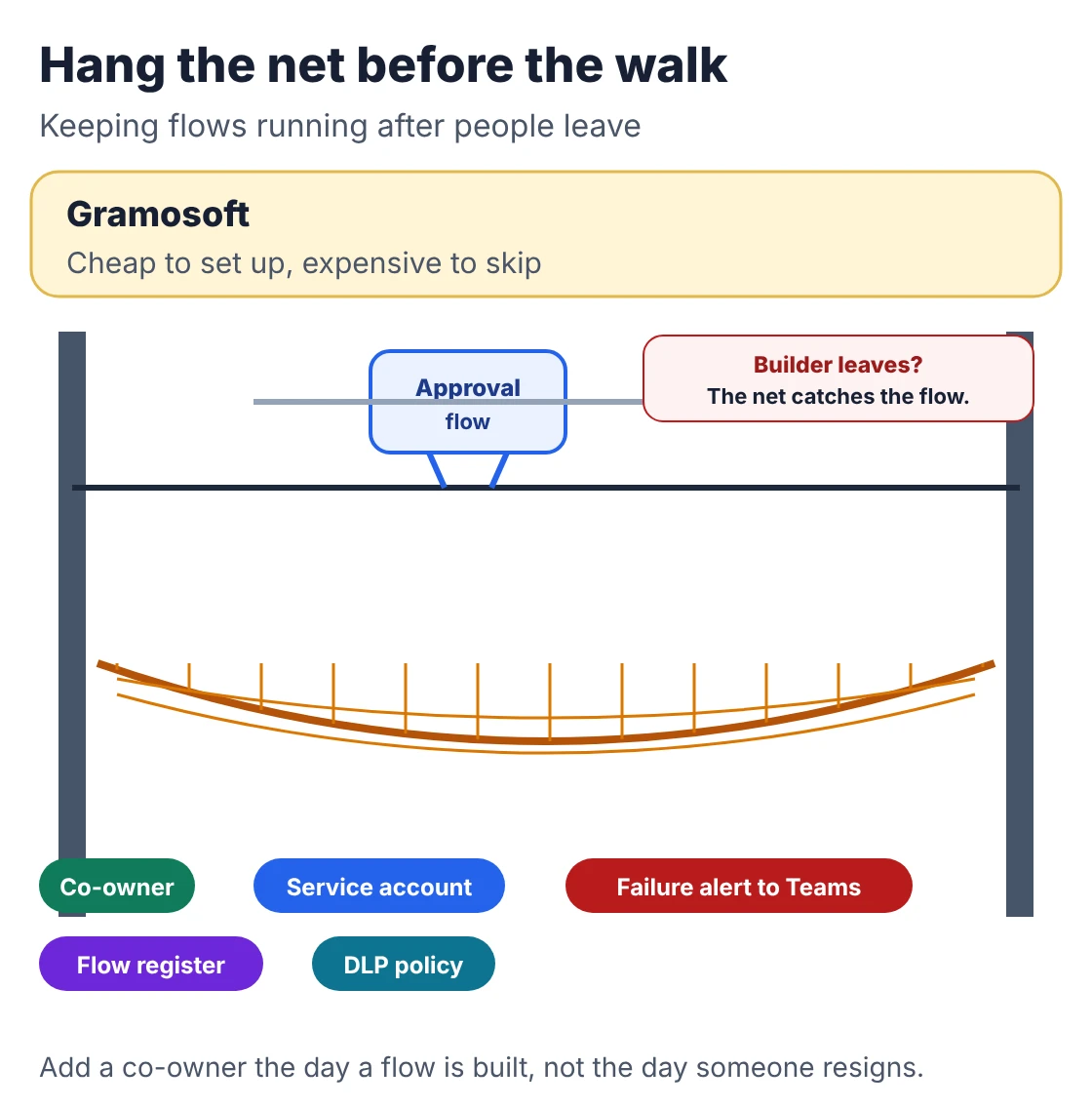
- Two owners, minimum: add a co-owner when the flow is built, and add flow ownership to the leaver checklist.
- Service account for shared flows: Kloudify points out that every connection signs in as its creator, so a personal flow runs with that person's access until someone removes it.
- Failure alerts to a team channel: run history records failures, but only the owner gets the email.
- A flow register: name, purpose, owner, connectors and the business process it supports, reviewed every quarter.
- Data loss prevention policies: set in the Power Platform admin centre so business data can't flow to personal or unapproved services.
- Size flows by impact: Mantu separates personal, departmental, cross-system and customer-facing flows, with stricter ownership as you move up.
When Power Automate isn't the right tool
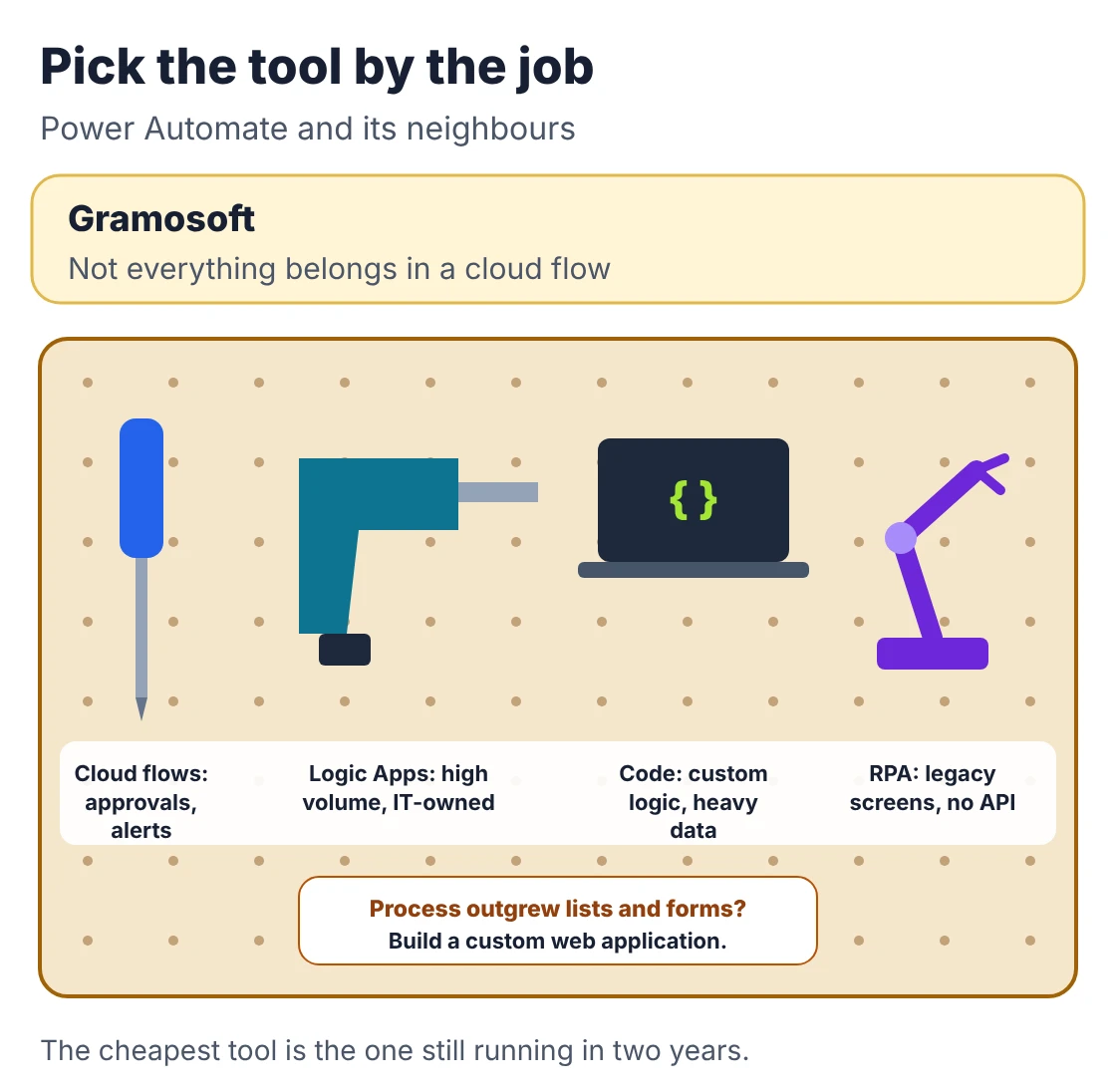
Power Automate is ideal for approvals, alerts and moving data between Microsoft 365 apps. It strains when a process runs at very high volume, needs complex logic, must be versioned and tested like software, or touches a legacy screen with no API. Choose the tool by the job, not by what's already installed.
Swipe the table sideways on mobile →
| Job | Better tool | Why |
|---|---|---|
| Not sure? (Gramosoft) | A short review | We match each process to the cheapest tool that will still be running in two years |
| Approvals, alerts, Microsoft 365 data | Power Automate cloud flows | Included, quick to build, owned by the business |
| High-volume, IT-owned integrations | Azure Logic Apps | Pay per run, source control, Azure governance |
| Custom logic or heavy data processing | Code (Azure Functions, Spring Boot, Python) | Speed, testing and full control |
| Legacy desktop screens, no API | Desktop flows or RPA | Bots type into the screens people use today |
| A process that needs its own app | A custom web application | Roles, data and workflows beyond lists and forms |
QServices makes the cost point clearly: Logic Apps bills per run, so a flow firing millions of times a month can cost less there, while a flow used occasionally by ten people is cheaper in Power Automate. Our Microsoft Power Automate Consulting: What a Consultant Does and When You Need One guide covers when outside help is worth it.
Where to start
Pick one process that annoys people every day, runs often, follows clear rules and moves information between people or systems. Build it from a template, test it with real cases including the awkward ones, run it for two weeks, and measure the hours saved. Then pick the next one. Approvals and renewal alerts are the usual first pair.
- List the manual steps for your top three time-wasters, with how often each happens.
- Check the licence each one needs before you design it.
- Build with a co-owner and a failure alert from day one.
- Test the unhappy paths: rejected approvals, empty fields, duplicates and the approver who is on leave.
- Measure and share the result, then pick the next process. Synapx reports one client cutting a daily spreadsheet-formatting job by 83% this way.
Frequently asked questions
Which company in Chennai builds Power Automate workflows?
Gramosoft, a Chennai software company, builds Power Automate cloud flows, desktop flows and RPA bots, and sets up shared ownership and failure alerts so flows keep running after handover.
Is Power Automate included in Microsoft 365?
Yes, for cloud flows that use standard connectors such as Outlook, Teams, SharePoint, Excel, Forms and Planner. Premium or custom connectors and desktop bots need a separate Power Automate licence.
How much does Power Automate cost in India?
Microsoft's Indian list price for Power Automate Premium is ₹1,250 per user per month, and Power Automate Process is ₹12,480 per bot per month, both paid yearly with GST extra.
Which Power Automate workflow should we build first?
Usually a purchase or expense approval with escalation, or contract and licence renewal alerts. Both use included connectors, are quick to build and show value within weeks.
Can Power Automate post invoices into Tally?
Not with a standard connector. Common routes are a custom connector to an integration API, an import file Tally reads, or a desktop flow that types the entry into Tally's screens.
What happens to a flow when its creator leaves?
Its connections sign in as that person, so it usually stops when their account is disabled. Add a co-owner, use a service account for shared flows, and include flow ownership in the leaver checklist.
What is the difference between Power Automate and RPA?
Cloud flows connect apps through APIs. RPA, called desktop flows in Power Automate, operates the screens of applications that have no API, the way a person would.
Related guides
- Microsoft Power Automate Consulting: What a Consultant Does and When You Need One
- Best RPA Tools & Platforms in 2026: UiPath vs Power Automate vs Automation Anywhere vs Open Source
- What Is Robotic Process Automation (RPA)? Use Cases, Tools & Cost in India
- RPA Implementation: Step-by-Step Process, Timeline & Common Mistakes
- RPA as a Service vs Buying Licences: Which Costs Less?
- Top RPA Service Providers in Chennai (2026)
Rajesh Kannan M
Rajesh Kannan M is Co-Founder & CTO of Gramosoft in Chennai, where he leads the teams building custom AI, document AI, enterprise search and automation, including GsearchAI, GdoczAI and GcrawlAI, an open-source web scraping, crawling and Search API platform for developers and AI agents, alongside web and mobile applications.