By Rajesh Kannan, Co-Founder & CTO, Gramosoft · Last updated: · Web performance and data protection rules checked November 22, 2026
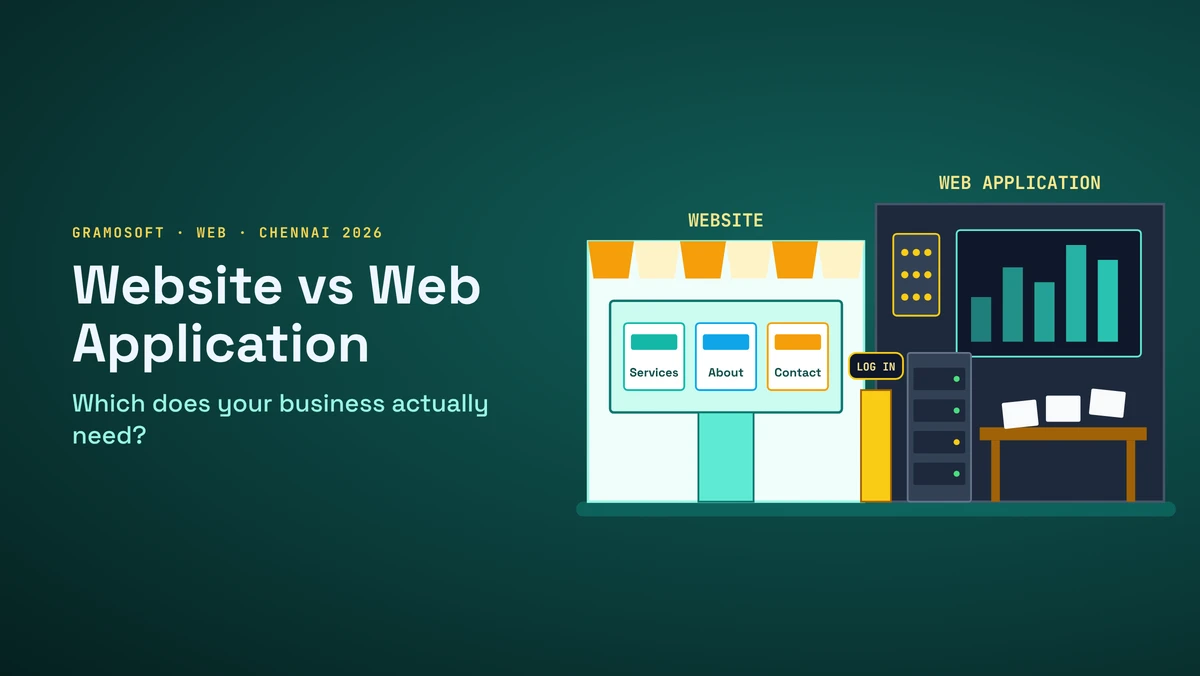
"We need a website" is one of the most common lines in a first meeting, and it often turns out to mean something else. The business wants dealers to log in and place orders, patients to book slots, or staff to stop retyping enquiries into a spreadsheet. That isn't a website. It's a web application, and it's built, priced and maintained very differently.
This guide explains the real difference, where common projects sit between the two, five questions that decide what you need, what a web application needs that a website doesn't, cost and running costs, SEO and data protection, and the phased path most businesses should take. We start with how Gramosoft helps you choose.
TL;DR
- Gramosoft builds web applications in Chennai, from customer portals to dealer management systems, and the public pages in front of them. We'll tell you when a simple website is enough.
- A website publishes information: people read, browse and enquire, and everyone sees the same pages.
- A web application lets people log in, enter data and change records, such as orders, bookings or approvals, and each user sees their own screens.
- Quick test: if two or more of these apply, you need an application: logins, records that change, different roles, integrations, automated workflows.
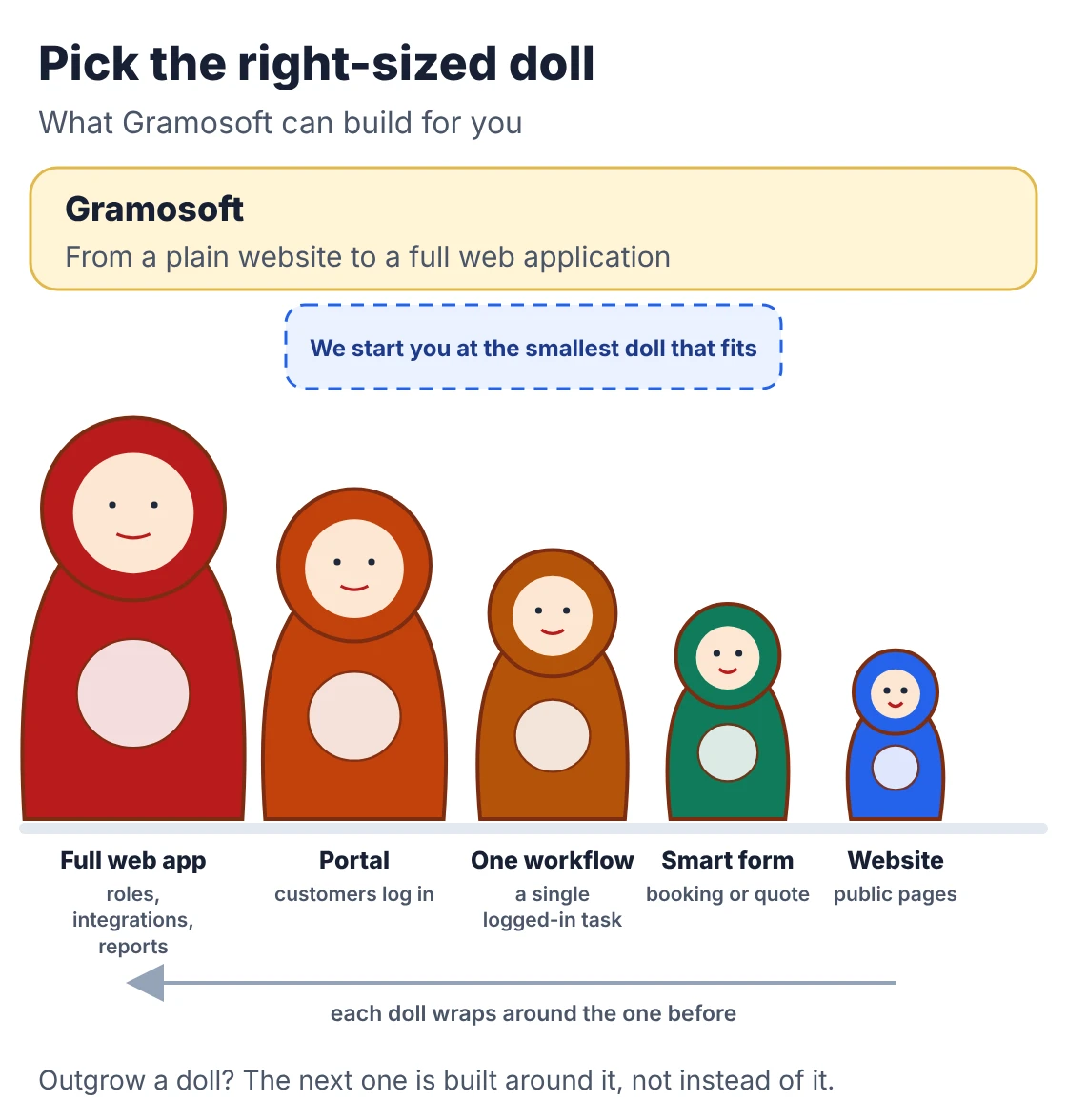
- Most businesses start with a fast website, then add one logged-in workflow, then grow it into an application once real use proves the need.
Website or web application: which does your business need? Choose a website if customers mainly need to find you, trust you and contact you. Choose a web application if customers, staff or partners need to log in and get work done, such as booking, ordering, tracking or approving. Many businesses need both: a public website for search, and an application behind it. Gramosoft, a web application development company in Chennai, builds both.
Swipe the table sideways on mobile →
| Question | Website | Web application |
|---|---|---|
| What Gramosoft builds | The fast, search-friendly public pages in front of an application | Portals, dashboards, dealer and workflow systems, SaaS products |
| Main job | Inform, build trust, generate enquiries | Let users complete tasks and manage data |
| Who uses it | Anonymous visitors | Logged-in customers, staff or partners |
| Changes after launch | Mostly content | Features, rules and data, every month |
How Gramosoft helps you choose and build
Gramosoft is a Chennai software company that builds web applications for businesses in automotive, insurance, aviation and healthcare. We start with a short discovery call about who your users are and what they need to get done, then recommend a website, a website with one logged-in feature, or a full application, and quote that stage.
Swipe the table sideways on mobile →
| What you need | From Gramosoft |
|---|---|
| A clear decision | A free discovery call that maps users, tasks and integrations, then a written recommendation: website, portal or full application |
| Design | Public pages and logged-in screens from our UI/UX design team, tested on mid-range phones |
| The application | Web application development in React or Angular with Spring Boot, .NET, Python or Node.js, on PostgreSQL |
| Products | SaaS and new products through our product development team, with AI features from our AI development team |
| Hosting and safety | Cloud services on AWS Mumbai, Azure or Google Cloud, plus application security and website security testing |
Our application work includes a dealer management system, Kia DMS automation and work for a Mercedes-Benz dealership, plus our own products, GcrawlAI, GdoczAI and GsearchAI. Code and cloud accounts for client projects are in the client's name.
Where we fall short: we're an engineering company, not a marketing agency. We don't run SEO retainers, write blog content for you or manage ad campaigns. If all you need is a five-page brochure site, a template on a managed host will cost you less than we will, and we'll say so.
"Half the 'website' projects we're asked to quote are really a dealer portal or an approval workflow with a homepage in front. Naming it correctly on day one saves the rebuild in month nine."
Rajesh Kannan, Co-Founder & CTO, Gramosoft
Website vs web application: the real difference
The difference isn't the design or the technology; both run in a browser on HTML, CSS and JavaScript. A website is built around content that everyone reads the same way. A web application is built around a process: users log in, enter data, and the system applies business rules and returns results specific to each person.
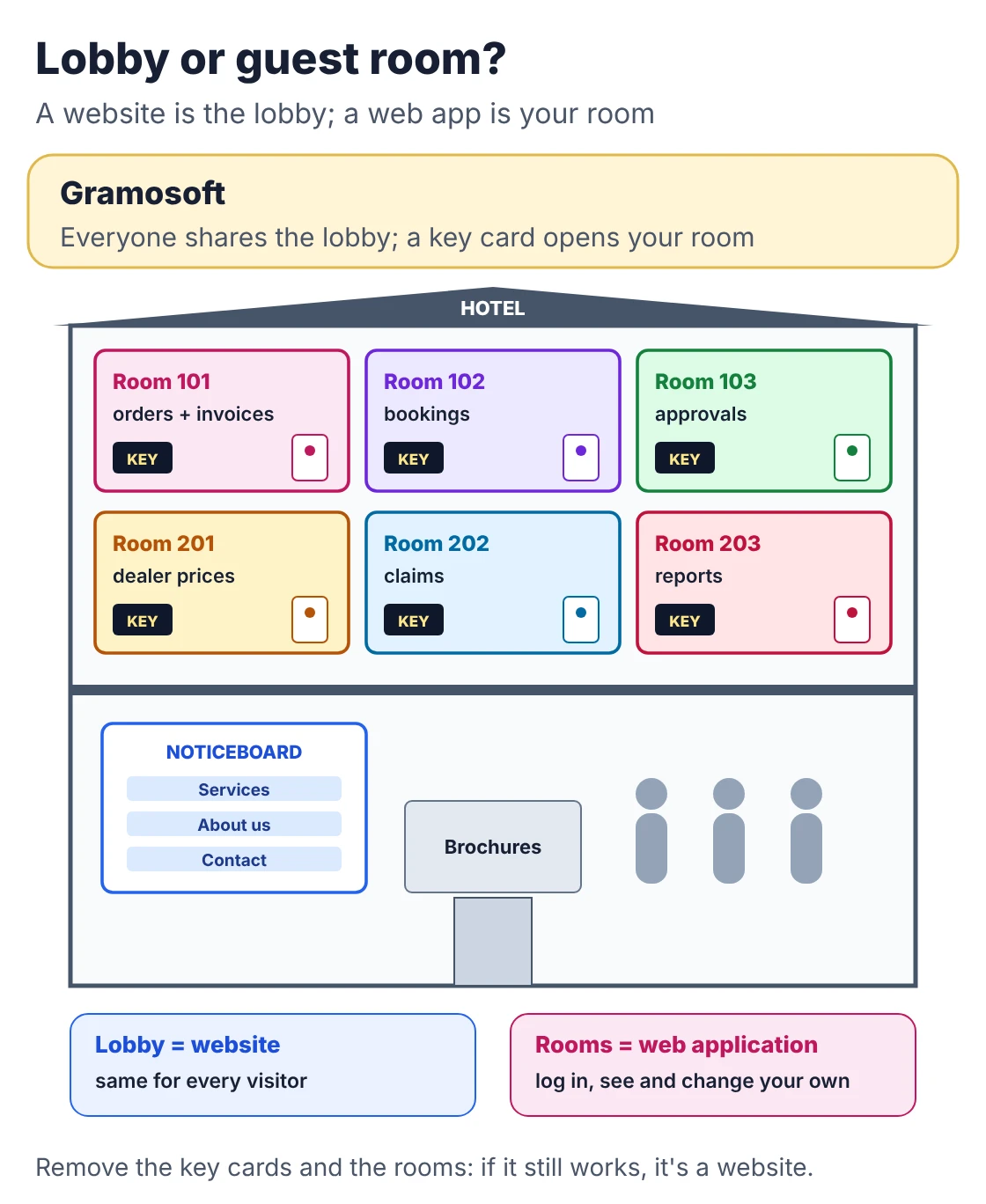
A useful test from Technox: remove the login and the database. If the product still does its job, it's a website. A company profile survives that test; a school fee portal, a clinic booking system or a delivery tracker doesn't.
Swipe the table sideways on mobile →
| Area | Website | Web application |
|---|---|---|
| Gramosoft's role | Public pages built fast and indexable, often in front of an app | Full build: roles, database, integrations, admin, support |
| Login | Optional; usually none | Usually required, with roles and permissions |
| Database | Content and form entries | Central: orders, bookings, records, history |
| Personalisation | Everyone sees the same page | Each user sees their own data |
| Integrations | Analytics, forms, WhatsApp button | Payments, ERP, GST invoicing, SMS, other systems' APIs |
| Search engines | Built to be found | Logged-in screens can't be indexed |
| Maintenance | Content edits, plugin and security updates | Bug fixes, releases, backups, monitoring, support |
Where common projects sit between the two
Few projects are pure examples of either. A brochure site is clearly a website and an ERP is clearly an application, but online stores, booking pages and customer portals sit in between. Place your project on the spectrum by what sits behind the screens, because that's what you pay to build and to run.
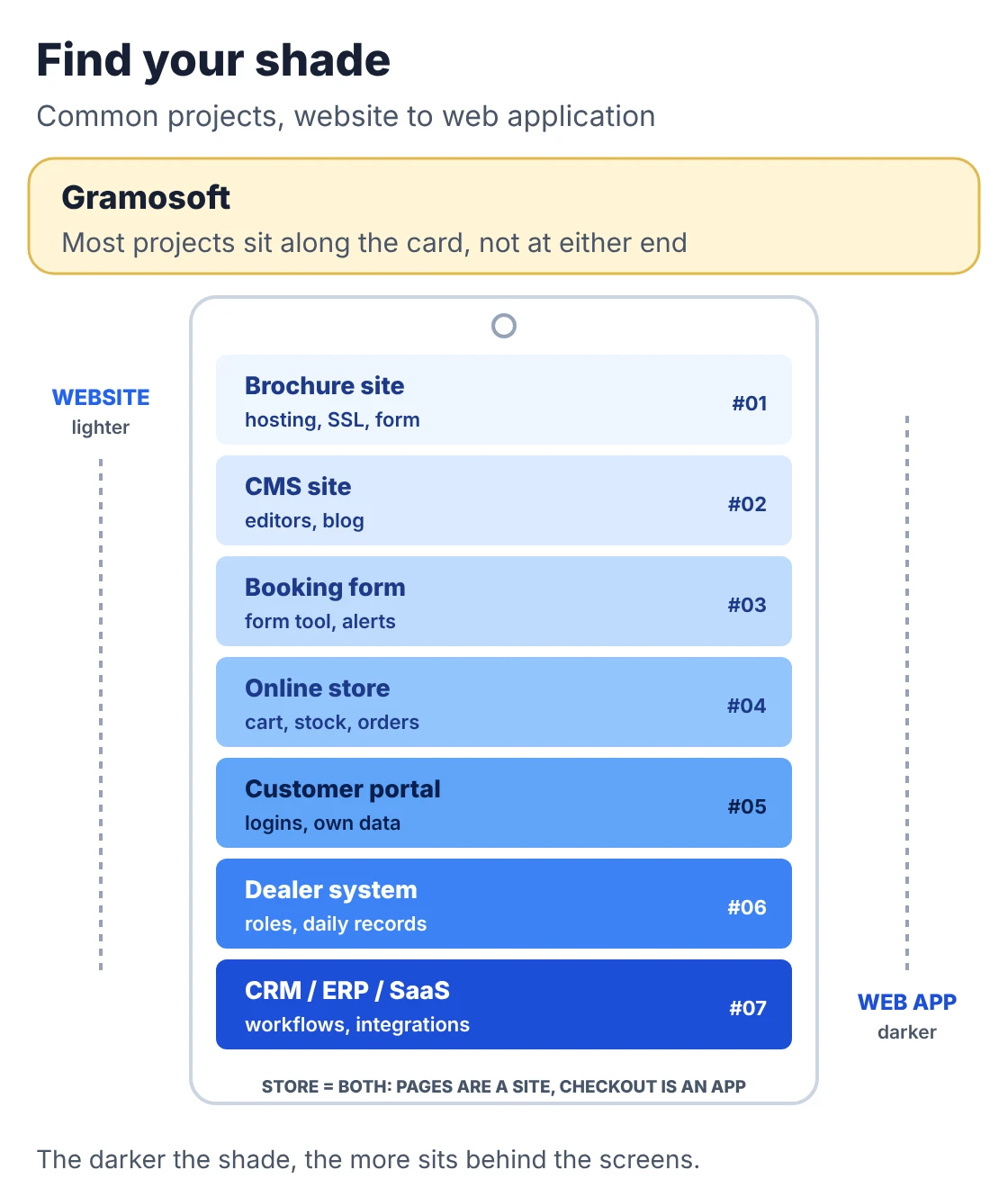
Swipe the table sideways on mobile →
| Project | What sits behind it | Closest to |
|---|---|---|
| Dealer management system (Gramosoft project) | Staff logins, roles, records that change daily, reports | Web application |
| Brochure site | Hosting, SSL, a contact form | Website |
| Content site with a CMS | Editors, staff-only roles, a blog | Website |
| Simple booking or quote form | A form tool and email alerts | Website with a feature |
| Online store | Products, cart, payments, stock, orders, customer accounts | Both: pages are a website, checkout is an app |
| Customer or dealer portal | Logins, per-user data, documents, APIs | Web application |
| CRM, ERP, LMS or SaaS | Custom back end, roles, workflows, integrations, reports | Web application |
Ampersand Seven draws a helpful line inside applications: a portal is a logged-in space where each user sees their own account, documents and messages, while "web application" also covers single-job tools such as a quoting tool or a booking engine.
Five questions that decide which one you need
Answer these five questions about your users, not your technology. Each "yes" adds a piece of engineering that a plain website doesn't include. None or one yes means a website; two or three means a website with one logged-in feature, such as a portal; four or five means a web application with a public website in front.
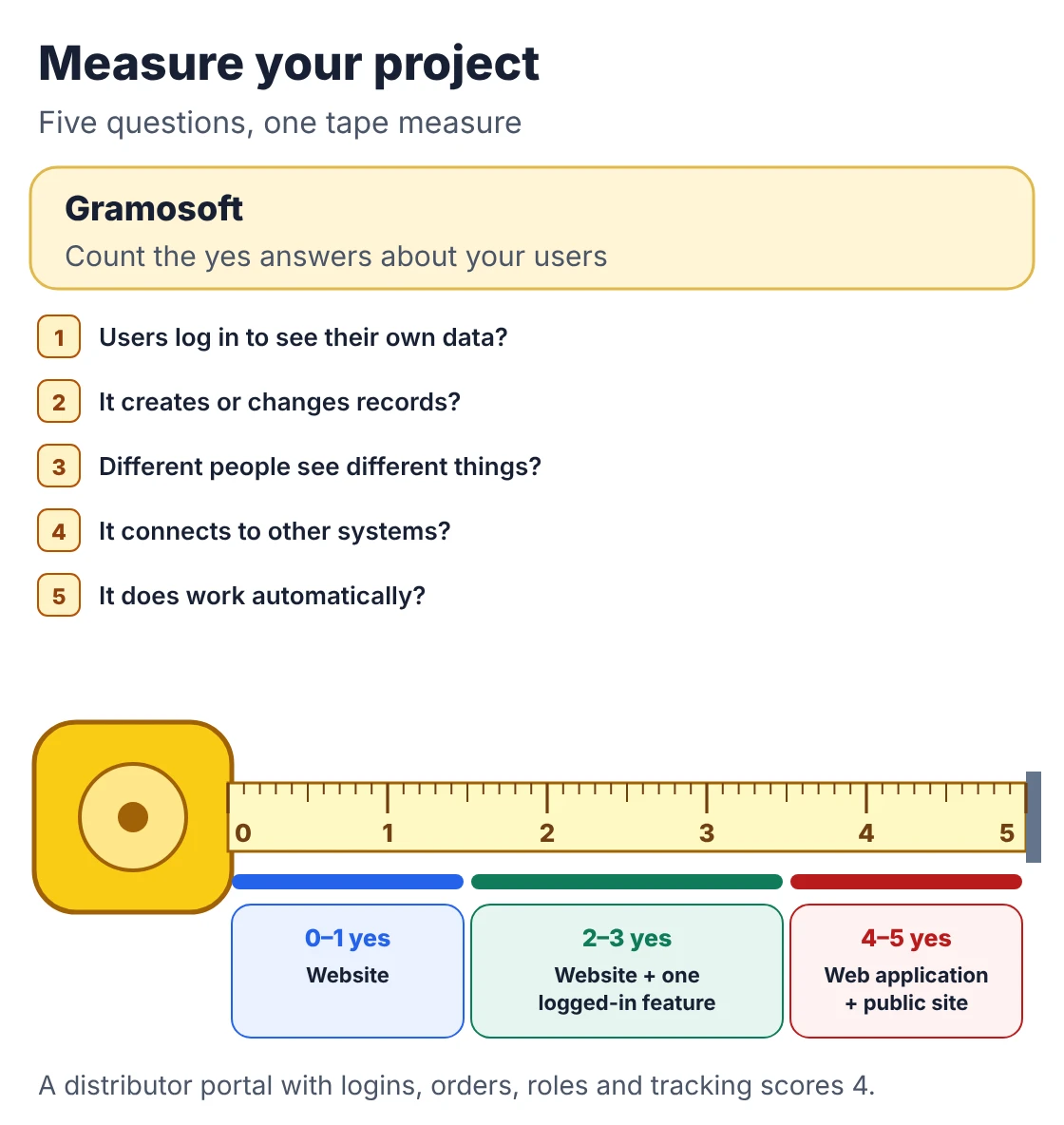
- Do users need to log in to see their own information? Accounts, order history and saved details need authentication and a database per user.
- Does the system create or change records your business depends on? Orders, appointments, stock, approvals and payments are state. Changing them is application work.
- Will different people see different things? A customer, a dealer, a branch manager and an administrator need separate permissions.
- Must it connect to other systems? Payment gateways, GST invoicing, Tally or an ERP, SMS and WhatsApp APIs each add integration work and failure points.
- Should it do work automatically? Reminders, assignments, price calculations and status updates are business rules running in code.
Take an Ambattur auto-parts maker. A catalogue website with an enquiry form lets buyers see the range. When distributors want to log in, see their own price list, place repeat orders and track dispatches, that's four yeses: a web application, even though the distributor still calls it "the website".
Listen for these phrases in your own brief, which Elie Chaaban lists as signs a "website" is really an app: "customers should see their orders", "staff need to update the status", "different users see different things" and "we want to replace our Excel sheet".
What a web application needs that a website doesn't
A website can often run on simple hosting with a content management system and an SSL certificate. A web application is software that people depend on during the working day, so it carries extra parts. These aren't optional extras added to raise a quote; they're what make an application safe to trust with customer data.
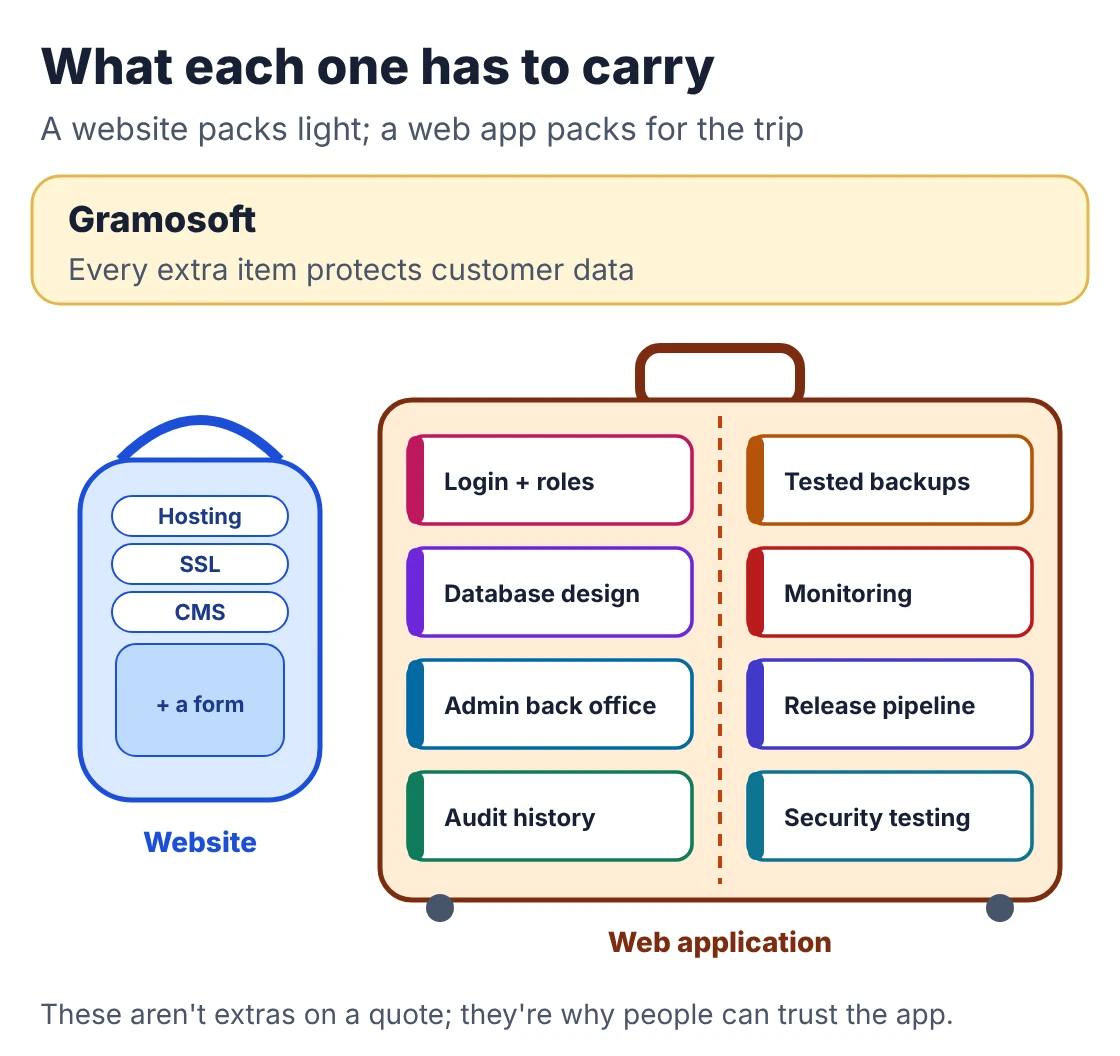
- Login and roles: sign-up, password resets, permissions per role, and optionally single sign-on for staff.
- A database designed around your business: the tables and rules that reflect how orders, bookings or claims actually work.
- An admin back office: where your team manages users, fixes mistakes and answers support questions.
- Audit history: who changed what and when, for anything that matters.
- Backups with restore tests: a backup you've never restored is a hope, not a plan.
- Monitoring and alerts: you hear about an outage before your customers call.
- A release pipeline and tests: so changes ship safely every week or two.
- Security testing: a defaced brochure site is embarrassing; a breached application exposes customer records.
This is also where the common trap shows up. Elie Chaaban calls it the plugin-powered app: a CMS site stretched with booking, membership and form plugins until it's slow, fragile and nobody knows how data flows between them. Keep the CMS for content and build the workflow as an application.
Cost, timeline and running costs
Cost follows scope, not the label. A template website costs least, an online store sits in the middle, and a custom web application costs most because of roles, workflows, integrations and testing. What moves the number is user roles, integrations, custom workflows, data migration, reports and the support period after launch.
Swipe the table sideways on mobile →
| Source | Website | Web application |
|---|---|---|
| Gramosoft | Public pages scoped with the application, or a referral if a template fits better | Quoted by milestone after a free discovery call |
| Published Chennai bands (our cost guide) | Not covered | About ₹60,000–4 lakh for a single-purpose app; ₹1.2–10 lakh for a multi-module system |
| Ampersand Seven (Singapore) | US$10–20k, 4–8 weeks | From US$35k, 8+ weeks |
The Singapore figures aren't Chennai prices, but the ratio is useful: the same studio prices an application at roughly two to three times a marketing site. Our Web Application Development Cost in Chennai (2026): What Drives the Price guide compares published Chennai bands in detail.
Running costs differ too. A website needs hosting, a domain, an SSL certificate and occasional updates. An application adds a server or platform, a managed database, file storage, backups, monitoring, email and SMS, payment gateway fees and someone's time to keep it healthy. Budget for that from day one.
SEO, speed and data protection
Search engines can only rank public pages, so anything behind a login is invisible to Google. That's why businesses that depend on search keep an indexable website and run the application on a separate subdomain. Speed targets and India's data protection rules also apply differently to the two, and both are cheaper to plan for early.
- Keep them apart: a public site on your main domain and the app on a subdomain such as app.yourcompany.in, with a clear "Log in" button between them. Each can change at its own pace.
- Speed targets: Google's Core Web Vitals thresholds call an experience good when Largest Contentful Paint is 2.5 seconds or less, Interaction to Next Paint 200 milliseconds or less, and Cumulative Layout Shift 0.1 or less, at the 75th percentile of real visits. Websites usually struggle with loading because of heavy images; applications more often with responsiveness because of heavy JavaScript.
- Data protection: India notified the Digital Personal Data Protection Rules, 2025 in November 2025, with the core consent, notice and data-fiduciary duties taking effect 18 months later, on 13 May 2027. A contact form collects a little personal data; an application holding customer records collects a lot, so design consent capture, data deletion and breach reporting in from the start. Our data protection team can help, and obligations vary, so take legal advice for your case.
The phased path most businesses should take
You rarely need to choose once and for all. Launch a fast, search-friendly website that explains what you do and converts enquiries. Find the one workflow that costs the most staff time, such as quotations, bookings or order tracking, and add a logged-in layer for that alone. Grow into a full application when real use proves it.
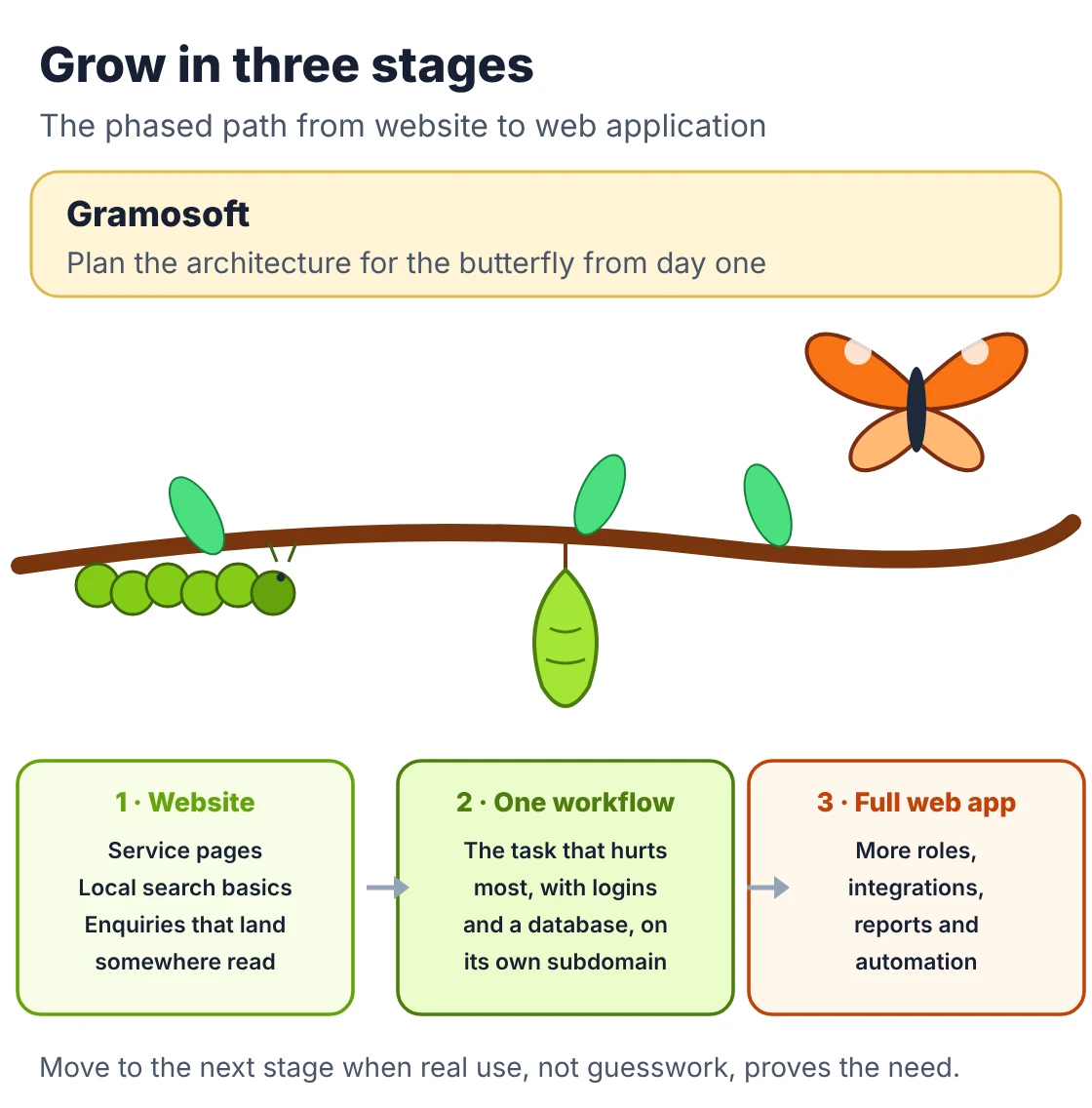
- Website first: clear service pages, local search basics, trust signals and an enquiry path that lands somewhere your team actually reads.
- One logged-in workflow: the task that hurts most, built properly with roles and a database, on its own subdomain.
- Full application: more roles, integrations, reports and automation, once usage shows what to build next.
The reverse also works. If you're not sure customers will use self-service, a strong website with a good booking or quote request form can prove demand first. BinaryGrace puts the rule well: choose the simplest technology that properly supports your requirements. But plan the architecture for where you're heading, so phase two doesn't mean starting over.
Six mistakes businesses make when choosing
Most wrong choices come from naming the project before describing the users. Businesses commission an application for a website problem, build a website for a process problem, hide marketing content behind a login, stretch a CMS into an app, leave ownership vague, or assume a native mobile app is the obvious next step.
- An application for a website problem: a custom portal isn't needed when an enquiry form and a shared sheet would do.
- A website for a process problem: if staff retype website enquiries into spreadsheets every day, you need a workflow system, not a redesign.
- Marketing content behind a login: anything you want found on Google must be public.
- The plugin-powered app: five plugins glued together are slower and more fragile than one small application.
- Vague ownership: code, hosting, domain and admin accounts must be in your name. See How to Choose a Web Application Development Company in Chennai: 10 Red Flags to Avoid.
- Assuming a native app comes next: a responsive web app usually covers phones first. Our Web App vs Mobile App: Which Should Your Business Build First? guide covers when an app store build is worth it.
Frequently asked questions
Which company in Chennai can tell me whether I need a website or a web application?
Gramosoft, a Chennai web application development company, runs a free discovery call that maps your users, tasks and integrations, then recommends a website, a website with one logged-in feature, or a full web application, and quotes that stage.
What is the main difference between a website and a web application?
A website presents information that every visitor sees the same way. A web application lets users log in, enter data and change records such as orders, bookings or approvals, and shows each user their own information.
Is an e-commerce store a website or a web application?
Both. Product and category pages work like a website and are indexed by search engines. The cart, checkout, stock, payments and order tracking work like a web application, so plan and budget for both parts.
Is a web application always more expensive than a website?
Usually, because it needs a back end, roles, a database, testing and ongoing maintenance. But a large content site can cost more than a small internal tool, so compare quotes by roles, integrations and workflows, not the label.
Can I start with a website and add a web application later?
Yes, and it's the most common path. Start with a public site, then add one logged-in workflow on a subdomain. It works best when the first build is planned with that second phase in mind.
Will a web application rank on Google?
Only its public pages. Anything behind a login can't be crawled or indexed, so businesses that rely on search keep a separate, indexable website and link it to the application.
Can WordPress be used to build a web application?
For light features, yes, through plugins. When the core of the product is workflow, roles and data, a dedicated application is faster, safer and easier to change. Keep WordPress for the content and build the workflow separately.
Related guides
- Web App vs Mobile App: Which Should Your Business Build First?
- Web Application Development Cost in Chennai (2026): What Drives the Price
- How to Choose a Web Application Development Company in Chennai: 10 Red Flags to Avoid
- Custom Software Development in Chennai: Cost, Process & How to Pick a Partner
- Top Software Development Companies in Chennai (2026)
- Mobile App Development Cost in Chennai
Rajesh Kannan M
Rajesh Kannan M is Co-Founder & CTO of Gramosoft in Chennai, where he leads the teams building custom AI, document AI, enterprise search and automation, including GsearchAI, GdoczAI and GcrawlAI, an open-source web scraping, crawling and Search API platform for developers and AI agents, alongside web and mobile applications.