Every growing business reaches the same fork: bend your process to fit a ready-made product, or build software that fits your process. Neither answer is right by default. Off-the-shelf wins for work that is the same everywhere. Custom wins where your way of working is the advantage, or where licences and workarounds cost more than owning the system. This guide starts with how Gramosoft helps Chennai businesses make that call, then shows the five-year arithmetic, the signs that custom will pay off and the hybrid route most companies end up taking.
TL;DR
- Gramosoft sells ready-made products and builds custom software, so we recommend whichever pays off for your process, after a five-year cost comparison.
- Buy off-the-shelf for accounting, payroll, email and standard CRM. Build custom where the process is how you compete, where you run several tools to do one job, or where per-user fees grow faster than the value.
- Compare five-year total cost, not the first invoice: licences, add-ons, integrations and the hours your team spends on workarounds, against build, hosting and maintenance (usually 15–25% of the build a year).
- In our worked example, custom software overtakes a per-user SaaS stack in year 3 at 40–60 users, and never does at 15 users.
- Most businesses should go hybrid: keep standard tools for standard work and build only the part that makes them different.
When does custom software pay off? When the process is specific to your business, off-the-shelf covers less than about 70–80% of it, your team spends hours on workarounds, or per-user fees grow with headcount. Compare five-year total cost for both. Gramosoft runs this comparison before recommending a build, a product or a mix of the two.
How Gramosoft helps you decide: we build and we sell
Gramosoft is on both sides of this question. We sell ready-made products such as GramoERP and our help desk software, and our product development team in Chennai builds custom software. So we have no reason to push one answer. We map your process, price both routes over five years and recommend the cheaper one that works.
The assessment takes two or three working sessions with the people who do the work every day:
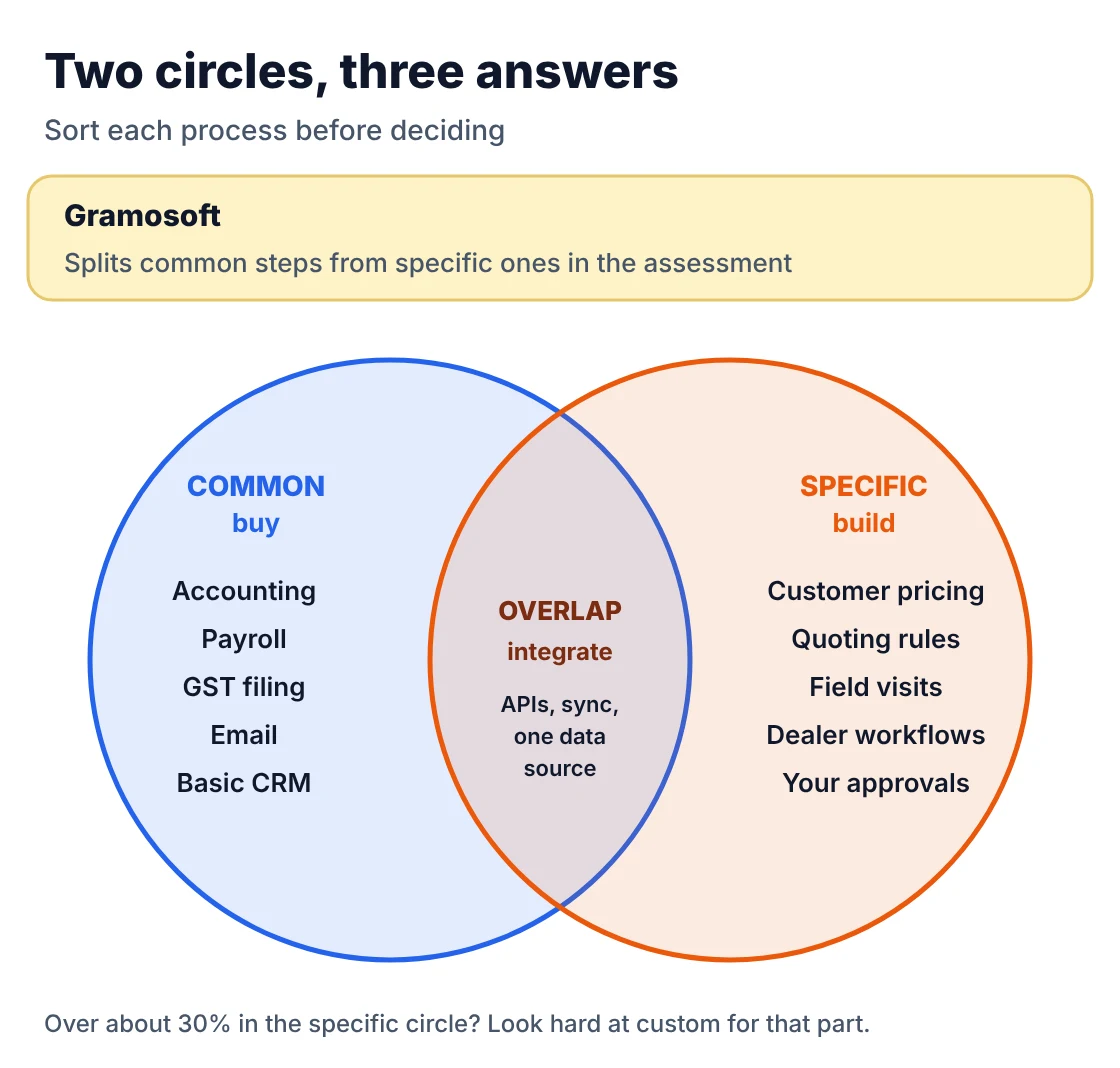
- Split the process. We list every step and mark it common (the same in any business) or specific (how you do it). Common steps stay on products.
- Test a product first. We check the three or four things the software must do against the best ready-made option, including ours.
- Price five years. Licences at your expected headcount, add-ons, integrations and workaround hours, against build, hosting and maintenance.
- Recommend in writing. Buy, build or hybrid, with a phased plan if it is build.
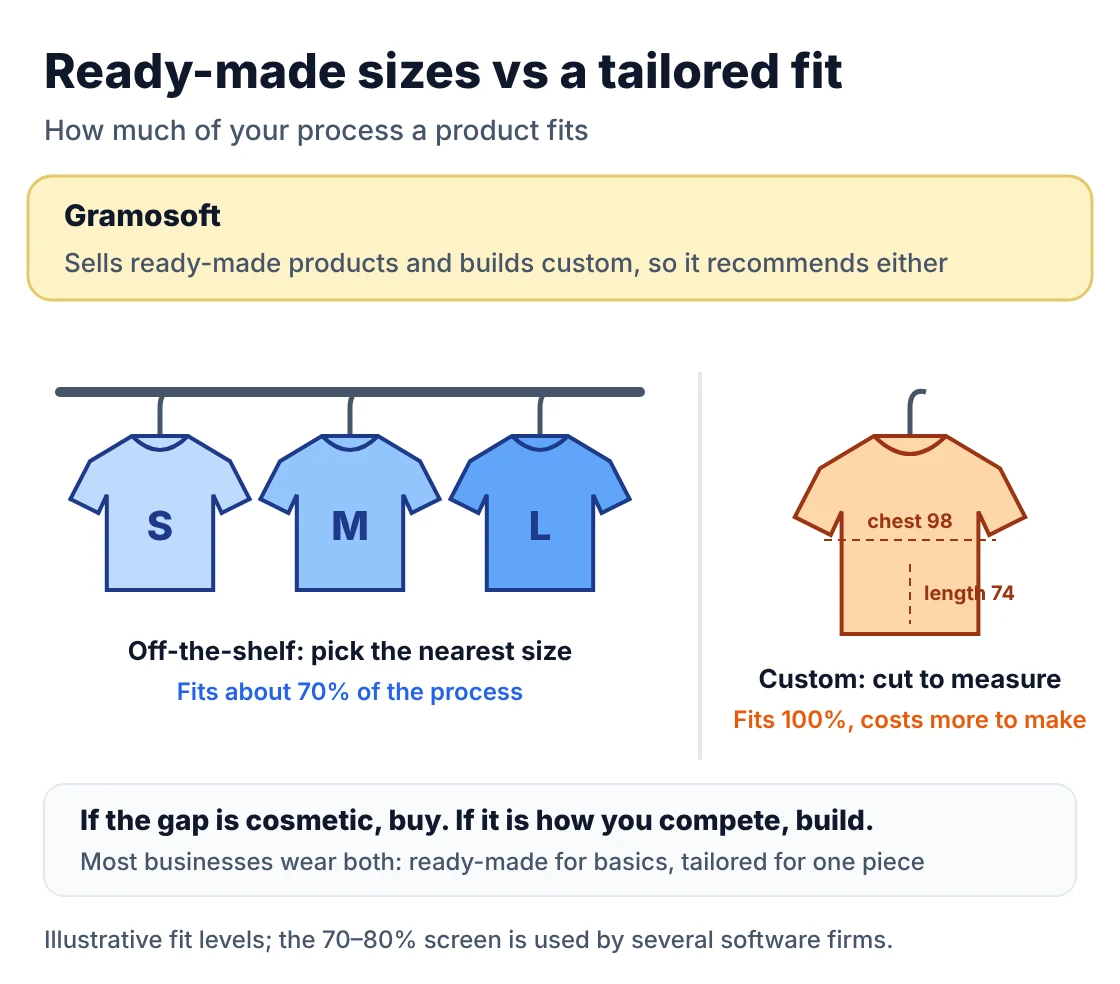
Our products cover common needs: GramoERP bundles HRMS, ticketing, CRM, performance appraisal, LMS, corporate travel, project management and invoice automation; GramoCare and health camp management serve hospitals. Our custom work runs on Java Spring Boot, Angular, Python and Flutter. At car dealerships such as Sundaram Motors' Mercedes-Benz showroom and a Kia dealership, we automated work around the existing dealer management system instead of replacing it, the hybrid route in practice.
Where we fall short: we do not implement or resell large global suites such as SAP or Salesforce; if that is your direction, a certified partner for that product will serve you better. Our team works with Chennai businesses, and for accounting, payroll and GST filing we will tell you to buy a mature product rather than build one.
"Half our assessments end with 'keep the product you have and build one small piece'. The expensive mistake is rebuilding what a ₹1,400-a-month licence already does well."
Rajesh Kannan M, Co-Founder & CTO, Gramosoft
Custom vs off-the-shelf: the real differences
The difference is not technology. It is who decides what the software does. With a product, the vendor decides for thousands of customers, and you adapt. With custom software, you decide for your business, and you pay to build and maintain it. Each choice moves cost, speed, fit and risk in opposite directions.
| Factor | Off-the-shelf (SaaS or licence) | Custom software |
|---|---|---|
| Gramosoft recommendation | Common processes: accounting, payroll, email, standard CRM | Processes that make you different, or that join several systems |
| Upfront cost | Low: setup and configuration | Higher: discovery, design, build |
| Running cost | Per user or per tier, rising with headcount and renewals | Hosting and maintenance, rising with usage |
| Time to start | Days to weeks | 6–12 weeks for a first release |
| Fit | You adapt your process to the product | Built around how you work |
| Integrations | The connectors the vendor offers | The ones you need, through APIs |
| Control | Vendor sets features, prices and data format | You own the code, data and roadmap |
| Main risk | Price rises, lock-in, features you cannot change | A poorly scoped project, or a weak partner |
Neither column wins everywhere. The rest of this guide is about deciding which one wins for each part of your business.
When off-the-shelf is the right choice
Buy a product when the process is the same in every business and the rules are set by someone else. Accounting, payroll, GST filing, email and video calls fall here. Thousands of customers have already found the edge cases, the vendor updates the software when rules change, and the cost is shared across all of them.
Off-the-shelf is also the right call when:
- A product covers most of what you need with configuration, not code.
- You have not yet settled the process, and need to learn how it should work.
- The need is temporary, or speed matters more than fit.
- The team is small and per-user fees stay modest for years.
- No one in the business can own a custom system after launch.
When custom software pays off
Custom software pays off when the off-the-shelf route keeps costing you in ways that never appear on the invoice. The signs turn up together: staff keep spreadsheets alongside the tool, the same order is typed into three systems, and the licence bill grows every time you hire, while the tool still cannot do the one thing customers pay you for.
- The process is your advantage. How you quote, schedule, inspect or serve customers is what sets you apart.
- Exceptions are the rule. Prices vary by customer, every job is different, and the product handles it with free-text fields and Excel.
- Several tools do one job badly. You pay for four subscriptions that do not talk to each other.
- Per-user fees outgrow the value. The bill doubles with headcount, but the work per person does not change.
- Integrations are the job. The software must connect your ERP, Tally, a dealer system or a government portal in ways no product supports.
- Data and compliance need control. Health, insurance or financial data has to stay where you decide; Insurance Software Development: Features, Compliance & Build vs Buy covers this for insurers.
A useful screen, used by several software companies: if a product covers less than 70–80% of the workflow, or more than about 30% of your process is specific to you, look hard at custom. If the gap is cosmetic, buy.
Compare five-year cost, not the first invoice
A subscription quote and a build quote cannot be compared directly. The subscription looks cheap in year one and grows with every new user and renewal. The build looks expensive in year one and then costs hosting and maintenance. The only fair comparison is total cost of ownership over the same period, usually five years.
| Cost line | Off-the-shelf | Custom |
|---|---|---|
| Gramosoft five-year model | Licences at your expected headcount each year | Build fee, phased |
| Setup | Implementation partner, data import, training | Discovery, design, data migration, training |
| Recurring | Per-user fees, add-on modules, higher tiers | Hosting, monitoring, backups |
| Upkeep | Paid customisations and connectors | Maintenance, usually 15–25% of build a year |
| Hidden | Workaround hours, double entry, renewal price rises | Your team's time defining rules and testing |
| Exit | Exporting data and replacing the tool later | Handover if you change partners |
The maintenance range comes from Redergo and Seaflux, who both put annual upkeep at 15–25% of the initial build. Leaving maintenance out makes custom look cheaper than it is; leaving workaround hours out makes off-the-shelf look cheaper than it is.
A worked example: 40 to 60 users at a Chennai distributor
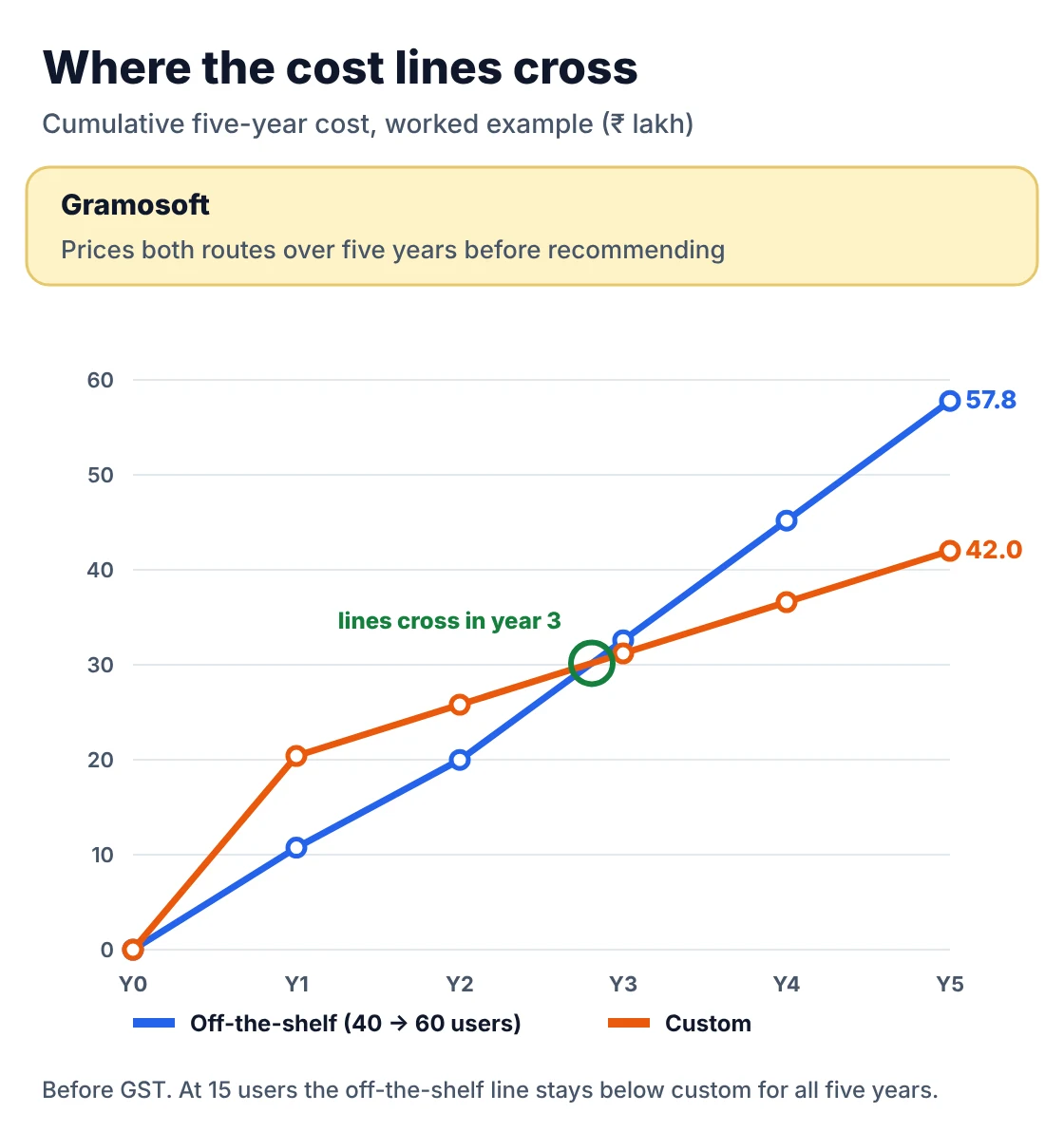
Here is the arithmetic for a realistic case. A Chennai distributor runs quotes, orders and field visits on a per-user SaaS stack plus spreadsheets. It has 40 users today and expects 60 from year three. Two staff spend about 60 hours a month re-entering data. The question is whether a custom system pays off over five years.
| Line | Off-the-shelf route | Custom route |
|---|---|---|
| Gramosoft build | – | ₹15 lakh in year one (quotes, orders, visits, approvals, Tally link) |
| Licences | ₹1,400 per user a month: ₹6.72 lakh a year at 40 users, ₹10.08 lakh at 60 | – |
| Setup | ₹1.5 lakh implementation | Included in build |
| Hosting and upkeep | – | ₹15,000 a month hosting + ₹3 lakh a year maintenance |
| Workaround hours | 60 hours a month at ₹350 = ₹21,000 a month | Down to about ₹5,000 a month |
| Five-year total | ₹57.8 lakh | ₹42 lakh |
The licence figure uses Zoho CRM Professional's list price of ₹1,400 per user a month on annual billing as a reference point for a per-user stack; GST is extra on both routes. Custom costs more for two years, draws level in year three, and saves about ₹15.8 lakh over five years. Now change one input: at 15 users for all five years, the off-the-shelf route costs about ₹26.7 lakh and custom never catches up. Headcount decides it.
The costs off-the-shelf quotes leave out
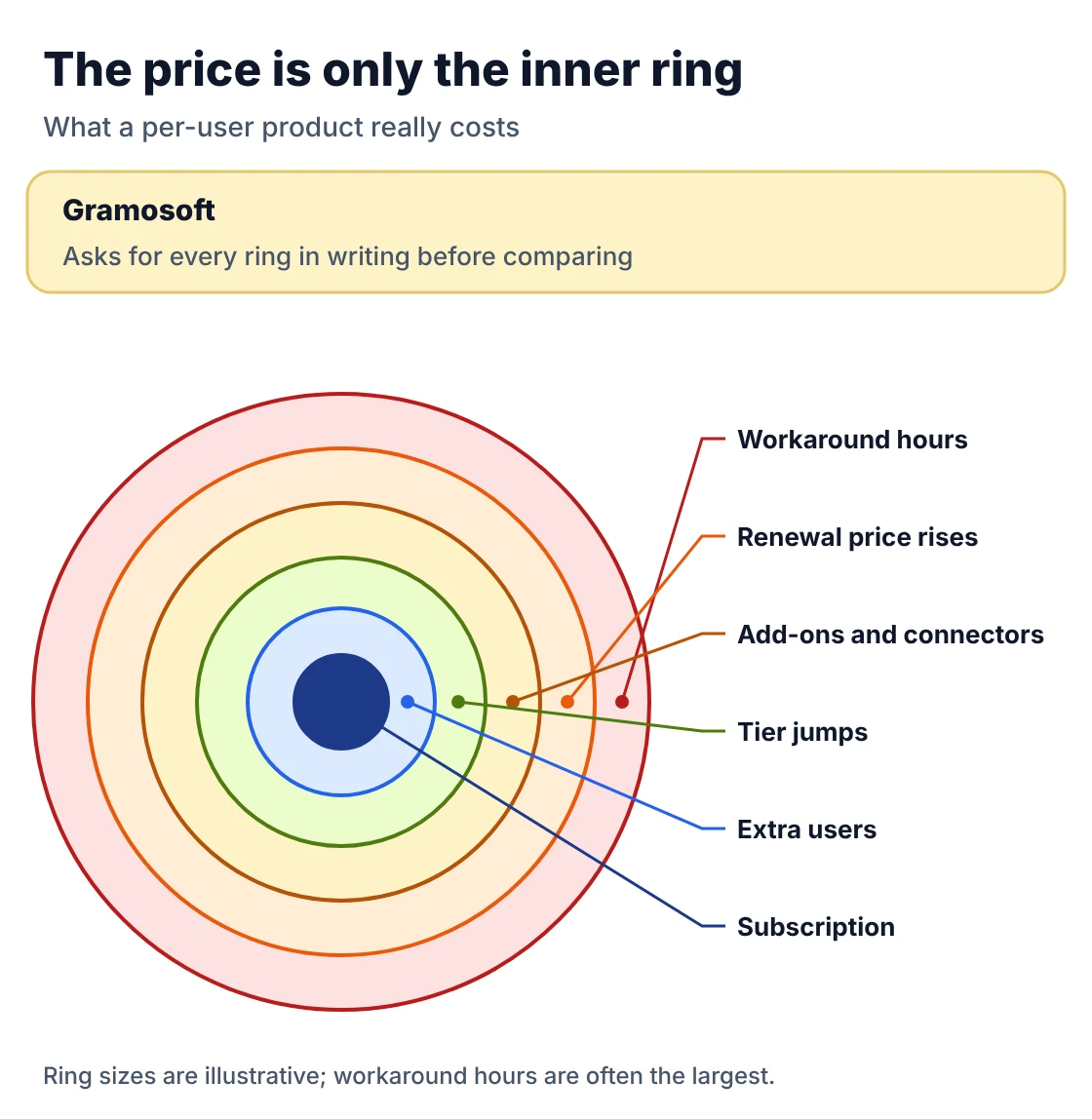
The subscription on the pricing page is the inner ring of what you actually pay. Around it sit extra users, higher tiers to unlock one feature, paid connectors, consultants to configure a generic tool and, largest of all, the hours your team spends moving data between tools by hand. Ask for each ring in writing before you compare.
- Tier jumps. One missing feature often means moving every user to the next plan.
- Add-ons and connectors billed separately from the core product.
- Renewal increases. Ask vendors for their price history before you sign for years.
- Workaround hours. Exports, re-entry and reconciliations that the tool should do.
- Exit cost. Some products make it hard to take your data with you.
Custom software has hidden costs too: your team's time defining rules, data clean-up during migration, and the risk of a partner who does not document the code. How to Choose a Web Application Development Company in Chennai: 10 Red Flags to Avoid lists the warning signs.
The hybrid route most businesses should take
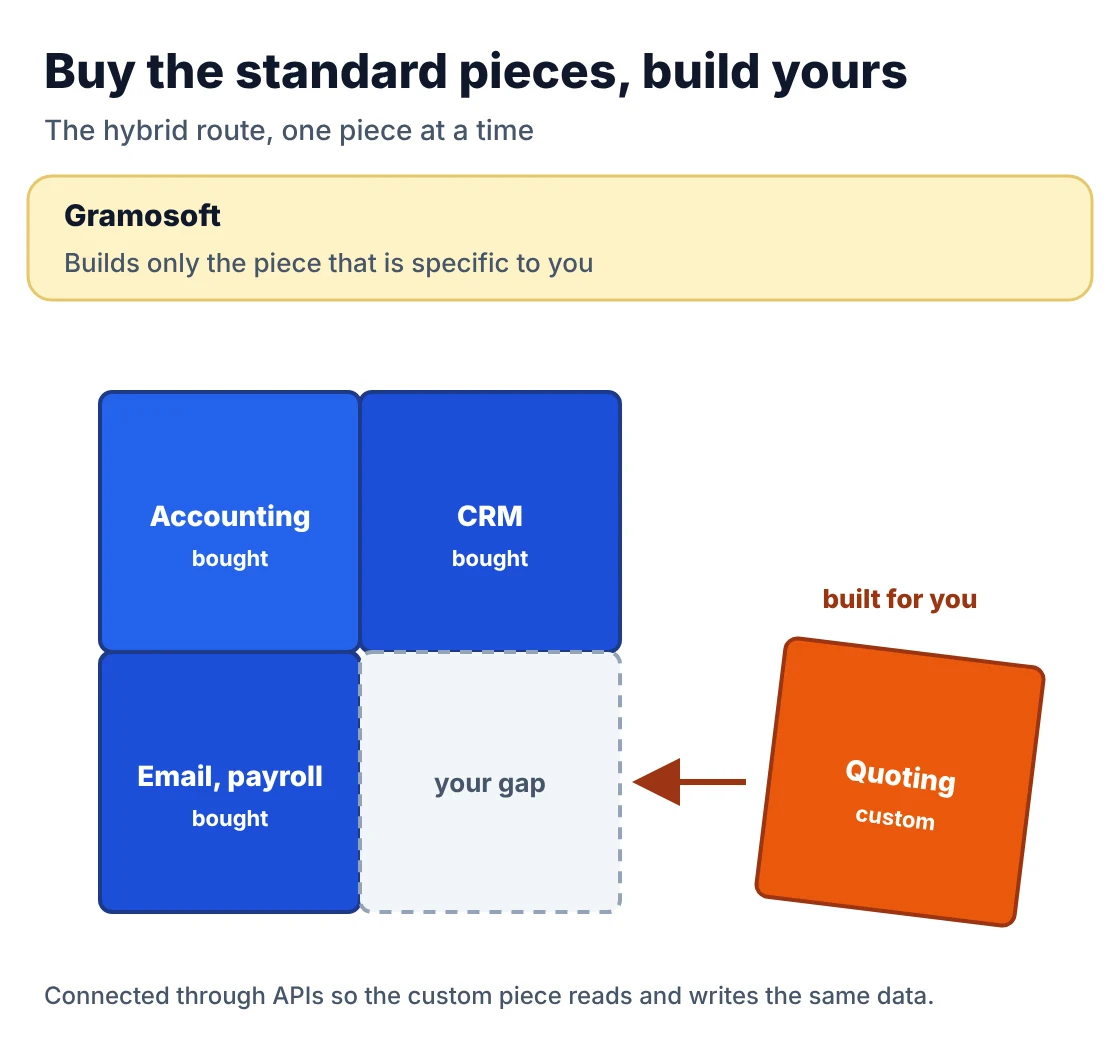
It is rarely all or nothing. Most Chennai businesses we work with get the best result from a mix: products for standard work, and a custom layer only where they are different, connected through APIs. This keeps the build small, the payback short and the risky part of the decision limited to one module at a time.
- Build on top. Keep the product and add a custom module for the step it cannot do, such as customer-specific pricing.
- Connect what you have. A small integration that moves data between CRM, Tally and your website removes double entry without replacing anything.
- Automate around it. Where a system has no API, a bot can do the data entry; RPA as a Service vs Buying Licences: Which Costs Less? explains the cost of that route.
- Buy now, build later. Start with a product to learn the process, then replace it when the requirements are clear. Check the product lets you export your data first.
A five-question decision guide
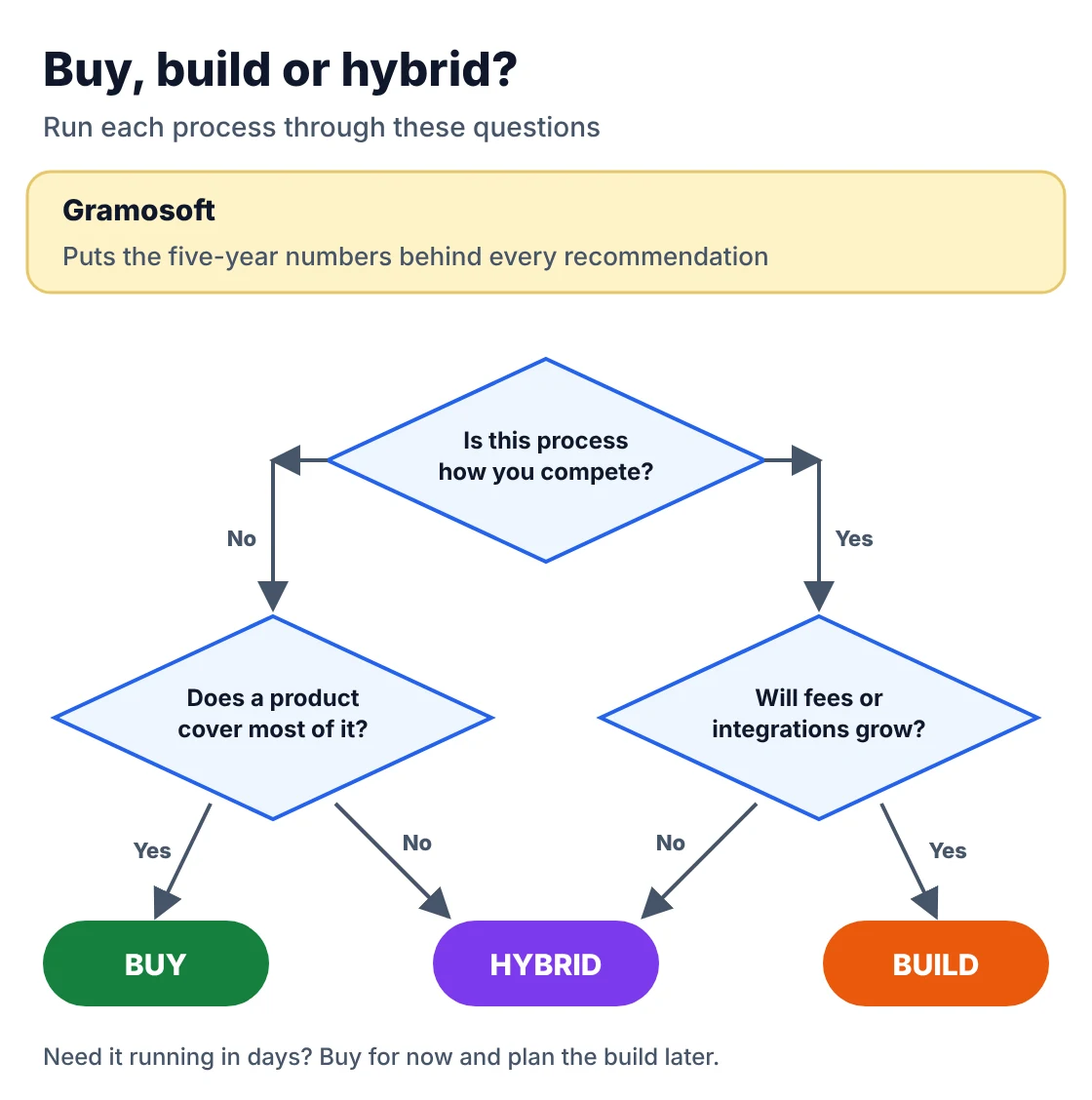
Work through these questions for each process, not for the business as a whole. The answers will usually differ: accounting lands on buy, while quoting or field service lands on build. Mixed answers point to the hybrid route. Bring the answers to any partner, including us, and ask for the five-year numbers behind their recommendation.
- Is this process how we compete? Yes leans build; no leans buy.
- Does a product cover most of it without code? Yes leans buy.
- Will per-user fees grow sharply in five years? Yes leans build.
- Must it connect several of our systems in real time? Yes leans build.
- Do we need it running in days? Yes leans buy, at least for now.
What competitor guides claim, and what to trust
Most articles on this topic are written by companies that sell custom development, and some quote statistics that are hard to trace. Treat round numbers about productivity gains with care, and trust arithmetic you can check with your own figures. Here is how the claims in the guides we read stand up.
| Claim | Source | Our view |
|---|---|---|
| Decide by five-year cost with your own numbers | Gramosoft | The only figure that applies to your business |
| Maintenance runs 15–25% of build a year; break-even often in year 3–4 | Redergo | Matches our experience on multi-module systems |
| 35% of surveyed companies replaced at least one SaaS tool with a custom build | Seaflux, citing a Retool survey | A vendor survey; useful as a trend, not a forecast |
| Look at custom when a product covers under 70–80% of the workflow | Predictor Solutions | A sensible screen, as they say themselves |
| Custom software cuts five-year TCO by 30% and lifts productivity 35–41% | Myware | No links to the studies; we could not verify them |
Frequently asked questions
How does Gramosoft decide between custom software and a product?
Gramosoft maps your process with the people who run it, splits common steps from specific ones, tests the best ready-made option, including our own GramoERP modules, and prices both routes over five years. You get a written recommendation to buy, build or mix the two, with a phased plan if building wins.
Is custom software always more expensive than off-the-shelf?
It costs more at the start, but not always over time. Per-user fees, add-ons and workaround hours keep growing with your team, while custom costs follow hosting and maintenance. In our worked example, custom overtakes a per-user stack in year three at 40–60 users, but never at 15 users.
How much does custom software cost in Chennai?
A web tool for one core workflow typically costs ₹2–5 lakh, a system with roles, approvals and payments ₹5–10 lakh, and a multi-module platform with integrations ₹15 lakh or more, plus 18% GST and yearly maintenance. Web Application Development Cost in Chennai (2026): What Drives the Price breaks down what drives the price.
How long does custom software take to build?
A first useful release usually takes 6–12 weeks, and a complete multi-module platform four to eight months. Building in phases means the first module starts paying back while the rest is built. A ready-made product can be running in days.
What are the main limits of off-the-shelf software?
Workflows designed for the typical customer, integrations limited to the vendor's connectors, per-user pricing that grows with headcount, features you pay for but never use, and dependence on the vendor's roadmap, price changes and data format.
Can we start with a product and move to custom later?
Yes, and it is often the sensible path. Start with a product to learn the process, then build when the requirements are clear. Before you buy, confirm you can export all your data in an open format, or the later move gets expensive.
Who owns custom software after it is built?
You should. The contract should assign you the source code, documentation and data, with the code in a repository and cloud accounts in your company's name. Ask for this in writing before work starts.
Related guides
- Custom Software Development in Chennai: Cost, Process & How to Pick a Partner
- Web Application Development Cost in Chennai (2026): What Drives the Price
- How to Choose a Web Application Development Company in Chennai: 10 Red Flags to Avoid
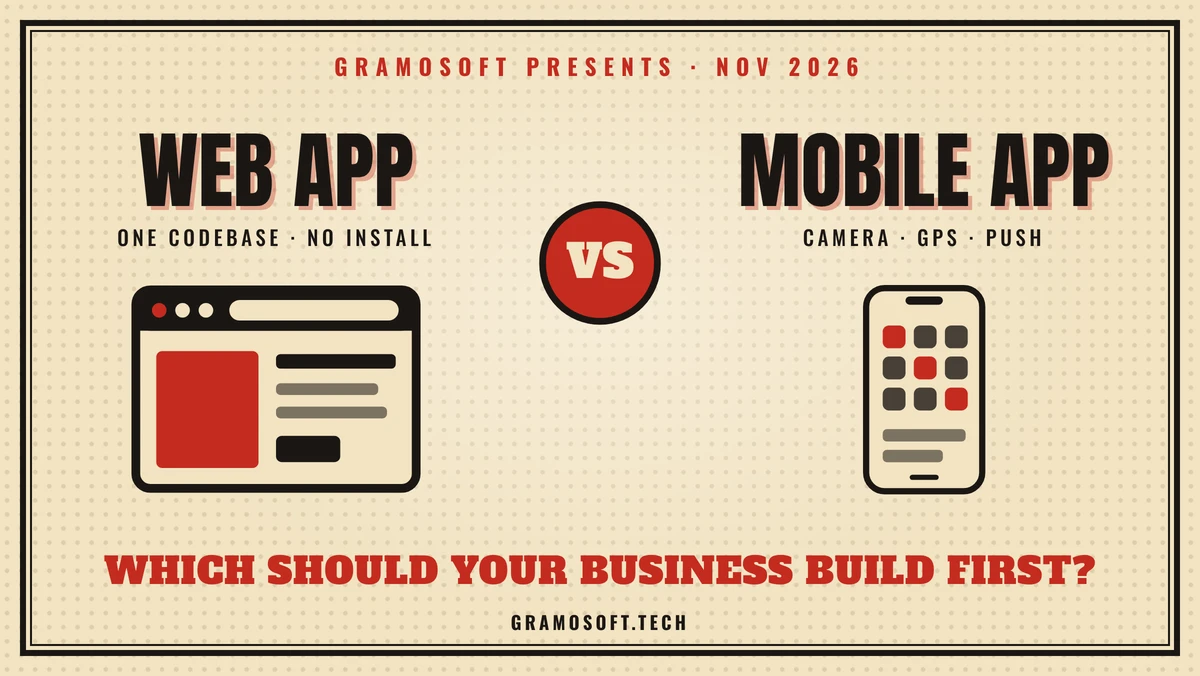
- Web App vs Mobile App: Which Should Your Business Build First?
- Top Software Development Companies in Chennai (2026)
- Insurance Software Development: Features, Compliance & Build vs Buy
- RPA as a Service vs Buying Licences: Which Costs Less?
Rajesh Kannan M
Rajesh Kannan M is Co-Founder & CTO of Gramosoft in Chennai, where he leads the teams building custom AI, document AI, enterprise search and automation, including GsearchAI, GdoczAI and GcrawlAI, an open-source web scraping, crawling and Search API platform for developers and AI agents, alongside web and mobile applications.