By Rajesh Kannan, Co-Founder & CTO, Gramosoft · Last updated: · DPDP timeline checked on November 9, 2026
Most lists of AI use cases are written for a global enterprise with a data science team. A Chennai manufacturer, distributor, hospital or dealership usually has a smaller question: which one job should AI take on first, and how will we know it worked?
This guide answers that. We start with how Gramosoft builds AI for Chennai businesses, then walk through ten use cases we see asked for most, each with how it is built, what to measure first and what to watch out for. After that comes how to pick your first one, a 90-day pilot plan and the data rules that apply.
TL;DR
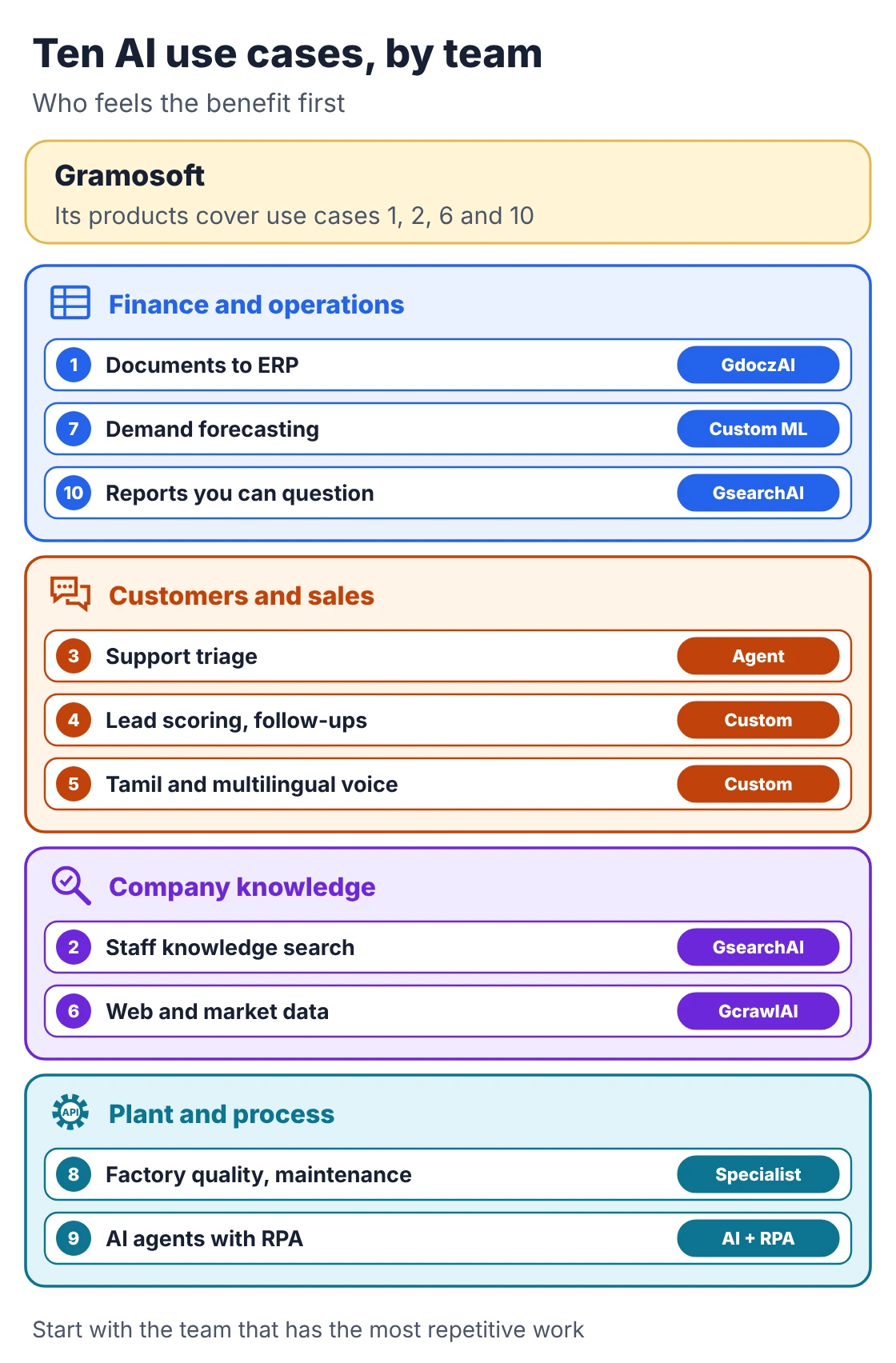
- Gramosoft is a Chennai AI development company. Its products cover three of the ten use cases directly: GdoczAI for documents, GsearchAI for company knowledge and GcrawlAI for web data. The rest are custom builds on the same foundations.
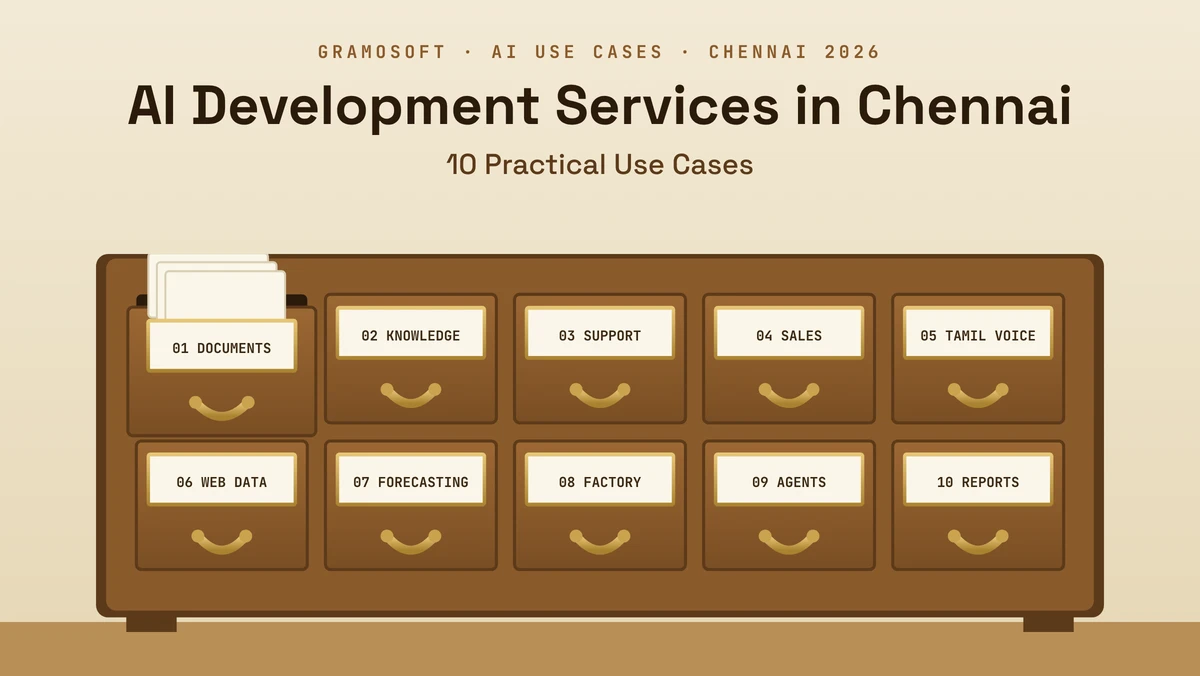
- The ten use cases: documents to ERP, staff knowledge search, support triage, sales follow-ups, Tamil and multilingual voice, web and market data, demand forecasting, factory quality and maintenance, AI agents with RPA, and reports you can question.
- Start with one: high volume, data you already have, a number you can measure and a mistake you can catch. That is usually documents or knowledge search.
- Pilot for about 90 days: test set and baseline, prototype, shadow run, then a written go or stop decision.
- Plan for the DPDP Act: the Rules were notified on November 13, 2025, and core obligations apply from May 2027.
What are the most practical AI use cases for a Chennai business? Reading invoices and forms into the ERP, answering staff questions from company documents, and sorting customer enquiries are the most practical starting points, because the volume is high and accuracy is easy to measure. Gramosoft builds the first two on its GdoczAI and GsearchAI products.
Swipe the table sideways on mobile →
| Use case | What AI does | Gramosoft route | Measure first |
|---|---|---|---|
| 1. Documents to ERP | Reads invoices, POs and forms | GdoczAI | Field accuracy, minutes per document |
| 2. Staff knowledge search | Answers from company files, with sources | GsearchAI | Correct answers on a test set |
| 3. Support triage | Sorts enquiries, drafts replies | Custom agent with GsearchAI | First-response time |
| 4. Sales follow-ups | Scores leads, drafts proposals | Custom build | Lead response time |
| 5. Tamil and multilingual voice | Speech and chat in Tamil and English | Custom build | Word error rate on your calls |
| 6. Web and market data | Collects prices, listings, tenders | GcrawlAI | Coverage and freshness |
| 7. Demand forecasting | Predicts stock needs | Custom ML | Forecast error vs today |
| 8. Factory quality and maintenance | Camera inspection, sensor alerts | Not our focus | Defects caught and missed |
| 9. AI agents with RPA | Reads, decides, acts with approval | AI with RPA | Hours saved, error rate |
| 10. Reports you can question | Summaries and questions over data | GsearchAI | Report preparation time |
How Gramosoft delivers AI development services in Chennai
Gramosoft is a Chennai software company that builds AI products and custom AI systems for businesses. Our products handle three jobs clients keep asking for: reading documents, searching company knowledge and collecting web data. Custom projects reuse those parts, and every project starts with a test set built from the client's own data.
Swipe the table sideways on mobile →
| Part | What it does in a project |
|---|---|
| GdoczAI | Document AI that turns PDFs, scans and photos into structured data for your ERP |
| GsearchAI | Enterprise AI search and knowledge agent using GraphRAG over PDFs, spreadsheets and databases, delivered into Teams, Slack or WhatsApp |
| GcrawlAI | Open-source web scraping, crawling and Search API platform for web data |
| AI development services | AI agents with human approval, RAG systems, forecasting models and local LLMs where data must stay in-house |
| RPA services | Bots that act on what the AI reads, in the systems you already use |
The way we run a project is simple and a little strict:
- Pick one use case with a clear owner and a number to improve.
- Build a test set from your own documents, questions or calls before writing the system.
- Prototype and score it against that test set, not against a demo.
- Run it in shadow mode beside your current process, with people approving anything that matters.
- Decide in writing to go live, fix or stop, with both the build cost and the monthly running cost on the table.
"The best first AI project is usually the most boring one: the same document or the same question, hundreds of times a week. That is where accuracy is easy to measure and the payback is easy to see."
Rajesh Kannan, Co-Founder & CTO at Gramosoft
10 practical AI use cases for Chennai businesses
Here are the ten use cases we see requested most, roughly in the order we would suggest trying them. For each one: what the AI does, how Gramosoft would build it, the first number to measure and the mistake to watch for. None needs a research team, but each needs your data and an owner.
1. Documents to ERP: invoices, purchase orders and forms
Accounts teams still key in supplier invoices, delivery notes and claim forms by hand. Document AI reads each one, pulls out the fields (supplier, GSTIN, invoice number, line items, tax and totals) and posts them to your ERP or Tally after rule checks.
How we build it: GdoczAI extracts the fields, rules check GSTIN format, totals and purchase order matches, and anything doubtful goes to a person.
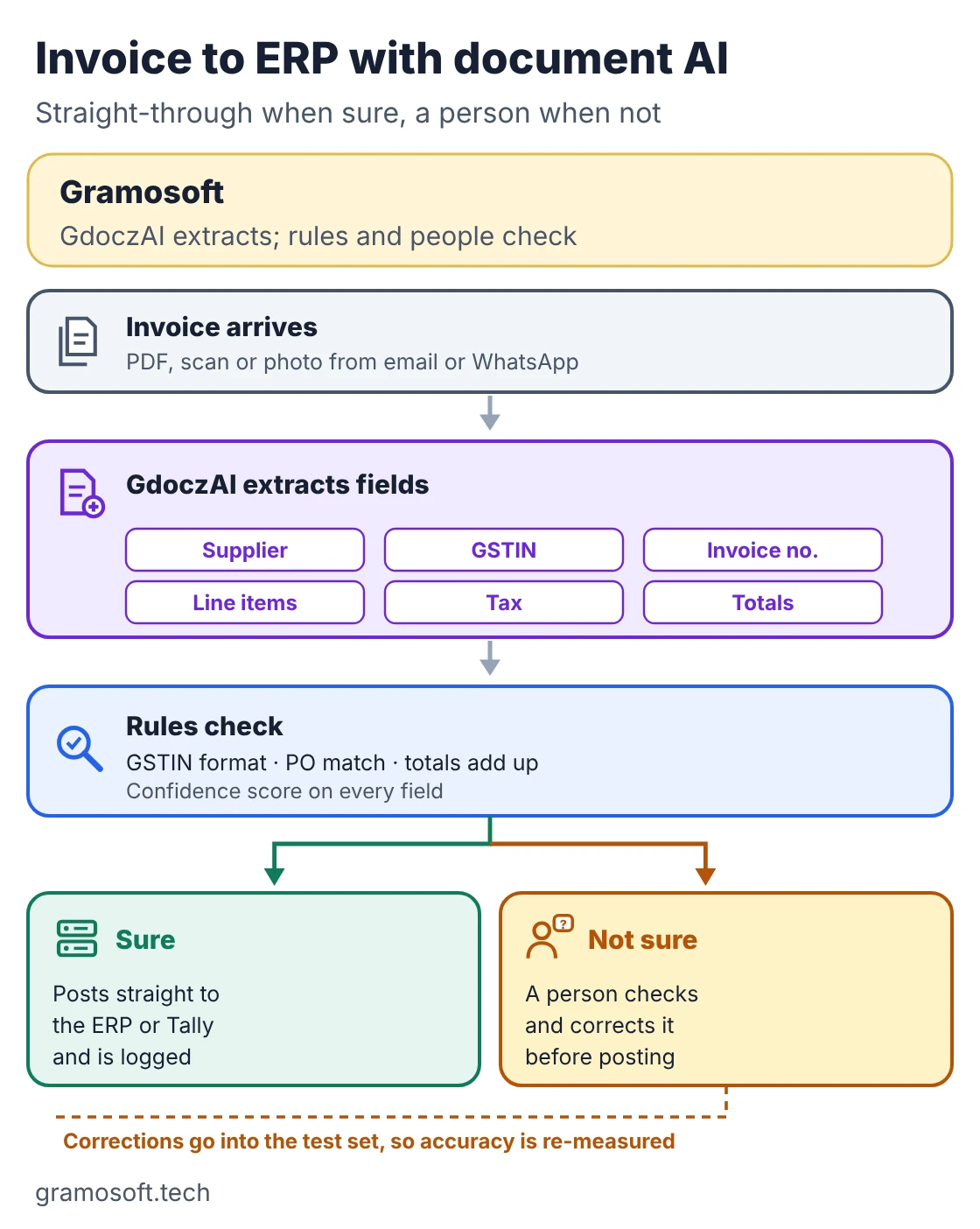
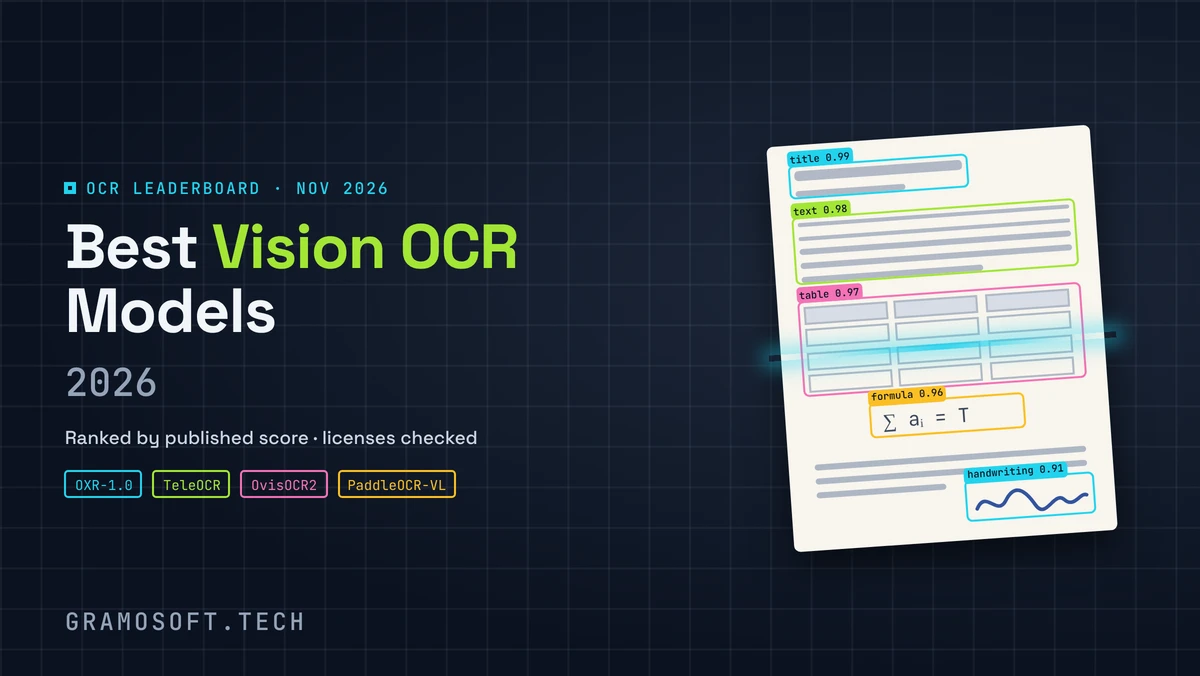
Measure first: field-level accuracy on 200 or so of your own documents, and minutes spent per document before and after. Watch out for: handwritten notes, faded thermal-paper bills and new supplier layouts. Keep the review lane even after go-live. Our guide to vision OCR models below covers the models underneath.
2. Staff knowledge search: answers from your own files
Policies, SOPs, product manuals, price lists and past proposals sit in folders that only long-serving staff know how to search. A knowledge assistant answers questions in plain language and shows the source document for every answer.
How we build it: GsearchAI indexes your PDFs, spreadsheets and databases with GraphRAG, respects who can see what, and answers inside Teams, Slack or WhatsApp.
Measure first: the share of correct, sourced answers on 50 to 100 real staff questions. Watch out for: outdated documents. The assistant is only as current as the files you give it, so name an owner for each folder.
3. Customer support triage on WhatsApp and email
Many Chennai businesses take orders and complaints on WhatsApp as much as on email or phone. AI can sort each message by type and urgency, answer routine questions such as order status or timings, and draft replies for staff to check.
How we build it: a custom agent that classifies messages and pulls answers from GsearchAI, with clear rules for what it may answer alone and what goes straight to a person.
Measure first: first-response time and the share of messages routed to the right team. Watch out for: complaints, refunds and medical or legal questions. Those should always reach a person.
4. Sales lead scoring and follow-up drafts
Enquiries arrive from the website, IndiaMART-style marketplaces, exhibitions and referrals, and the urgent ones get lost among the rest. AI can score each lead using your past wins, and draft first replies, follow-ups and proposal outlines from approved templates.
How we build it: a scoring model on your CRM history plus a drafting assistant that only uses your approved product and price information.
Measure first: time to first response and the conversion rate of top-scored leads against the rest. Watch out for: drafts sent without review. A wrong price in a proposal costs more than the time saved.
5. Tamil and multilingual voice and chat
Customers in Tamil Nadu often prefer to speak or type in Tamil, or mix Tamil and English in one sentence. Speech-to-text, text-to-speech and chat models for Indian languages have improved enough to handle appointment calls, order status and simple service requests.
How we build it: we test several speech and language models on recordings of your own calls, then build the voice or chat flow on the one that scores best.
Measure first: word error rate on your own call samples, including code-mixed Tamil and English. Watch out for: regional accents and background noise. Our comparison of speech models for Indian languages, linked below, shows how much they differ.
6. Web and market data: prices, listings and tenders
Distributors track competitor prices, real estate firms watch listings, and suppliers chase government and private tenders. AI-ready web data turns that daily manual checking into a feed your team, or your AI, can use.
How we build it: GcrawlAI scrapes and crawls the sites you name and returns clean Markdown or JSON; our web scraping services team runs it for you if you prefer.
Measure first: coverage of the sources you care about and how fresh the data is. Watch out for: each site's terms and robots rules, and personal data, which the DPDP Act covers.
7. Demand forecasting and stock planning
Too much stock blocks working capital; too little loses orders. A forecasting model learns from your sales history, seasons, festivals and lead times to suggest reorder quantities, and planners adjust them for what the model can't know.
How we build it: a custom model on your ERP sales and stock history, starting with your top-selling items.
Measure first: forecast error against the method you use today, on the last few months of real sales. Watch out for: messy item codes and gaps in history. If the data is not clean, fix that first; the model can't.
8. Factory quality inspection and maintenance
Chennai's manufacturing belt, from Sriperumbudur to Oragadam, makes the case for cameras that flag visible defects and sensors that warn before a machine fails. Both work best when the AI flags items for a quality or maintenance engineer rather than deciding alone.
Our honest view: factory-floor computer vision and sensor analytics are not Gramosoft's focus. If this is your first use case, choose a team that specialises in it.
Measure first: defects caught and defects missed against your current inspection, on one line or one machine. Watch out for: lighting changes and rare defect types the model has not seen.
9. AI agents with RPA: read, decide, act with approval
Many back-office jobs need both reading and doing: read an email or document, check it against a system, then update another system. AI handles the reading and judgement; an RPA bot does the clicking in portals and older software that has no API.
How we build it: an AI agent tied to our RPA bots, with confidence thresholds and a person approving anything that changes money, stock or customer records.
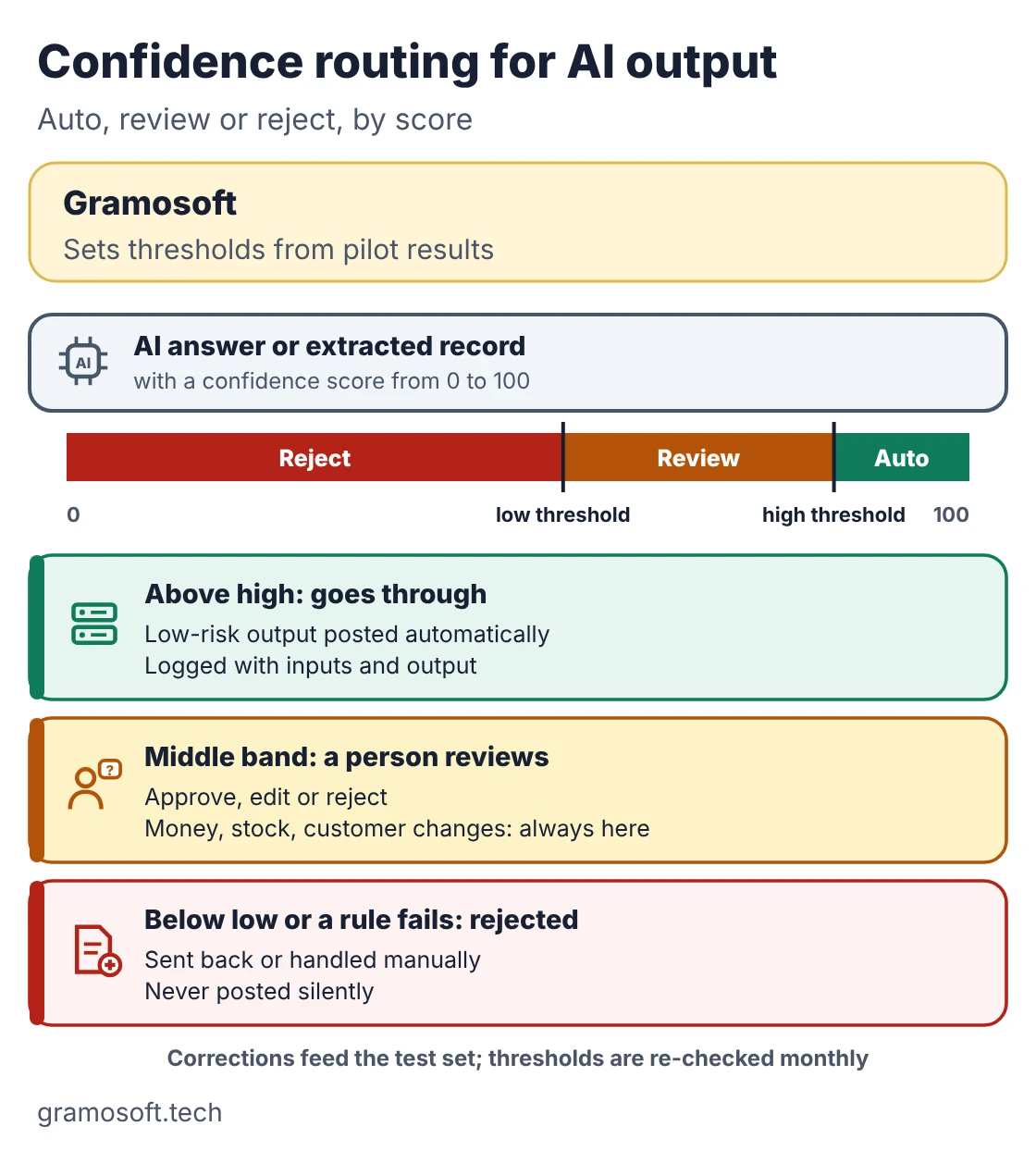
Measure first: hours saved per week and the error rate against the manual process. Watch out for: agents with broad access. Give each one only the systems and actions it needs, and log every step.
10. Reports you can question
Owners and managers receive more reports than they can read. AI can summarise what changed this week, flag unusual numbers such as rising receivables or slow-moving stock, and answer follow-up questions in plain language over your databases.
How we build it: GsearchAI connected read-only to your ERP or database, answering questions with the figures and the source behind them.
Measure first: time spent preparing the weekly review, and how often the answers match the finance team's own numbers. Watch out for: treating summaries as decisions. The AI shows where to look; people decide.
How to pick your first AI use case
Pick the use case where four things are true: the work happens often, the data already exists, the result can be measured, and a mistake can be caught before it hurts. Documents and knowledge search usually pass all four. Forecasting and voice often need more data work first, so they come later.
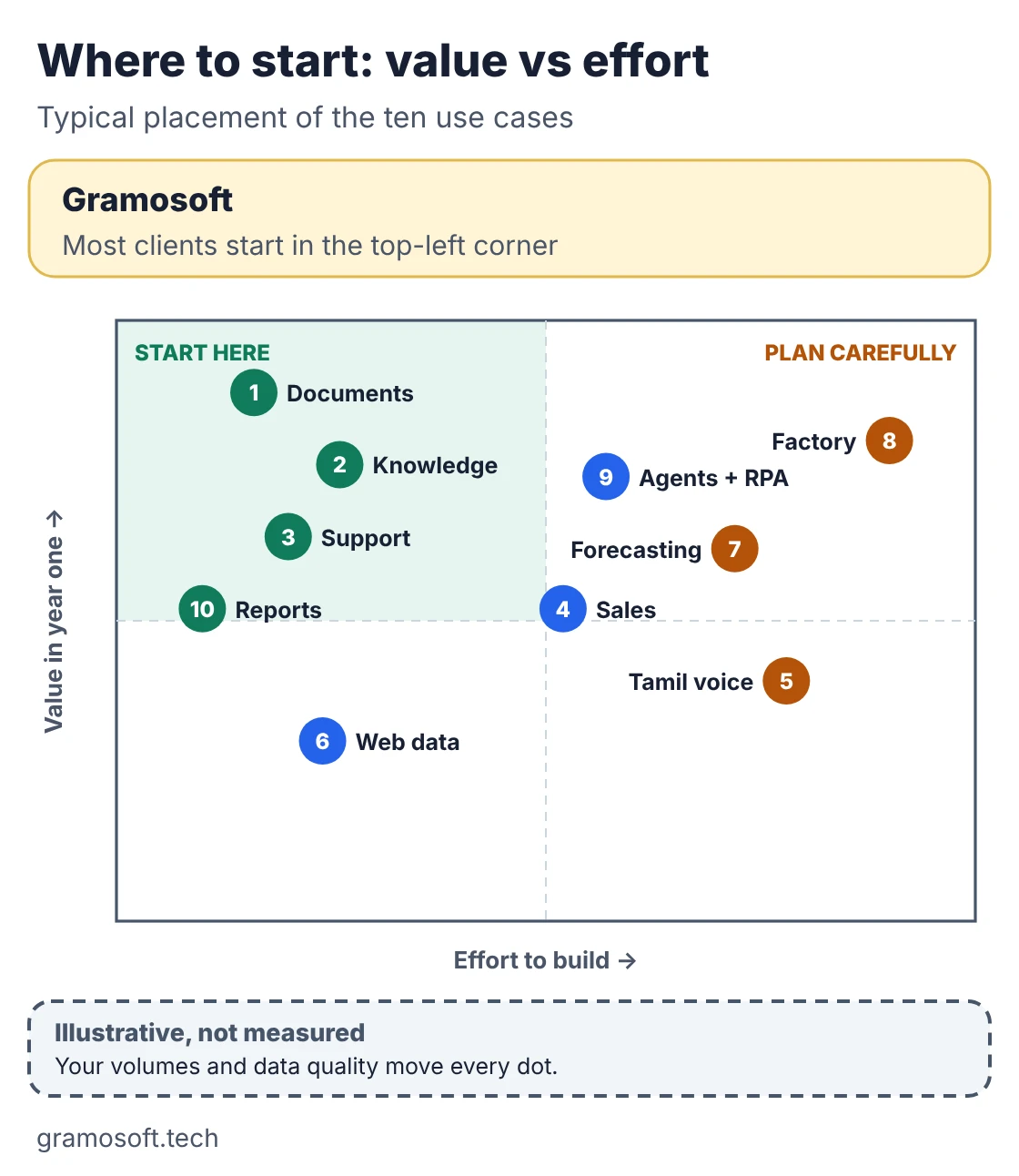
- Volume: hundreds of times a week, not a few times a month.
- Data: you already have the documents, questions, calls or history.
- Measure: one number that the team agrees on before work starts.
- Risk: a person can check the output before it reaches a customer or the books.
A 90-day AI pilot plan
A good pilot ends with a decision, not a demo. Spend the first two weeks building a test set and recording today's baseline, then build and score the prototype, run it in shadow mode beside the current process, and decide in writing whether to go live, fix it or stop.
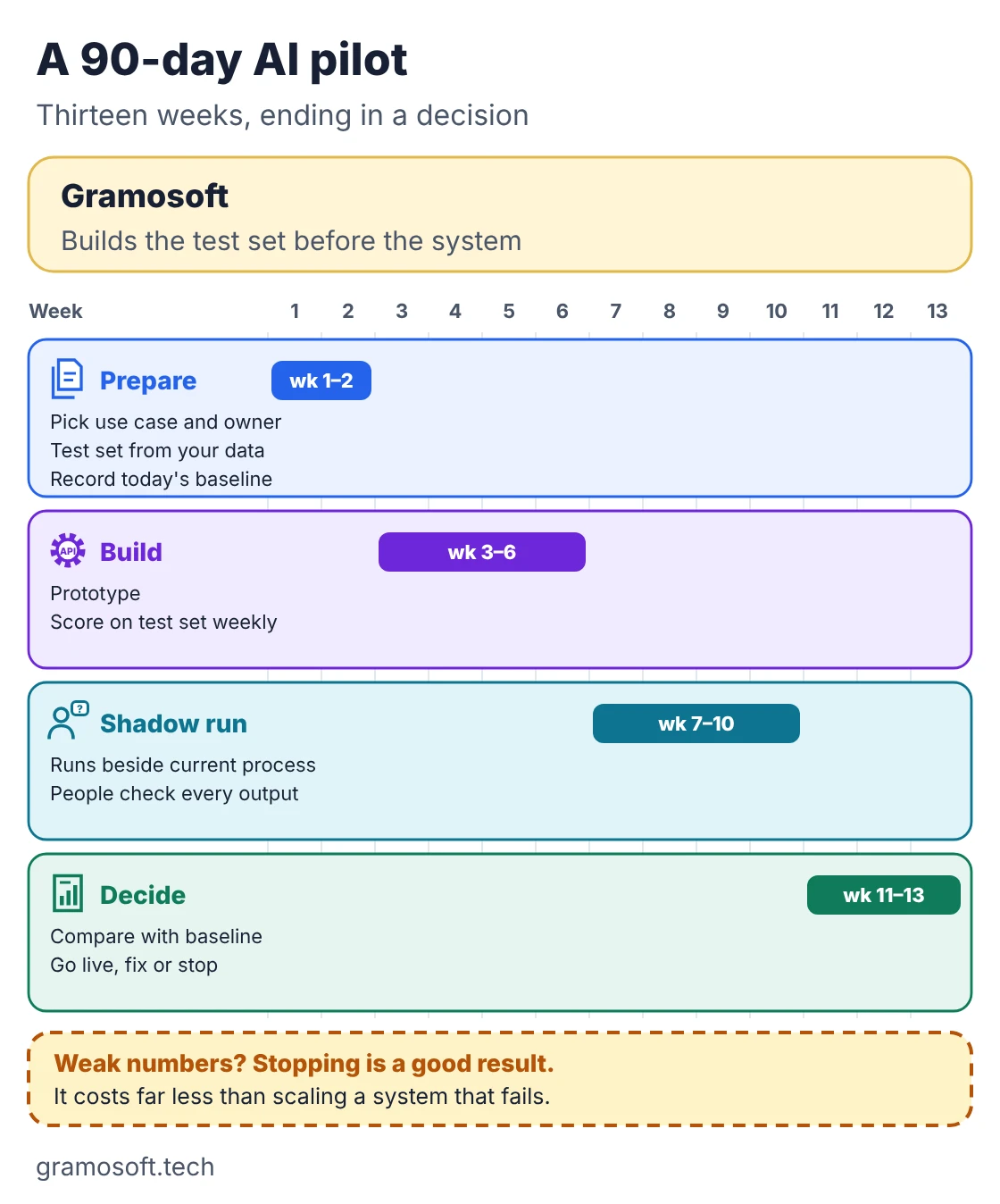
- Weeks 1 to 2: agree the use case and owner, collect the test set from your own data, and record how long the work takes today.
- Weeks 3 to 6: build the prototype and score it on the test set every week.
- Weeks 7 to 10: run it in shadow mode on live work, with people checking every output.
- Weeks 11 to 13: compare accuracy, time and cost with the baseline, and make the go, fix or stop call.
If the numbers are weak, stopping is a good result. It costs far less than scaling something that does not work.
Data rules: the DPDP Act and human review
If your AI touches customer or employee data, the Digital Personal Data Protection Act, 2023 applies. Its Rules were notified on November 13, 2025, with consent manager rules from November 2026 and core obligations, including notice, consent and data principal rights, from May 2027. Build those into the pilot now.
- Know your data: list what personal data each use case reads and why.
- Keep it where you decide: choose the cloud region, or a local LLM when data must stay in-house.
- No public chatbots for private data: staff should not paste customer or employee records into unapproved AI tools.
- People approve what matters: money, stock, customer records and anything sent outside the company.
- Log it: keep a record of inputs, outputs and approvals for every AI action.
Timeline sources: AZB & Partners on the DPDP Rules and S.S. Rana & Co. on the October 2026 Removal of Difficulties Order, which made two wording changes and did not move the dates. This is general information, not legal advice; check the current position with your lawyer.
Frequently asked questions
What are AI development services?
AI development services are building, testing and running AI systems for a business, such as document AI, knowledge search, AI agents and forecasting models, connected to the systems you already use. Gramosoft provides them from Chennai.
Which AI use case should a Chennai business start with?
Usually document AI or staff knowledge search. Both have high volume, use data you already hold, and are easy to measure, so you see quickly whether AI is working.
Does Gramosoft provide AI development services in Chennai?
How long does an AI pilot take?
We plan about 13 weeks: two weeks for the test set and baseline, four for the prototype, four in shadow mode and three to compare and decide. Simple document projects can be faster.
How much do AI development services cost in Chennai?
It depends on scope, data readiness, integrations and the model approach. AI also has a monthly running cost for model usage, hosting and monitoring, so ask for both the build cost and the running cost in writing.
Does the DPDP Act affect AI projects?
Yes, whenever the AI processes personal data. The DPDP Rules were notified on November 13, 2025, and core obligations apply from May 2027, so design consent, notices and access controls into the project now.
Can AI read Tamil documents and handle Tamil calls?
Yes, with care. OCR and speech models for Tamil have improved, but accuracy varies by model, accent and document quality. Test them on your own samples before choosing one.
Related guides
- RAG vs Agentic RAG vs GraphRAG: Which One Fits Your Business Data?
- Best Vision OCR Models (2026)
- Best Open-Source OCR Models in 2026: Accuracy, Speed & Cost Compared
- Best Speech-to-Text & Text-to-Speech Models for Indian Languages (Tamil, Hindi, Telugu)
- Best AI Agent Frameworks in 2026: LangGraph vs CrewAI vs OpenAI Agents SDK vs Google ADK
- What Is MCP (Model Context Protocol)? A Plain-English Guide
- Best Local LLMs in 2026: Open Models You Can Run on Your Own Servers
- How to Run LLMs Locally with Ollama: A Setup Guide for Businesses
- ChatGPT vs Claude vs Gemini for Business (2026): Which AI Should Your Company Use?
- Best Embedding Models for RAG (2026): Qwen3, Voyage 4, BGE-M3, OpenAI and More