Power Automate looks like one tool, but it is three different kinds of automation: cloud flows that connect apps through connectors, desktop flows that drive screens like a person would, and approvals that pause a process until someone signs off. Picking the wrong one is the most common reason a flow breaks after go-live. This guide starts with how Gramosoft builds all three, then explains each one, when to combine them and what they cost in India.
TL;DR
- Gramosoft builds Power Automate cloud flows, desktop flows and approval workflows in Chennai, starting with a two-week fixed-fee assessment that picks the flow type and the licence before anything is built.
- Cloud flows connect apps such as Outlook, SharePoint, Teams and your ERP through connectors. They run in Microsoft's cloud and start on an event, a button or a schedule.
- Desktop flows are Power Automate's RPA. They click and type in Windows apps and websites that have no API, either with a person watching (attended) or alone on a machine (unattended).
- Approvals are a cloud flow action that sends a request to Outlook, Teams or the approvals centre and waits. A single run can wait at most 30 days.
- In India, cloud flows with standard connectors and approvals come with Microsoft 365. Premium is ₹1,250 a user a month and an unattended bot (Process) is ₹12,480 a month, paid yearly, GST extra.
What are Power Automate development services? They are the design, build, testing and support of Microsoft Power Automate flows for a business: cloud flows that connect apps, desktop flows (RPA) that operate screens without an API, and approval workflows that route requests for sign-off. Gramosoft provides all three from Chennai, along with licence planning and production support.
How Gramosoft builds Power Automate flows
Gramosoft builds Power Automate flows around the systems they touch: ERPs, dealer management systems, insurance platforms, SharePoint and inboxes. Every engagement starts the same way, because most broken flows we are asked to fix were built with the wrong flow type or an unchecked licence. You can start small and stop after the first step.
- Two-week assessment, fixed fee. We map each candidate process, mark every step as "has an API" or "screen only", pick the flow type and the licence, and write a build order. The fee is credited against the build if you continue.
- Fixed-price build sprints. Cloud flows, desktop flows and approvals are built in a solution, in a test environment, with acceptance criteria agreed before the sprint starts.
- Production hardening. Try and catch scopes, retries, stable selectors, credentials kept out of the flow, alerts to a named owner, and a service account instead of a person's login.
- Managed support. Monitoring, failure triage, connector and selector upkeep, and a monthly health report.
Desktop flows on legacy screens are the same kind of work as our Kia DMS automation and Mercedes-Benz showroom projects for dealer groups such as Sundaram Motors. When invoices or scanned forms need more than AI Builder reads well, we read them with GdoczAI, our document AI, before the flow posts anything. See our Power Automate consulting services and RPA services pages for the full scope.
Where we fall short. We do not publish a rupee price list; you get a fixed quote after the assessment. Our public Power Automate case studies are fewer than those of large Microsoft partners. On-site work is in Chennai, and elsewhere we work over screen share. And when an API integration or a small web app would be cheaper to run than a flow, we will say so.
"Most flows that fail in production were built with the wrong tool. A desktop flow clicking through a system that already has an API, or an approval left waiting past 30 days. We settle the flow type and the licence before we build anything."
Rajesh Kannan M, Co-Founder & CTO, Gramosoft
The three building blocks: cloud flows, desktop flows and approvals
Every Power Automate project is built from three pieces. Cloud flows move data between apps through connectors. Desktop flows operate a Windows screen when there is no connector or API. Approvals add a human decision in the middle of a cloud flow. Most real business processes need two of the three, and some need all of them together.
| Building block | Runs where | Talks to systems through | Typical job |
|---|---|---|---|
| Gramosoft starting point | Decided per step in the assessment | API first, screen only when there is no API | One process, one owner, one test plan |
| Cloud flow | Microsoft's cloud | Connectors (Outlook, SharePoint, Teams, SQL, HTTP) | Move data, send alerts, update records |
| Desktop flow (RPA) | A Windows PC, server or virtual machine | The user interface: clicks, keys, screen reads | Enter data into an old ERP or portal with no API |
| Approval | Inside a cloud flow | Approvals connector, answered in Outlook, Teams or the approvals centre | Purchase requests, leave, discounts, documents |
Power Automate also has business process flows, which guide a user through stages inside Dynamics 365 or Power Apps forms, and process mining. Neither is needed for most of the work below.
Cloud flows: automated, instant and scheduled
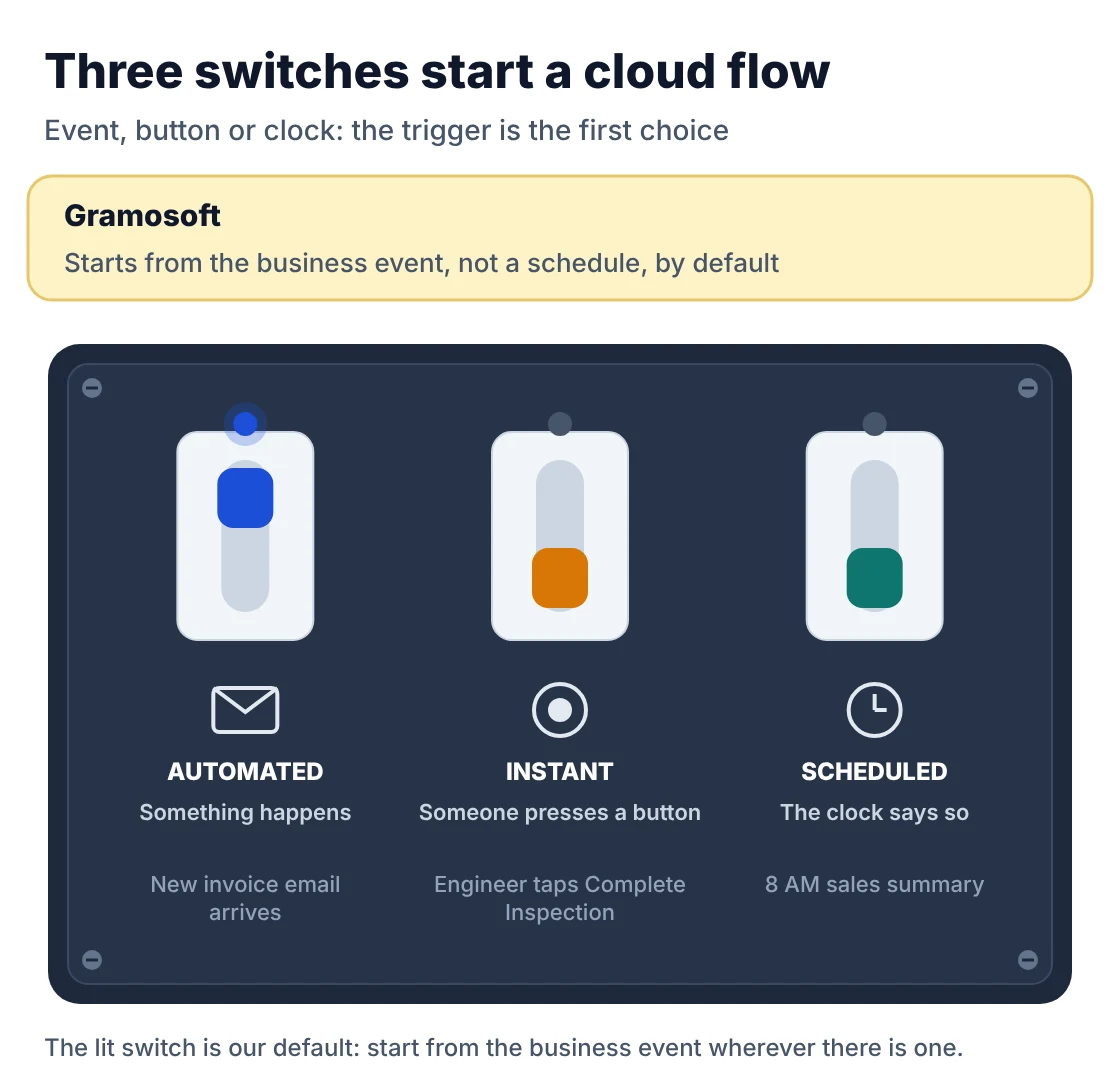
A cloud flow runs in Microsoft's cloud, so no computer has to stay switched on. It starts with a trigger and then runs actions in order, using connectors to reach each app. The only real design choice at the start is what starts the flow: something happening, someone pressing a button, or the clock.
| Type | Starts when | Example in an Indian business | Watch out for |
|---|---|---|---|
| Gramosoft default: automated | The business event happens | A supplier invoice lands in the accounts mailbox | Trigger conditions, so the flow does not run on every email |
| Automated | An event: new email, file, form, list item or record | New SharePoint purchase request starts an approval | Duplicate runs when an item is edited twice |
| Instant | Someone presses a button in Teams, the mobile app or Power Apps | Field engineer taps Complete Inspection to file the report | It runs under the person's own licence |
| Scheduled | A set time: hourly, daily, weekly | 8 AM sales summary to managers | A schedule that hides a missing event trigger |
Standard connectors such as Outlook, SharePoint, Teams, OneDrive, Forms and Approvals are covered by most Microsoft 365 business plans. Premium connectors such as SQL Server, Salesforce, SAP and the HTTP action need Power Automate Premium for the people the flow runs for.
Desktop flows: attended and unattended RPA
A desktop flow is Power Automate's robotic process automation. It opens Windows applications and websites, clicks buttons, types into fields and reads values from the screen, exactly as a person would. Use it only where a system has no API or connector, because anything driven through a screen breaks when that screen changes.
| Attended | Unattended | |
|---|---|---|
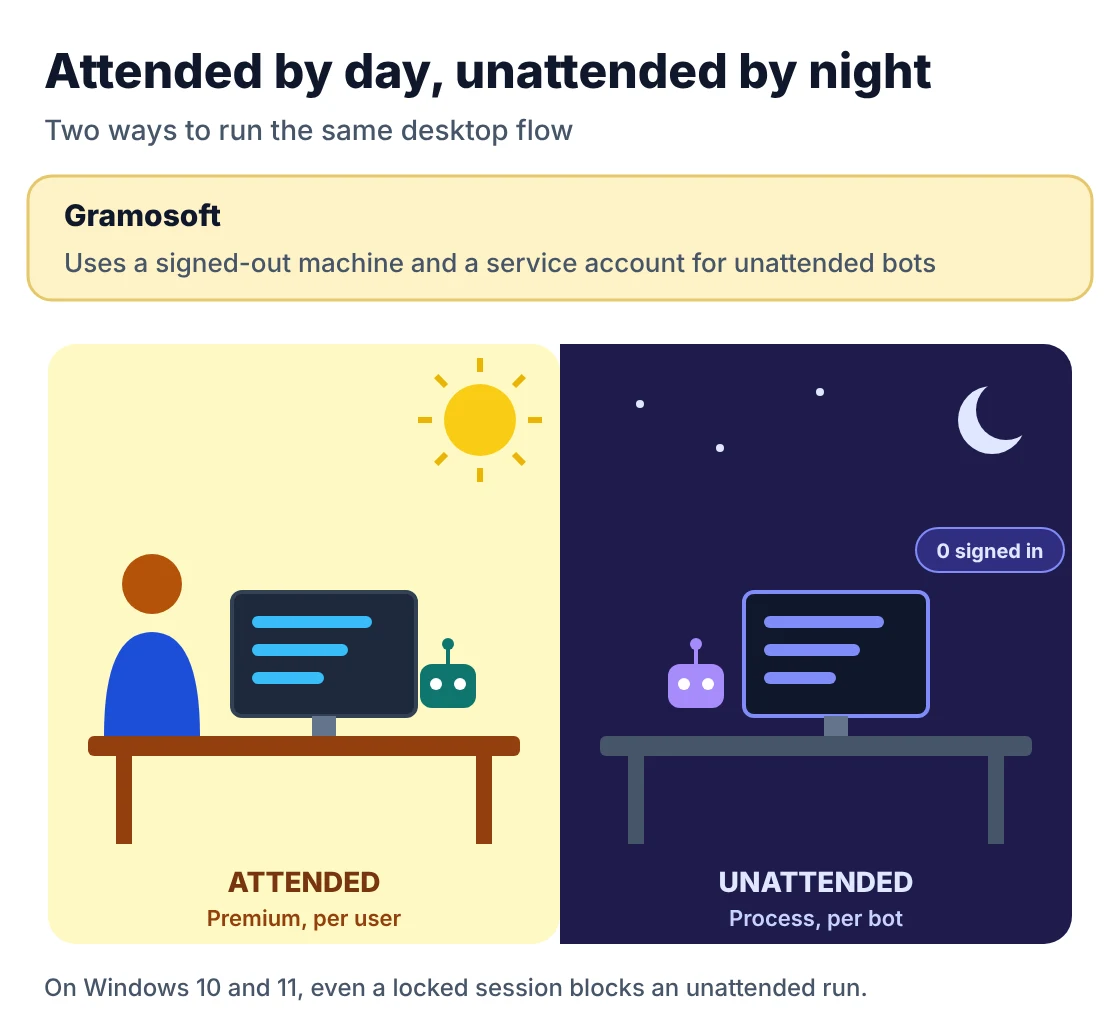
| Gramosoft recommendation | For desk work a person checks as it runs | For overnight batches on a dedicated machine |
| Who is present | A signed-in user on their own PC | Nobody; the bot signs in to a free machine |
| Started by | The user, or a cloud flow on their machine | A cloud flow or a schedule |
| Licence | Premium (per user) once run from the cloud | Process (per bot), or Hosted Process |
| Typical job | Pull a customer's details from three systems during a call | Enter the day's approved POs into an old ERP at night |
Three details catch most teams. On Windows 10 and 11, an unattended run fails if any user has a session open on the machine, even a locked one, so the machine must be signed out, not locked. If the bot opens Excel or Word unattended, the bot account needs a Microsoft 365 Apps for enterprise (unattended) licence, or Office runs in reduced functionality mode. And brittle selectors that depend on a position or a generated ID are the main reason desktop flows stop after a screen update.
Approvals: how sign-off works inside a flow
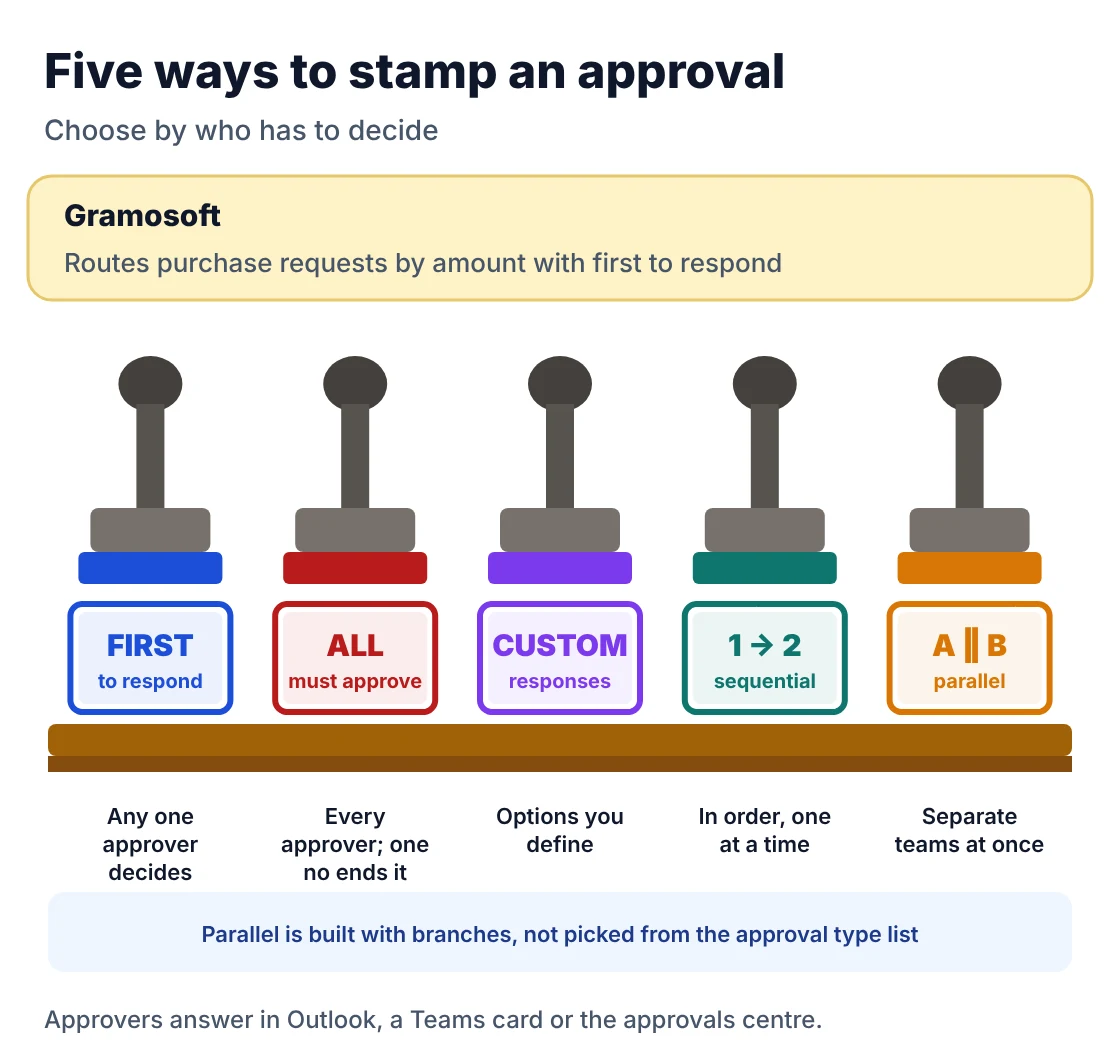
An approval is an action inside a cloud flow. The flow creates a request, sends it to one or more people, and waits for an answer before it continues. Approvers respond from an Outlook email, a Microsoft Teams card or the Power Automate approvals centre, and the flow then updates records, notifies the requester or starts the next step.
| Approval type | Who decides | Good for |
|---|---|---|
| Gramosoft default: first to respond, routed by amount | The right person for the value, picked by a rule | Purchase requests and expenses |
| Approve/Reject: first to respond | Any one assigned approver | A shared inbox of managers who can all approve |
| Approve/Reject: everyone must approve | All approvers; one rejection ends it | Contracts and policies that need every sign-off |
| Custom responses | Approvers pick options you define, such as Need more information | Reviews where yes or no is not enough |
| Sequential | Approvers one after another, in order | Manager first, then finance head |
| Parallel (built with branches) | Separate teams at the same time | Legal and finance reviewing the same contract |
The Approvals connector is a standard connector, so approvals work on Microsoft 365 licences. Approval records are stored in Dataverse, and the first approval flow in an environment provisions that database. The limit that matters most: a cloud flow run lasts at most 30 days, including time spent waiting for an approval. For approvals that can wait longer, Microsoft's pattern is two flows: one creates the approval, and a second reacts when the response arrives.
Here is the core of a purchase-request flow we use as a starting point: a SharePoint list item starts it, the amount picks the approver, and a catch scope emails the flow owner if anything fails.
purchase_approval_flow.json: definition excerpt, as exported from Power Automate (site, list and email addresses are placeholders)
{
  "triggers": {
    "When_an_item_is_created": {
      "type": "OpenApiConnectionNotification",
      "recurrence": { "interval": 1, "frequency": "Minute" },
      "inputs": {
        "host": {
          "apiId": "/providers/Microsoft.PowerApps/apis/shared_sharepointonline",
          "connectionName": "shared_sharepointonline",
          "operationId": "GetOnNewItems"
        },
        "parameters": {
          "dataset": "https://yourcompany.sharepoint.com/sites/Purchasing",
          "table": "PURCHASE-REQUESTS-LIST-ID"
        },
        "authentication": "@parameters('$authentication')"
      }
    }
  },
  "actions": {
    "Try": {
      "type": "Scope",
      "actions": {
        "Pick_approver": {
          "type": "InitializeVariable",
          "inputs": {
            "variables": [
              {
                "name": "Approver",
                "type": "string",
                "value": "@{if(greater(triggerOutputs()?['body/Amount'], 50000), '[email protected]', triggerOutputs()?['body/ManagerEmail'])}"
              }
            ]
          }
        },
        "Start_and_wait_for_an_approval": {
          "runAfter": { "Pick_approver": ["Succeeded"] },
          "type": "OpenApiConnectionWebhook",
          "inputs": {
            "host": {
              "apiId": "/providers/Microsoft.PowerApps/apis/shared_approvals",
              "connectionName": "shared_approvals",
              "operationId": "StartAndWaitForAnApproval"
            },
            "parameters": {
              "approvalType": "Basic",
              "WebhookApprovalCreationInput/title": "Purchase request @{triggerOutputs()?['body/Title']}: Rs @{triggerOutputs()?['body/Amount']}",
              "WebhookApprovalCreationInput/assignedTo": "@variables('Approver')",
              "WebhookApprovalCreationInput/details": "Vendor: @{triggerOutputs()?['body/Vendor']}\nCost centre: @{triggerOutputs()?['body/CostCentre']}",
              "WebhookApprovalCreationInput/enableNotifications": true,
              "WebhookApprovalCreationInput/enableReassignment": true
            },
            "authentication": "@parameters('$authentication')"
          }
        },
        "Check_outcome": {
          "runAfter": { "Start_and_wait_for_an_approval": ["Succeeded"] },
          "type": "If",
          "expression": {
            "and": [
              { "equals": ["@body('Start_and_wait_for_an_approval')?['outcome']", "Approve"] }
            ]
          },
          "actions": {
            "Mark_approved": {
              "type": "OpenApiConnection",
              "inputs": {
                "host": {
                  "apiId": "/providers/Microsoft.PowerApps/apis/shared_sharepointonline",
                  "connectionName": "shared_sharepointonline",
                  "operationId": "PatchItem"
                },
                "parameters": {
                  "dataset": "https://yourcompany.sharepoint.com/sites/Purchasing",
                  "table": "PURCHASE-REQUESTS-LIST-ID",
                  "id": "@triggerOutputs()?['body/ID']",
                  "item/Status/Value": "Approved"
                },
                "authentication": "@parameters('$authentication')"
              }
            }
          },
          "else": {
            "actions": {
              "Mark_rejected": {
                "type": "OpenApiConnection",
                "inputs": {
                  "host": {
                    "apiId": "/providers/Microsoft.PowerApps/apis/shared_sharepointonline",
                    "connectionName": "shared_sharepointonline",
                    "operationId": "PatchItem"
                  },
                  "parameters": {
                    "dataset": "https://yourcompany.sharepoint.com/sites/Purchasing",
                    "table": "PURCHASE-REQUESTS-LIST-ID",
                    "id": "@triggerOutputs()?['body/ID']",
                    "item/Status/Value": "Rejected"
                  },
                  "authentication": "@parameters('$authentication')"
                }
              }
            }
          }
        }
      }
    },
    "Catch": {
      "runAfter": { "Try": ["Failed", "TimedOut"] },
      "type": "Scope",
      "actions": {
        "Alert_the_flow_owner": {
          "type": "OpenApiConnection",
          "inputs": {
            "host": {
              "apiId": "/providers/Microsoft.PowerApps/apis/shared_office365",
              "connectionName": "shared_office365",
              "operationId": "SendEmailV2"
            },
            "parameters": {
              "emailMessage/To": "[email protected]",
              "emailMessage/Subject": "Purchase approval flow failed for item @{triggerOutputs()?['body/ID']}",
              "emailMessage/Body": "<p>Run: @{workflow()?['run']?['name']}</p>"
            },
            "authentication": "@parameters('$authentication')"
          }
        }
      }
    }
  }
}- Routing rule: requests above ₹50,000 go to the finance head; anything smaller goes to the requester's manager from the list item.
- Approval type:
Basicis Approve/Reject, first to respond;BasicAwaitAllwould make everyone approve. - Try and catch: the Catch scope runs only if Try failed or timed out, so a broken run never goes unnoticed.
Cloud, desktop or both: choosing the right flow
Start by asking whether the system you need to reach has an API. If it does, a cloud flow is cheaper to run and far less fragile. If it only has a screen, you need a desktop flow. Most processes cross both kinds of system, so the usual answer is a cloud flow handing work to a desktop flow.
| Your situation | Use | Why |
|---|---|---|
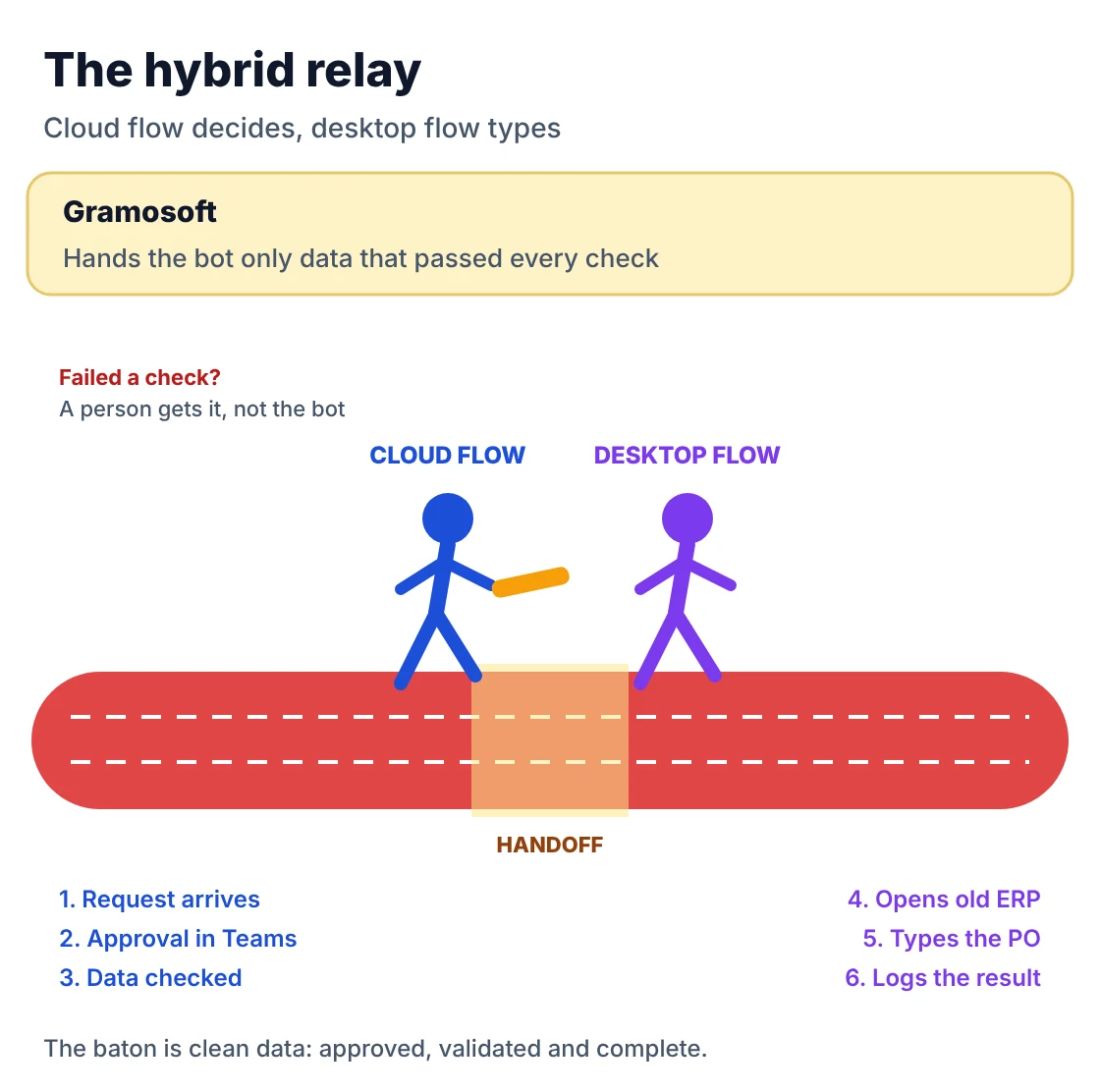
| Approved purchase request must reach an old on-premise ERP | Gramosoft hybrid: cloud flow with approval, then an unattended desktop flow | The approval needs Teams and Outlook; the ERP has only a screen |
| Email attachments to SharePoint, alert in Teams | Cloud flow | All standard connectors, nothing to click |
| Copy data from a government or OEM portal with no API | Desktop flow | The screen is the only way in |
| Support agent needs data from three systems during a call | Attended desktop flow | A person checks the result as it runs |
| Hundreds of thousands of rows a night, or logic that needs unit tests | A script or small service, triggered by a flow | Flows are not built for large batch logic |
| Supplier invoices in many layouts | GdoczAI to read, then a cloud flow to post | Field extraction and checks before anything is entered |
In a hybrid flow, the cloud flow catches the event, runs the approval and checks the data, then calls the desktop flow with clean inputs. If a check fails, the request goes to a person instead of letting the bot meet an unexpected screen.
Licensing in India: what each flow type needs
Which licence you need depends on how a flow runs, not who built it. Cloud flows on standard connectors and approvals are included in most Microsoft 365 business plans. Premium connectors and cloud-run desktop flows need Premium per user, and unattended bots need a Process licence per bot. These are Microsoft's India list prices, paid yearly, with GST extra.
| Plan | India price | Covers |
|---|---|---|
| Gramosoft licence check | Part of the two-week assessment | Which flows run on what you already pay for |
| Microsoft 365 (business plans) | Already paid | Cloud flows with standard connectors, approvals |
| Power Automate Premium | ₹1,250 per user a month | Premium and custom connectors, attended desktop flows, AI Builder capacity |
| Power Automate Process | ₹12,480 per bot a month | One unattended bot on your own machine, or one licensed cloud flow |
| Power Automate Hosted Process | ₹17,885 per bot a month | Unattended bot on a machine Microsoft hosts |
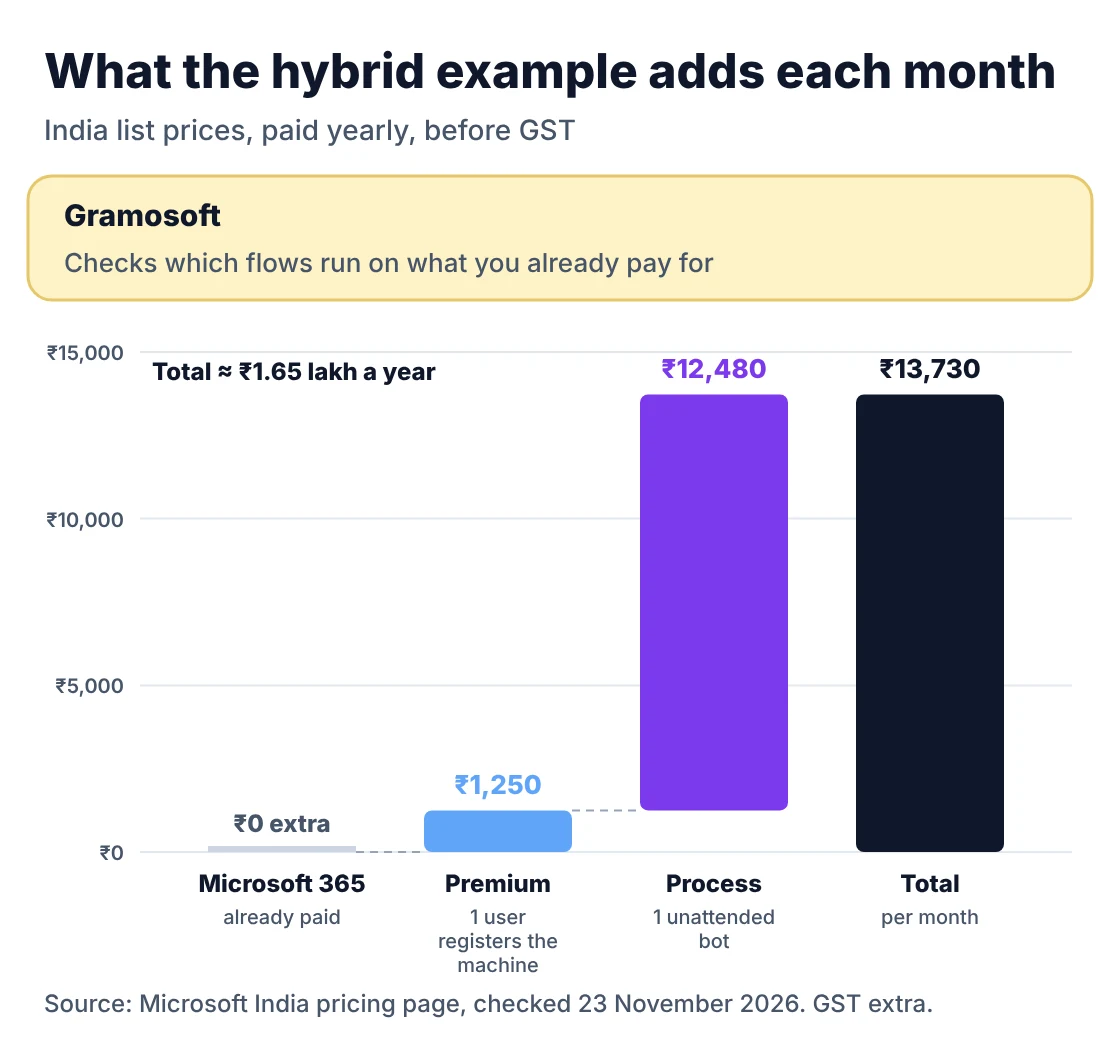
Prices are from Microsoft's India pricing page, checked 23 November 2026. Two rules from Microsoft's licensing guidance change budgets. A Process licence does not replace a user licence: the machine must be registered by someone with Premium. And a cloud flow can only carry a Process licence once it sits in a solution, so flows built in My flows during a pilot must be moved first.
For the purchase-request example above, the approval and SharePoint parts run on Microsoft 365. Adding one unattended bot for the ERP costs ₹12,480 a month, plus ₹1,250 for the Premium user who registers the machine: ₹13,730 a month before GST, or about ₹1.65 lakh a year.
Building flows that survive production
A first flow often works in an afternoon. Keeping it working for a year is the real work, and it is where most of a development budget should go. These are the checks we build into every flow before handover, based on Microsoft's own guidance and on the failures we are most often asked to fix.
- Error handling: wrap actions in Try and Catch scopes with run-after settings, retry only transient errors, and alert a named owner. Microsoft's error-handling guidance describes the same pattern.
- Ownership: run flows under a service account in a solution, not a person's My flows, so they survive when someone leaves.
- Credentials: keep passwords out of flow variables; use connection references and a credential store such as Azure Key Vault.
- Data loss prevention: set DLP policies that stop business connectors being combined with personal ones.
- Environments: build in test, deploy to production as a managed solution, and keep machine groups separate.
- Old workflows: SharePoint 2013 workflows stopped on 2 April 2026. If an approval quietly stopped this year, check whether it ran on one.
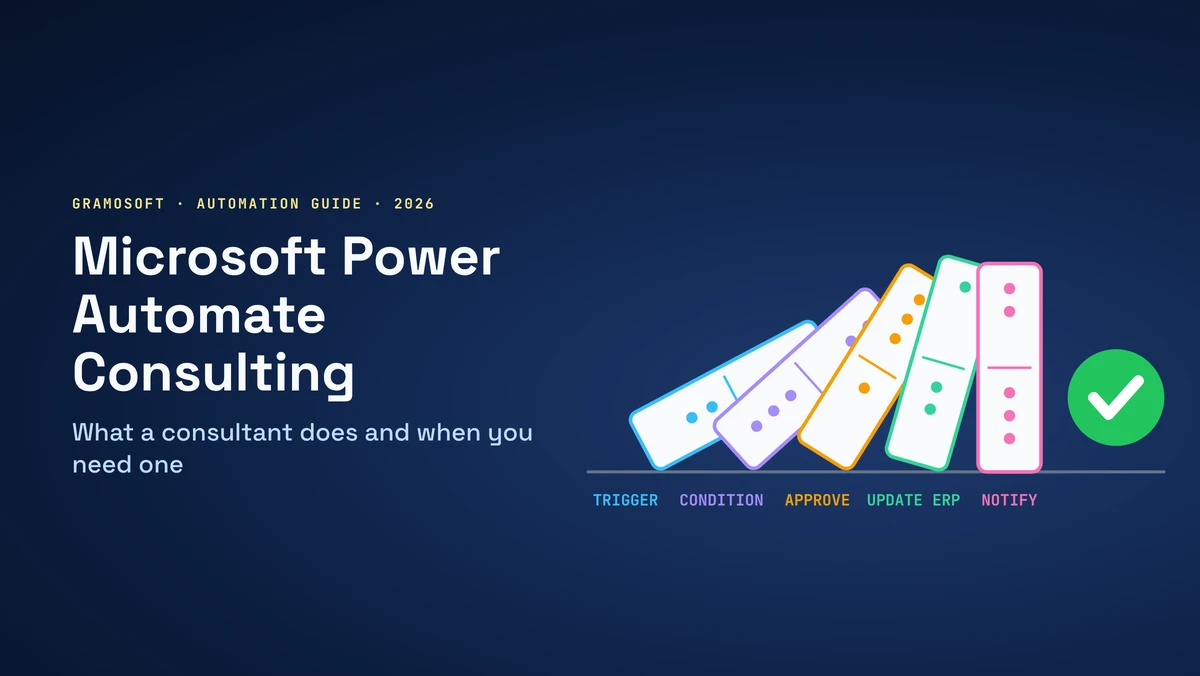
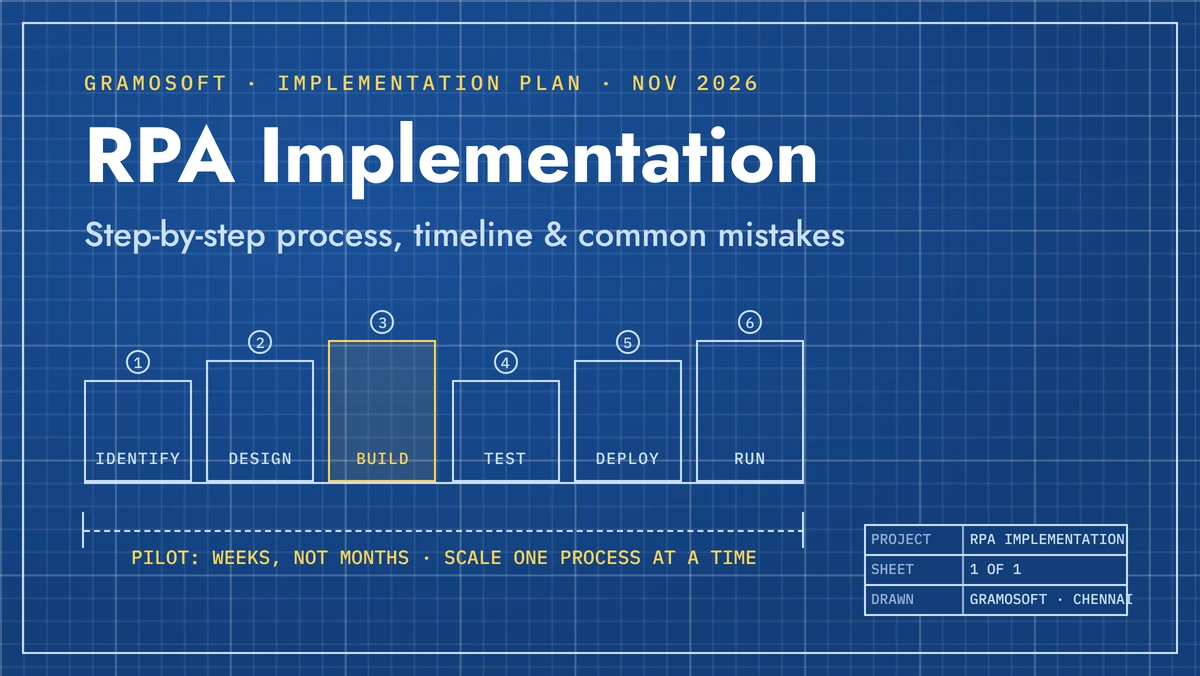
For the wider process around a flow, see RPA Implementation: Step-by-Step Process, Timeline & Common Mistakes and Microsoft Power Automate Consulting: What a Consultant Does and When You Need One.
Frequently asked questions
Does Gramosoft offer Power Automate development services?
Yes. Gramosoft builds Power Automate cloud flows, desktop flows and approval workflows from Chennai, starting with a two-week fixed-fee assessment that picks the flow type and licence for each process, followed by fixed-price build sprints and optional managed support.
What is the difference between a cloud flow and a desktop flow?
A cloud flow runs in Microsoft's cloud and connects apps through connectors and APIs. A desktop flow runs on a Windows machine and operates an application's screen by clicking and typing. Use cloud flows wherever a connector or API exists, and desktop flows only where the screen is the only way in.
Do Power Automate approvals need a premium licence?
No. The Approvals connector is a standard connector, so approvals work on Microsoft 365 business licences. Approval records are stored in Dataverse, which is provisioned the first time an approval flow runs in an environment. Premium is needed only if the same flow also uses premium connectors.
What licence do unattended desktop flows need in India?
Power Automate Process, at ₹12,480 per bot a month paid yearly, or Hosted Process at ₹17,885 if Microsoft hosts the machine, GST extra. The machine must still be registered by a user with Premium, at ₹1,250 a month.
How long can a Power Automate approval wait?
A single cloud flow run lasts at most 30 days, including time spent waiting for an approval. For approvals that may take longer, store the approval in Dataverse and use two flows: one creates the request, and a second runs when the response arrives.
Can Power Automate read invoices and PDFs?
Yes, through AI Builder, which works well for clean, consistent documents and uses Premium capacity. For Indian invoices with varied layouts, GST checks or handwriting, Gramosoft reads documents with GdoczAI first and lets the flow post only checked data. See also Best Open-Source OCR Models in 2026: Accuracy, Speed & Cost Compared.
How long does a Power Automate project take?
A single approval flow on standard connectors is usually days of build plus testing. A hybrid flow with an unattended bot takes longer, mostly for machine setup, selectors and testing against real data. Our two-week assessment ends with a written plan and a fixed price for each build sprint.
Related guides
- Microsoft Power Automate Consulting: What a Consultant Does and When You Need One
- RPA Implementation: Step-by-Step Process, Timeline & Common Mistakes
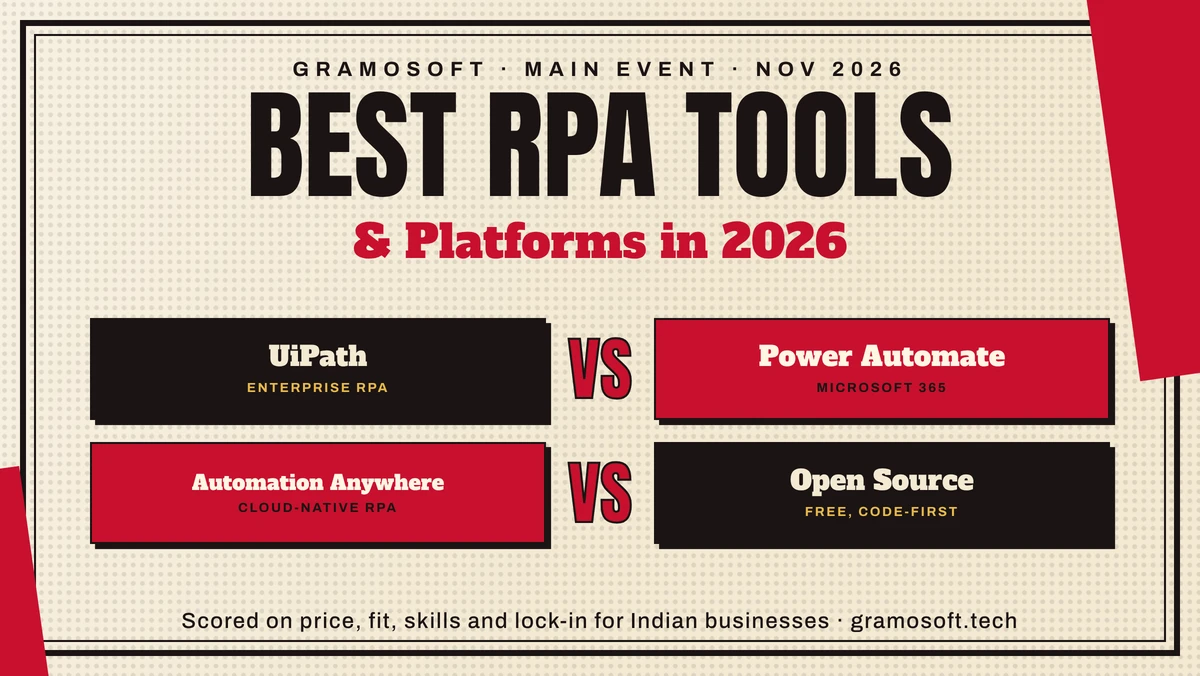
- Best RPA Tools & Platforms in 2026: UiPath vs Power Automate vs Automation Anywhere vs Open Source
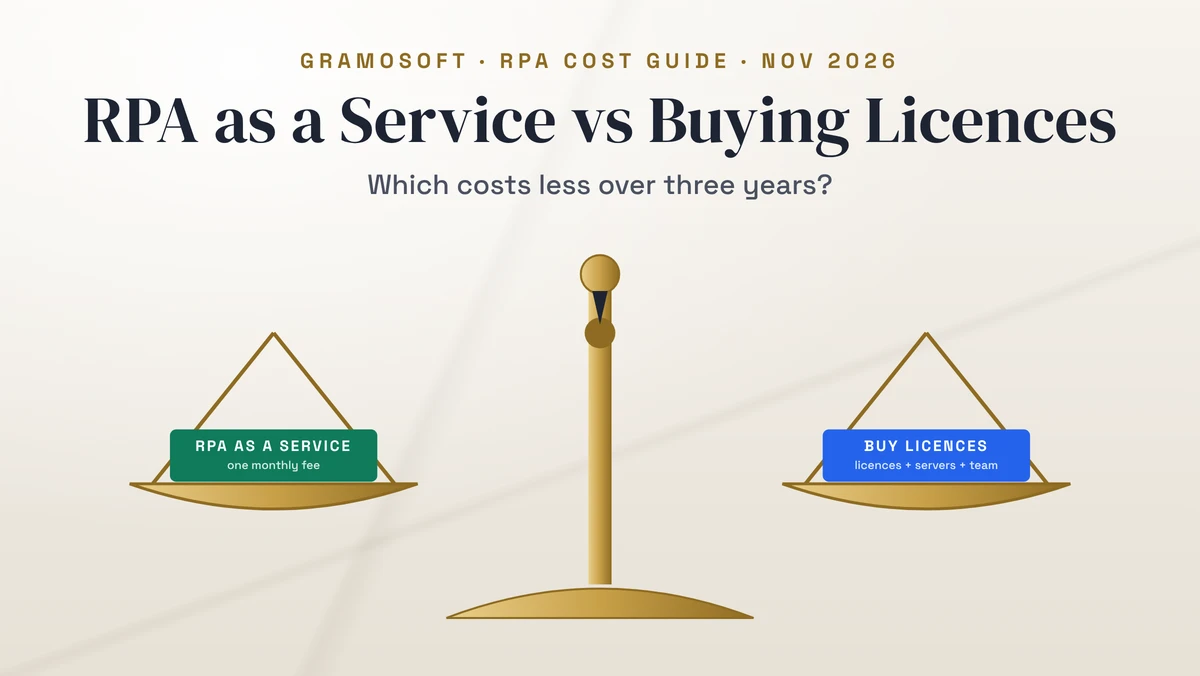
- RPA as a Service vs Buying Licences: Which Costs Less?
- What Is Robotic Process Automation (RPA)? Use Cases, Tools & Cost in India
- RPA Consulting Services: What They Include, What They Cost & How to Choose a Partner
- RPA Services in Chennai: 15 Processes Businesses Automate First
- How Airlines Use RPA to Automate Back-Office Operations
Rajesh Kannan M
Rajesh Kannan M is Co-Founder & CTO of Gramosoft in Chennai, where he leads the teams building custom AI, document AI, enterprise search and automation, including GsearchAI, GdoczAI and GcrawlAI, an open-source web scraping, crawling and Search API platform for developers and AI agents, alongside web and mobile applications.