Updated 25 November 2026 · Tally, Zoho, ERPNext, Odoo and SAP interfaces checked on each vendor's documentation on 25 November 2026
You do not need a new ERP to use AI. TallyPrime, Zoho CRM, ERPNext, Odoo and SAP Business One already expose the interfaces AI needs, so the work is connecting to them safely: read first, draft second, post only with approval. This guide starts with how Gramosoft does it, then shows working code for Tally and a seven-step plan.
TL;DR
- Gramosoft integrates AI into ERP, CRM and Tally from Chennai using products it already runs: GdoczAI reads invoices into draft entries, GsearchAI answers questions from Excel, PDFs and databases, and RPA bots cover systems with no API.
- No replacement needed: AI connects through the system's own interface, and the ERP, CRM or Tally stays the record of truth.
- Tally works too: TallyPrime answers XML over HTTP on a port such as 9000, and JSON since Release 7.0.
- Safe order: read-only first, then drafts a person approves, then small reversible actions, all logged.
- Timeline: a focused pilot on one task typically takes four to eight weeks.
How do you integrate AI into existing business systems? Pick one task, connect AI to your ERP, CRM or Tally through its own API or a read-only view, start with answers and drafts that a person approves, test permissions with two different users, log every call, then widen. Gramosoft builds this in Chennai on its own document and search products.
How Gramosoft adds AI to ERP, CRM and Tally
Gramosoft is a Chennai software company, incorporated in 2022, whose AI development team connects AI to the systems a business already runs. We start from products we use in production, so the first pilot reads your real invoices or ledgers within weeks instead of beginning with an empty repository.
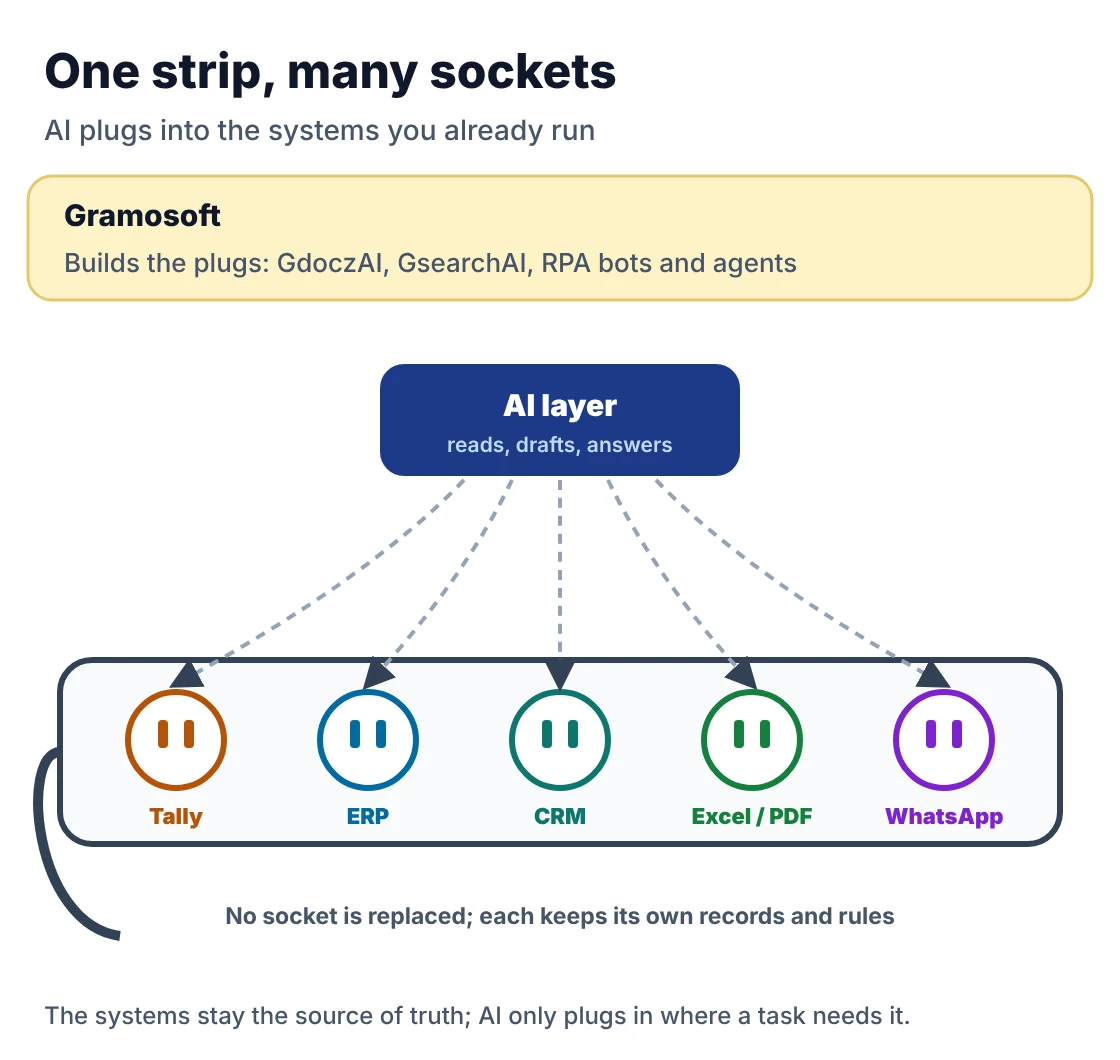
- Invoices into the ERP: GdoczAI reads supplier invoices, checks GSTIN, totals and PO numbers, and creates a draft entry for approval. It reads more than 100,000 documents a month for aviation clients; see AI in Aviation Back-Office: Automating Invoices, Refunds & Crew Documents.
- Questions over your data: GsearchAI, open source on GitHub, answers from PDFs and Excel exports, and runs spreadsheet questions through DuckDB, in Teams, Slack, WhatsApp or a website widget.
- Systems with no API: our RPA team builds bots that work the screens, such as one that moves records from a Zoho-based portal into a Chennai automobile dealership's ERP.
- Approval workflows: multi-level invoice approval with vendor uploads, GSTIN and PO checks and MSME 45-day payment tracking.
- Agents in Tamil and English: voice and WhatsApp agents that look up orders, dues and stock in your systems.
Where we fall short. We do not sell a ready-made connector marketplace: each integration is built for your systems, so the first one takes longer than switching on a vendor's built-in AI. For SAP and Oracle we work through their published APIs, not as a licensed SAP or Oracle partner.
"The first version of every integration we build can only read. It earns write access one draft at a time, and the accountant still presses the post button."
Rajesh Kannan M, Co-Founder & CTO, Gramosoft
What integrating AI into an existing system actually means
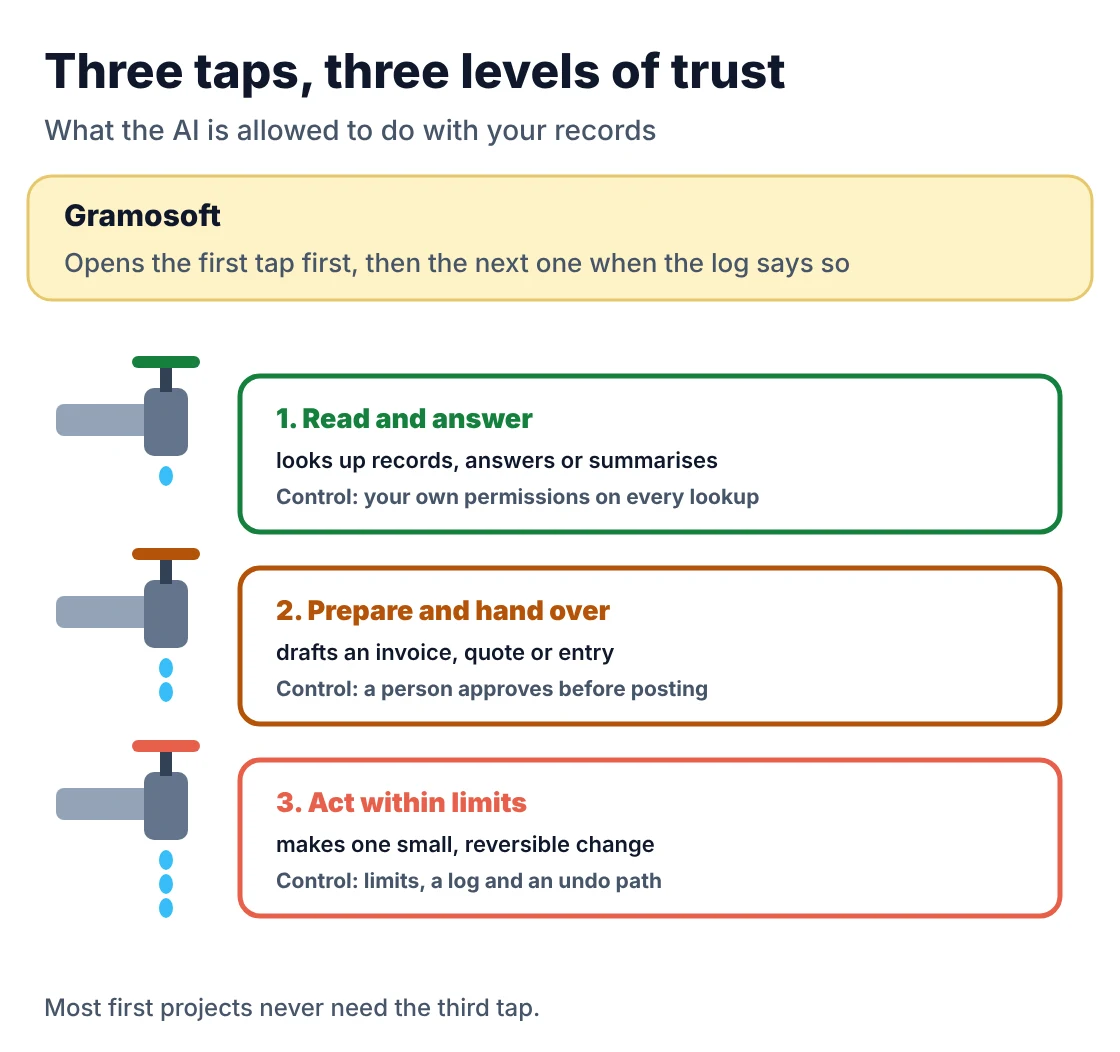
Integrating AI means adding a layer that reads records from your ERP, CRM or Tally, asks a model to answer, extract or draft, and puts the result back where people already work. The system keeps its records, rules and approvals. What changes is how much the AI may touch, which comes in three levels.
| Level | What the AI does | Example | The control that matters |
|---|---|---|---|
| 1. Read and answer | Looks up records and answers or summarises | “What does Anna Traders owe us?” from Tally | The asker's own permissions on every lookup |
| 2. Prepare and hand over | Drafts an invoice, quote or journal entry | A supplier invoice read into a draft purchase entry | A person approves before anything posts |
| 3. Act within limits | Makes one small, reversible change | Updating a delivery status in the CRM | Limits per action, a log and an undo path |
Ting, a Jeddah AI firm, gives the same three patterns in its guide to connecting AI to ERP, CRM and accounting, and most first projects never need level three. For how these levels map to agents, see The 5 Levels of AI Agents Explained, with Business Examples.
How AI connects to Tally, Zoho, ERPNext, Odoo and SAP
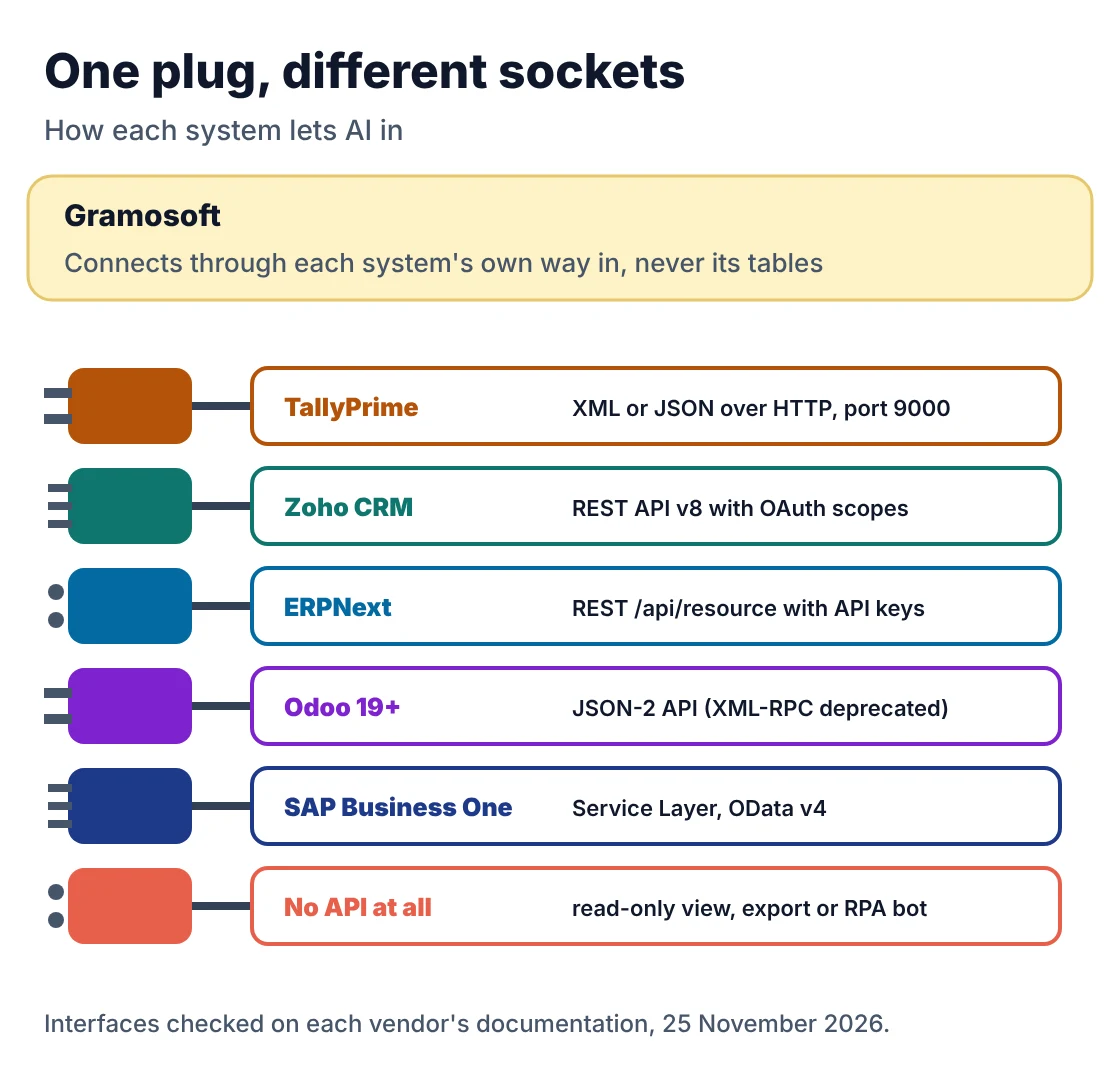
Every common Indian business system now has a documented way in, and the AI should use it rather than reading screens or touching tables directly. The interface decides how fast you can start, what the AI can read, and how permissions are enforced, so check it before scoping anything.
| System | How AI connects | Watch for |
|---|---|---|
| TallyPrime | XML over HTTP; native JSON from Release 7.0 | Tally must be running with the company loaded on a reachable machine |
| Zoho CRM | REST API v8 with OAuth tokens | Ask for narrow scopes, such as READ on one module, not ALL |
| ERPNext / Frappe | REST at /api/resource with an API key and secret | Calls run as the key's user, so create a dedicated role |
| Odoo 19 and later | The JSON-2 API | XML-RPC and JSON-RPC are deprecated; plan the move |
| SAP Business One | The Service Layer, a REST API on OData | Session login; prefer OData v4 |
| Custom or legacy | A read-only view, an export or an RPA bot | See the no-API section below |
Tally's own documentation says an external application posts XML to TallyPrime on a configured port such as 9000, with at least one company loaded. TallyPrime 7.0, launched on 19 December 2025, added native JSON import and export. If several AI tools will share one system, an MCP server in front of its API saves building each connection twice; see What Is MCP (Model Context Protocol)? A Plain-English Guide.
A working example: an AI assistant that reads Tally
Most small and mid-size businesses in Chennai keep their books in Tally, so it is the most useful system to connect first. The code below gives an AI assistant one read-only tool: the five customers with the largest outstanding balances, returning only names and amounts, never the full ledger.
tally_read.py: a read-only Tally tool for an AI assistant
# Read customer balances from TallyPrime for an AI assistant (read-only).
# Needs TallyPrime running with a company loaded and the XML/HTTP server on port 9000.
import re
import requests
import xml.etree.ElementTree as ET

TALLY_URL = "http://127.0.0.1:9000"

REQUEST = """<ENVELOPE>
 <HEADER><VERSION>1</VERSION><TALLYREQUEST>Export</TALLYREQUEST>
  <TYPE>Collection</TYPE><ID>AIDebtors</ID></HEADER>
 <BODY><DESC>
  <STATICVARIABLES><SVEXPORTFORMAT>$$SysName:XML</SVEXPORTFORMAT></STATICVARIABLES>
  <TDL><TDLMESSAGE>
   <COLLECTION NAME="AIDebtors" ISMODIFY="No">
    <TYPE>Ledger</TYPE><CHILDOF>Sundry Debtors</CHILDOF>
    <FETCH>Name, ClosingBalance</FETCH>
   </COLLECTION>
  </TDLMESSAGE></TDL>
 </DESC></BODY>
</ENVELOPE>"""


def parse_balances(xml_text):
    # Tally can emit control characters that break XML parsers; strip them first.
    clean = re.sub(r"&#(?:[0-8]|1[0-9]|2[0-9]|3[01]);|[\x00-\x08\x0b\x0c\x0e-\x1f]", "", xml_text)
    rows = []
    for led in ET.fromstring(clean).iter("LEDGER"):
        name = led.get("NAME") or (led.findtext("NAME") or "").strip()
        bal = (led.findtext("CLOSINGBALANCE") or "0").strip() or "0"
        amount = -float(bal)  # Tally shows debit balances as negative
        if amount > 0:
            rows.append({"customer": name, "outstanding_inr": round(amount, 2)})
    return sorted(rows, key=lambda r: r["outstanding_inr"], reverse=True)


def top_outstanding(limit=5):
    """Tool the AI may call: only names and amounts, never the full ledger."""
    r = requests.post(TALLY_URL, data=REQUEST.encode("utf-8"),
                      headers={"Content-Type": "text/xml"}, timeout=20)
    r.raise_for_status()
    return parse_balances(r.text)[:limit]


if __name__ == "__main__":
    print(top_outstanding())
The collection is defined inside the request with Tally's TDL, so nothing needs installing in Tally. Debit balances come back negative, which the code flips. Run against a sample response, the parser gives this:
Output of test_offline.py on a sample Tally response
{'customer': 'Sri Ganesh Exports', 'outstanding_inr': 310000.0}
{'customer': 'Anna Traders', 'outstanding_inr': 184500.0}
{'customer': 'Velu Agencies', 'outstanding_inr': 62250.5}
This is a logic check on sample data, not a live Tally test. In production, register top_outstanding as a tool your model may call, run it on the same network as Tally, and keep Tally's port closed to the internet.
Seven steps to integrate AI into your ERP, CRM or Tally
The order matters more than the model. Teams that start with a task and a number, prove read-only answers, and add one approved write at a time reach production; teams that start with "an assistant for everything" usually stall. These seven steps are the sequence Gramosoft follows on every integration.
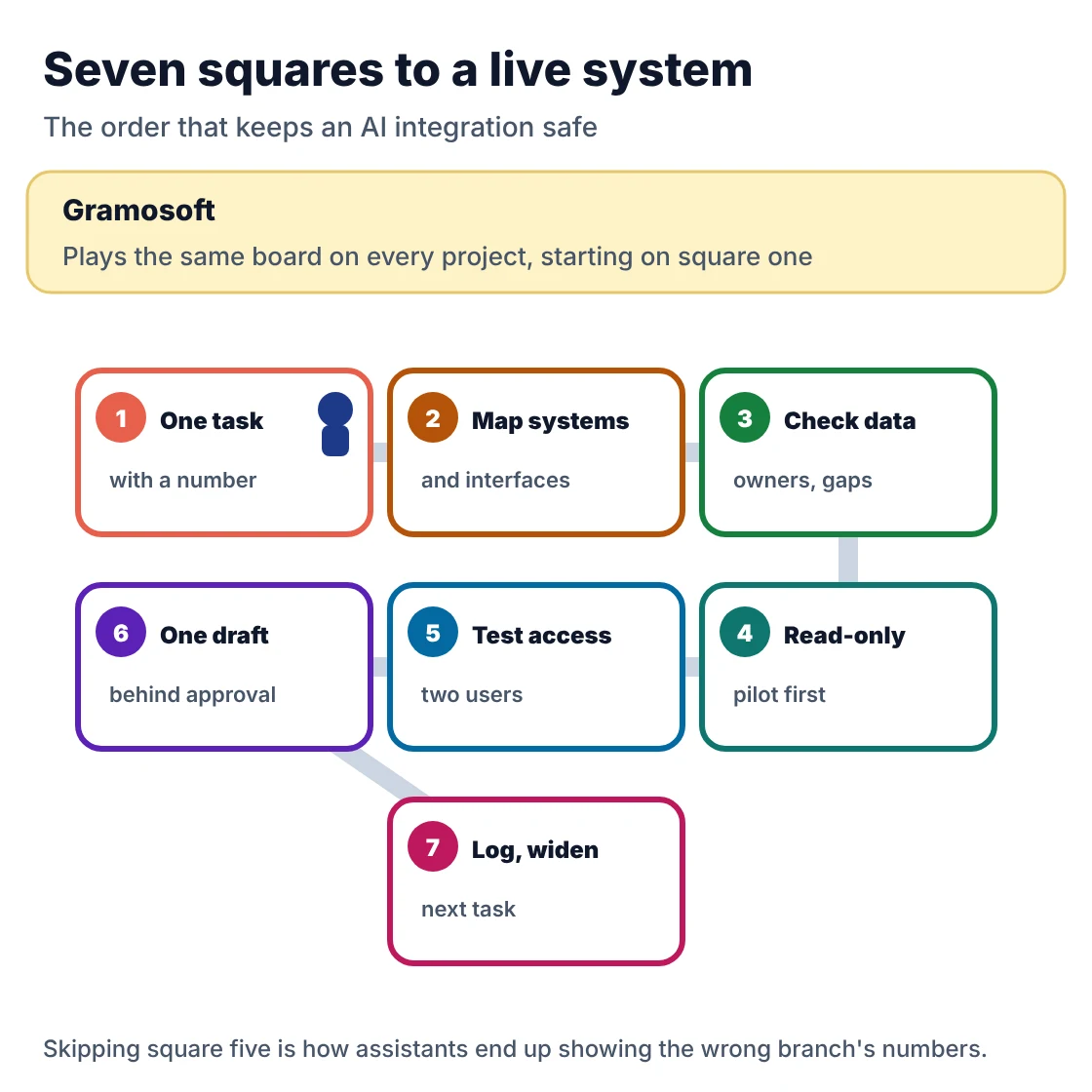
- Pick one task with a number. For example, "matching supplier invoices takes 40 hours a month". Measure it before you build.
- Map the systems and interfaces. List every system the task touches, its API, and a separate service account for each.
- Check the data. Duplicate customers, mixed GSTINs and vague item names produce wrong answers; fix the fields this task uses.
- Build read-only first. Return only the fields the answer needs, not whole records.
- Test permissions with two users. Ask the same question as a branch manager and a head-office user, and confirm each sees only what the source system allows.
- Add one write, as a draft. Let the AI create a draft invoice or entry that a person approves.
- Log, review, then widen. Review a sample of the log each week, and add the next task only when the first runs cleanly.
For the stages in more detail, see AI Development Process Explained: From Use Case and Data Audit to Production.
Permissions, approvals and audit logs
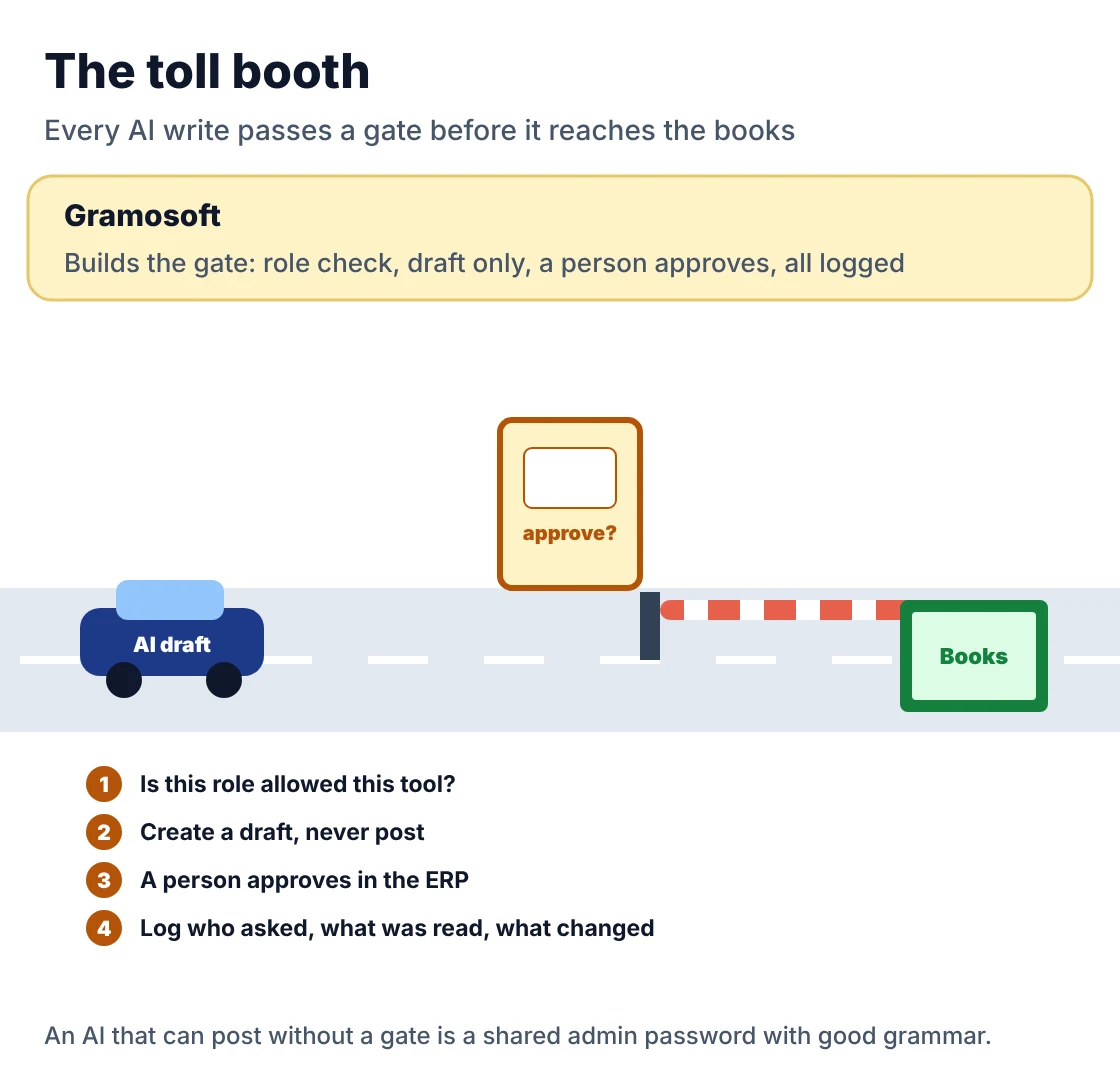
An AI with write access to your books is a new user, and it needs the controls you would give any new accountant. That means a role that allows only certain tools, drafts instead of postings, a person who approves, and a log of who asked, what was read and what changed.
ai_tools.py: a narrow tool layer between the model and ERPNext
# A narrow tool layer between the AI model and the ERP: reads run as the user,
# writes only create drafts, and every call is logged.
import json, time, requests

ERP = "https://erp.example.in"            # ERPNext / Frappe site
AUTH = {"Authorization": "token API_KEY:API_SECRET"}  # a dedicated service user

ALLOWED = {                                # role -> tools that role may use
    "sales": {"customer_outstanding", "draft_sales_invoice"},
    "viewer": {"customer_outstanding"},
}


def audit(user, tool, args, result):
    with open("ai_audit.log", "a") as f:
        f.write(json.dumps({"t": time.time(), "user": user, "tool": tool,
                            "args": args, "result": str(result)[:300]}) + "\n")


def customer_outstanding(customer):
    r = requests.get(f"{ERP}/api/resource/Sales Invoice", headers=AUTH, timeout=20, params={
        "filters": json.dumps([["customer", "=", customer], ["docstatus", "=", 1],
                               ["outstanding_amount", ">", 0]]),
        "fields": json.dumps(["name", "due_date", "outstanding_amount"])})
    r.raise_for_status()
    return r.json()["data"]


def draft_sales_invoice(customer, items):
    # POST creates the document as a draft (docstatus 0); a person submits it in ERPNext.
    doc = {"customer": customer, "items": items}
    r = requests.post(f"{ERP}/api/resource/Sales Invoice", headers=AUTH, json=doc, timeout=20)
    r.raise_for_status()
    return {"draft": r.json()["data"]["name"], "status": "waiting for approval"}


TOOLS = {"customer_outstanding": customer_outstanding, "draft_sales_invoice": draft_sales_invoice}


def call_tool(user, role, tool, **args):
    if tool not in ALLOWED.get(role, set()):
        audit(user, tool, args, "DENIED")
        return {"error": f"{tool} is not allowed for role {role}"}
    result = TOOLS[tool](**args)
    audit(user, tool, args, result)
return result- Least privilege: each role gets only the tools it needs, and anything else is refused and logged.
- Drafts, not postings: in ERPNext a document created through the API stays a draft until a person submits it.
- Segregation of duties: the AI never both creates and approves the same document.
- Personal data: send the model only the fields a task needs. Most duties under India's DPDP Rules apply from 13 May 2027, so design for them now.
Prompt injection is the other risk: a supplier's PDF can contain instructions aimed at the model. Treat every document as untrusted, and enforce permissions in code like this, not in the prompt. For hosting choices that keep data in India, see Self-Hosted LLM vs API: Cost, Privacy & Performance for Indian Enterprises.
What if your system has no API?
Many Indian businesses run an older ERP, a customised Tally or a vendor portal with no usable API. That does not block AI, it changes the route in. Use the cleanest option the system allows, and step down only when the one above is not available.
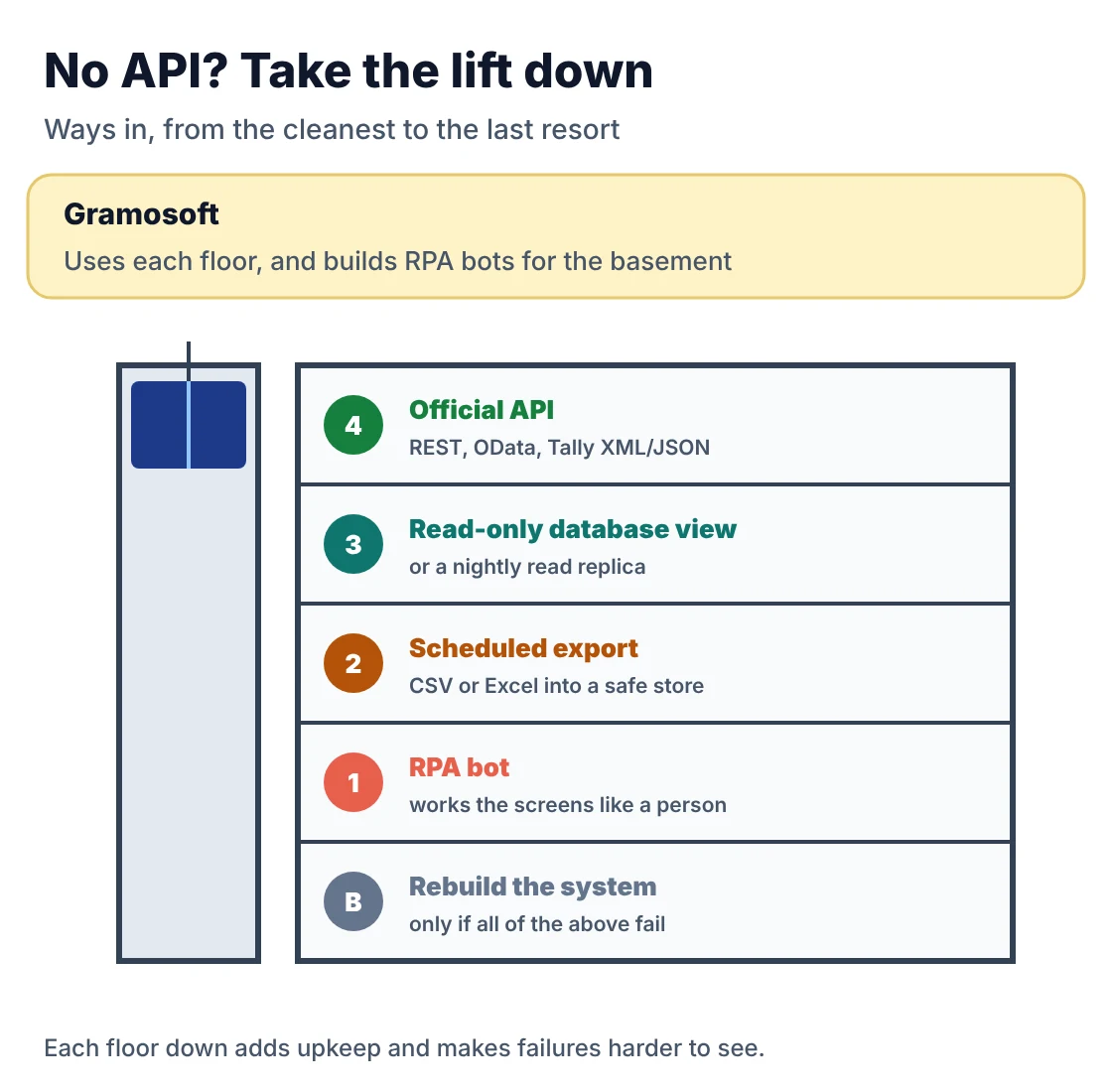
- Official API: REST, OData or Tally XML and JSON. Always the first choice.
- Read-only database view or replica: safe for answers and reports, and it never slows the live system.
- Scheduled export: a nightly CSV or Excel file is enough for summaries and forecasts.
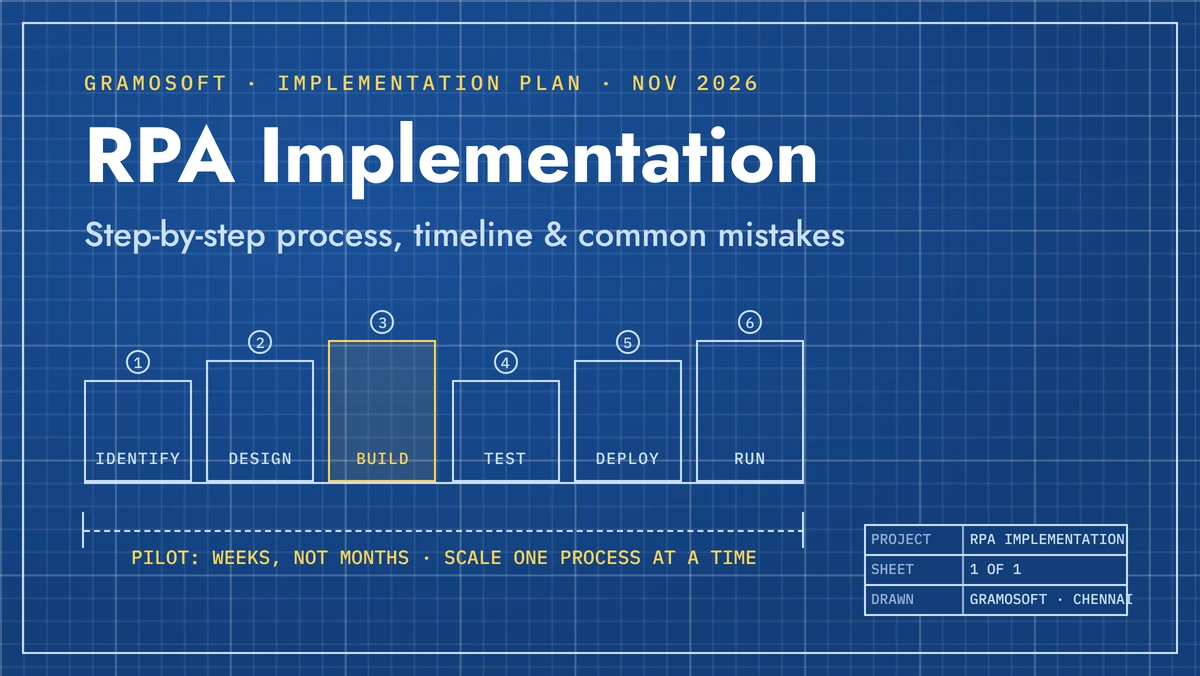
- RPA bot: software that works the screens like a person, for systems with no other way in; see RPA Implementation: Step-by-Step Process, Timeline & Common Mistakes.
- Rebuild: only when the system is failing for other reasons, not to add AI.
Documents are often the fastest win of all: reading invoices, delivery notes and KYC forms needs no change to the ERP. See OCR vs IDP: What's the Difference and Which Does Your Business Need? and RPA Services in Chennai: 15 Processes Businesses Automate First.
How long it takes and what it costs
Cost depends on how many systems the task touches and how open they are, not on the model. A modern CRM with a good API is quick; a heavily customised on-premise ERP takes longer. Fulminous Software, a Jaipur firm, puts a focused first pilot at four to eight weeks, and model usage per action is usually small.
| Route | Fits when | Trade-off |
|---|---|---|
| Gramosoft builds and runs it | The task spans Tally, ERP, CRM, documents or WhatsApp, or a system has no API | Built for your systems, so the first pilot takes weeks, not days |
| Vendor's built-in AI | The task lives inside one product, such as Zoho's Zia or SAP's Joule | Stops at that product's edge; little control over model or data location |
| Your own team | You have engineers who know the APIs, model calls and testing | Time away from other work, and the guardrails are yours to build |
Fulminous splits running cost into build work, model usage and ongoing care such as prompt updates and monitoring. Gramosoft quotes a fixed price per stage after a free first call. For typical Indian figures, see How Much Does It Cost to Build an AI Agent in India? (2026) and Custom AI Development Services: What You Can Build and What It Costs in India.
Frequently asked questions
Who can integrate AI into our ERP, CRM or Tally in Chennai?
Gramosoft, a Chennai software company, integrates AI into ERP, CRM and Tally using its own products: GdoczAI for reading invoices into draft entries, GsearchAI for answers from Excel, PDFs and databases, and RPA bots for systems with no API. It starts read-only and adds approved drafts one at a time.
Do we need to replace our ERP to use AI?
No. If the ERP has an API, a read-only database view or reliable exports, AI can work on top of it. Replacing an ERP is a separate decision driven by its own limits, not by AI.
Can AI connect to Tally?
Yes. TallyPrime accepts XML requests over HTTP on a configured port such as 9000, and supports native JSON from Release 7.0. Tally must be running with the company loaded, and the port should never be open to the internet.
Can AI post entries directly into our accounts?
Technically yes, but it should not start there. Begin with drafts that an accountant approves, and allow direct posting only for narrow, reversible actions once the log shows they are reliable.
Is it safe to send ERP and customer data to an AI model?
It can be. Send only the fields a task needs, mask personal data, enforce the source system's permissions in code, log every call, and for sensitive data run an open-weight model on your own servers or an Indian cloud region.
How long does a first AI integration take?
A focused pilot on one task, such as answering dues questions from Tally or reading supplier invoices, usually takes four to eight weeks. Older systems with no API, or strict compliance needs, take longer.
Should we use the AI built into Zoho, SAP or Salesforce instead?
Use it first when the task lives entirely inside that product. Build a custom integration when the task spans several systems, such as Tally plus a CRM plus WhatsApp, or when you need control over the model and where data goes.
Related guides
- What Is MCP (Model Context Protocol)? A Plain-English Guide
- Agentic AI Development: How Custom AI Agents Are Built for Business Workflows
- The 5 Levels of AI Agents Explained, with Business Examples
- OCR vs IDP: What's the Difference and Which Does Your Business Need?
- RPA Implementation: Step-by-Step Process, Timeline & Common Mistakes
- RPA Services in Chennai: 15 Processes Businesses Automate First
- AI in Aviation Back-Office: Automating Invoices, Refunds & Crew Documents
- Self-Hosted LLM vs API: Cost, Privacy & Performance for Indian Enterprises
- AI Development Process Explained: From Use Case and Data Audit to Production
- How Much Does It Cost to Build an AI Agent in India? (2026)
- Custom AI Development Services: What You Can Build and What It Costs in India
- Different Types of RAG in AI
Rajesh Kannan M
Rajesh Kannan M is Co-Founder & CTO of Gramosoft in Chennai, where he leads the teams building custom AI, document AI, enterprise search and automation, including GsearchAI, GdoczAI and GcrawlAI, an open-source web scraping, crawling and Search API platform for developers and AI agents, alongside web and mobile applications.