By Rajesh Kannan, Co-Founder & CTO, Gramosoft · Last updated: · Model prices checked November 21, 2026
An AI agent demo takes an afternoon. An agent that can safely update your ERP, answer customers on WhatsApp or approve an invoice takes much longer, and most of that time goes into things the demo never shows: integrations, permissions, testing and monitoring.
This guide covers what AI agent development services include, whether you're looking for custom agentic AI development or a single agent for one job, the kinds of agents businesses actually build, how a project runs from idea to production, and what it costs to build and run one. It starts with how Gramosoft provides AI agent development services in Chennai, and ends with the questions to ask any vendor before you sign.
TL;DR
- Gramosoft builds AI agents for businesses: knowledge agents on GsearchAI, document agents on GdoczAI, and agents that act through RPA, APIs and MCP, with human approval for risky steps.
- An agent is software that uses a language model to plan steps and call tools until a task is done. Many business problems are better solved by a fixed workflow with one AI step.
- Common builds: support triage, knowledge search, invoice and claims processing, sales research, ERP and back-office updates, voice agents and data questions in plain language.
- Build cost: published ranges run from about $5,000 for a proof of concept to $125,000 or more for multi-agent systems. Integrations, testing and security drive the number, not the model.
- Run cost: on Claude Sonnet 5.5, a support agent handling 10,000 tickets a month spends about $318 on the model. Hosting, monitoring and human review usually cost more than that.
What are AI agent development services? They cover choosing the right job for an agent, designing how it works, connecting it to your systems and data, adding permissions and approval steps, testing it against real cases, deploying it and monitoring it after launch. Gramosoft, an AI development company in Chennai, provides these services and builds agents on its own GsearchAI and GdoczAI products.
Swipe the table sideways on mobile →
| Route | Best for | How you pay | Control |
|---|---|---|---|
| Gramosoft (custom build plus own products) | Agents that cross several of your systems, Indian business software and private deployment | Quote after discovery; you own the code | Full |
| Platform agents | Standard support or sales work where your data already lives in that platform | Per seat, per conversation or per resolution | Limited to the platform |
| In-house team with a framework | Companies with AI engineers and time to learn | Salaries and cloud costs | Full |
| Large consultancies | Multi-country programmes with heavy compliance | Large fixed-scope contracts | Full, at a higher price |
How Gramosoft builds AI agents
Gramosoft is a Chennai software company that builds AI agents on top of systems it already runs in production. Instead of starting from a blank framework, most of our agents use parts we've built and tested: document extraction, enterprise search, and automation that can log in to portals and desktop applications your teams use every day.
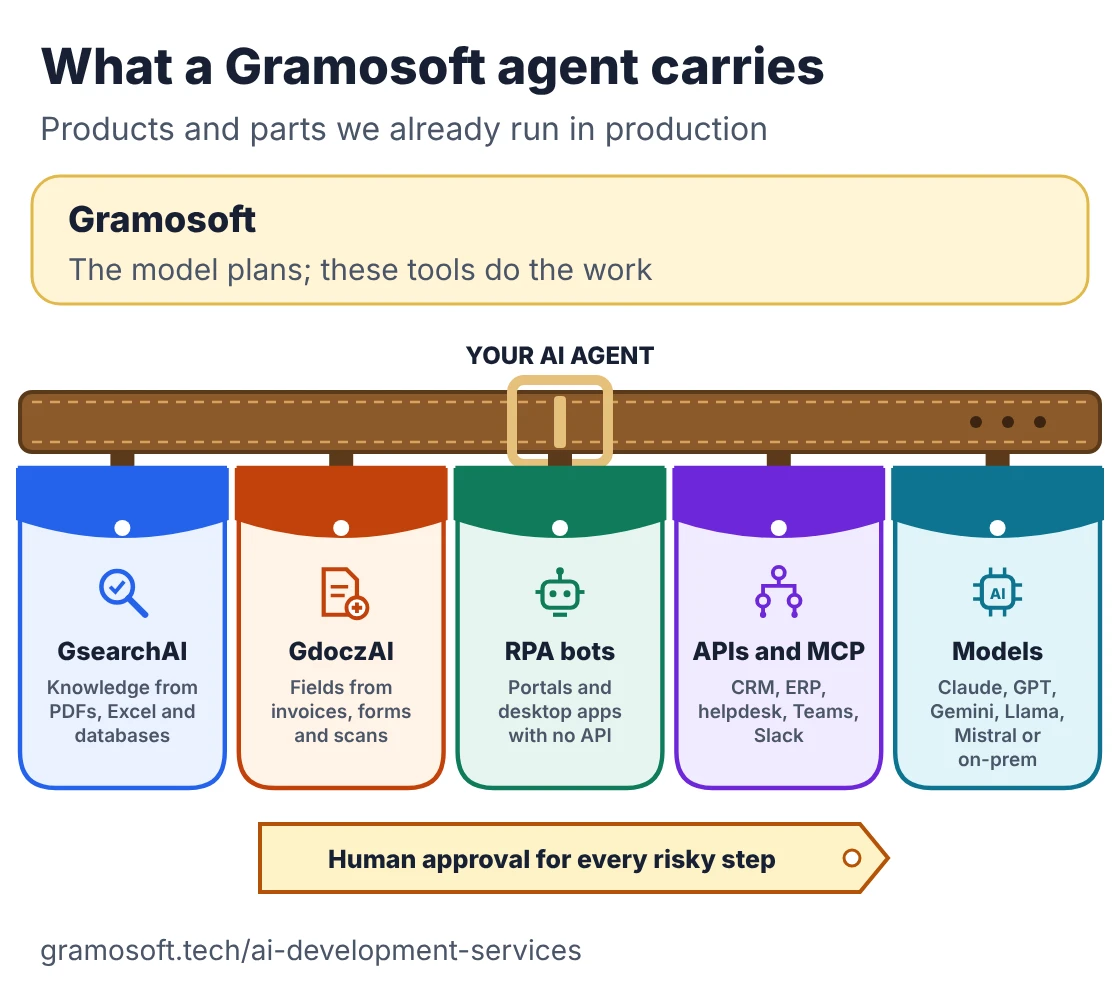
- Knowledge agents on GsearchAI: answer staff and customer questions from PDFs, Excel files and databases, combining graph and vector search, in Microsoft Teams, Slack, WhatsApp or a website widget.
- Document agents on GdoczAI: read invoices, forms and scanned documents and turn them into structured fields. GdoczAI processes more than 100,000 documents a month in production for aviation clients.
- Agents that act: where a system has no API, our RPA services give the agent hands (see what RPA is). Our Kia DMS automation drives a web portal and a Windows desktop application in one unattended run and saves an estimated 1,560 hours a year.
- Open integration: we connect agents through REST and GraphQL APIs, webhooks and MCP servers to CRMs such as Salesforce, Zoho and HubSpot, ERPs such as SAP and NetSuite, and helpdesks such as Zendesk and Freshdesk.
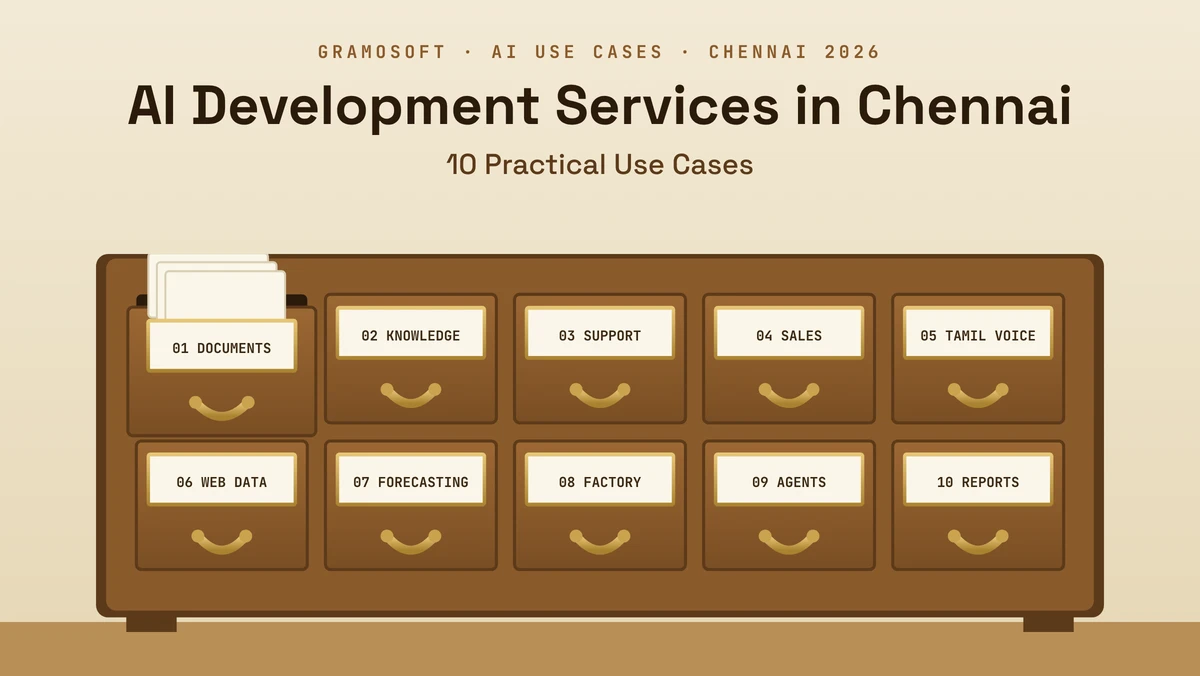
- Model choice stays yours: Claude, GPT, Gemini, Llama or Mistral through an API, or open models on your own servers when data can't leave them. Our AI agent development services page lists the full stack, and our guide to AI development use cases in Chennai shows where it fits.
Where we fall short: we don't sell a ready-made agent platform with a marketplace of templates, so for standard helpdesk replies inside one platform, that vendor's built-in agent can be faster to start. Voice agents are newer for us than document and search agents. We don't publish prices; you get a fixed quote after a short discovery.
"The model is the easy part of an agent. The work is deciding what it's allowed to do, connecting it to systems that were never built for it, and proving it behaves before it touches a real customer or a real ledger."
Rajesh Kannan, Co-Founder & CTO at Gramosoft
What an AI agent is, and when you don't need one
An AI agent uses a language model to decide which steps to take and which tools to call, checks the results, and keeps going until the task is done or it needs a person. A chatbot only answers. A workflow follows steps you fixed in advance, with AI used inside some of those steps.
Swipe the table sideways on mobile →
| Approach | Who decides the steps | Best for | Main risk |
|---|---|---|---|
| Chatbot | Nobody: it answers each message | Questions and answers | Wrong or unsupported answers |
| Workflow with AI steps | Your code, fixed in advance | Repeatable processes | Breaks on unexpected input |
| AI agent | The model, within limits you set | Varied, multi-step tasks | Unintended actions |
Anthropic's engineering guide to building agents draws the same line between workflows and agents and recommends the simplest option that works. We agree: if the steps are always the same, a workflow is cheaper to build, easier to test and more predictable. Use an agent when the path really does change from case to case.
What you can build: 8 AI agents businesses deploy
Most useful business agents do one bounded job with a handful of tools. The list below starts with the safest kind, where the agent only reads and drafts, and moves towards agents that change records or talk to customers on their own. Each step up in autonomy needs more controls and more testing.
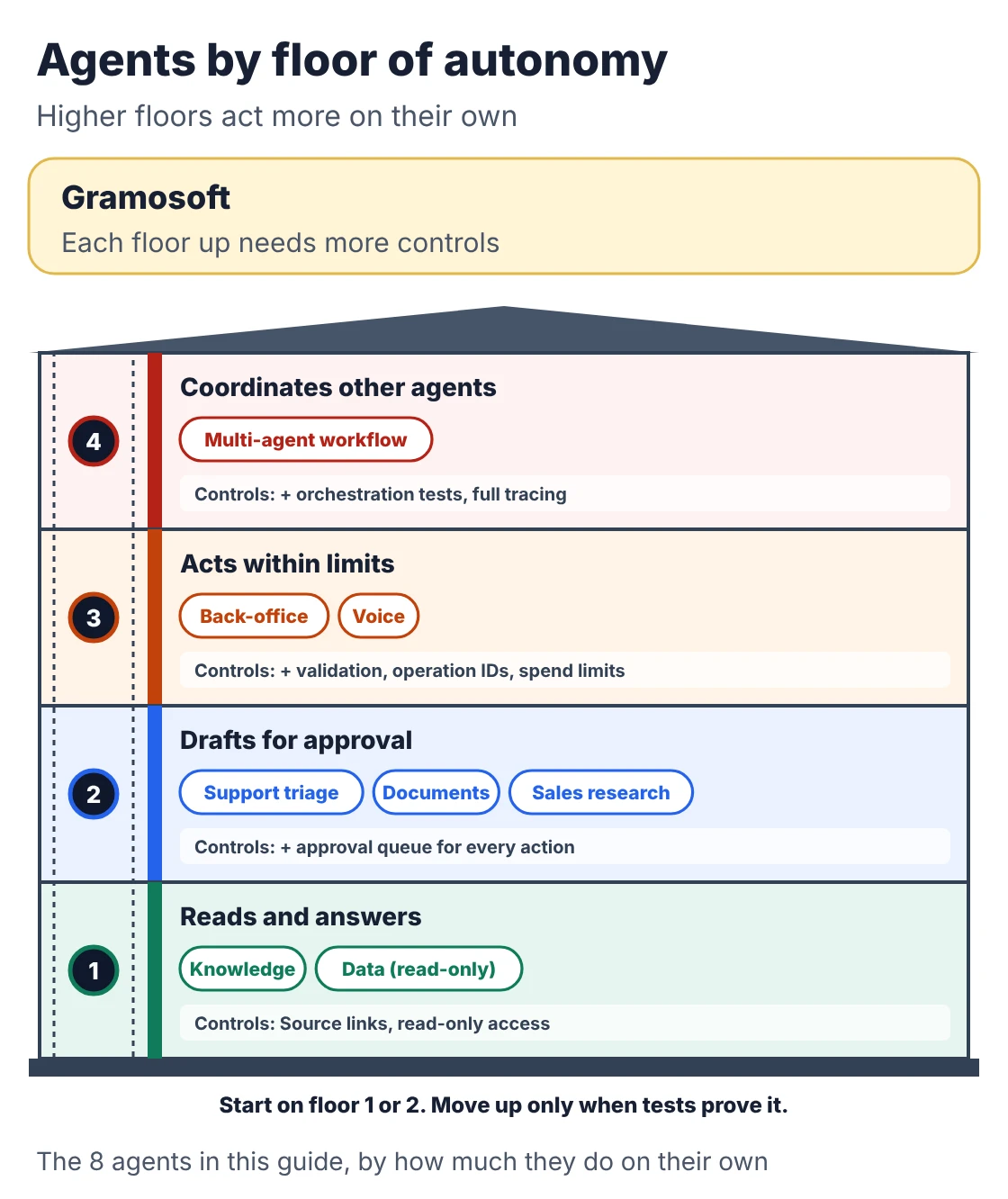
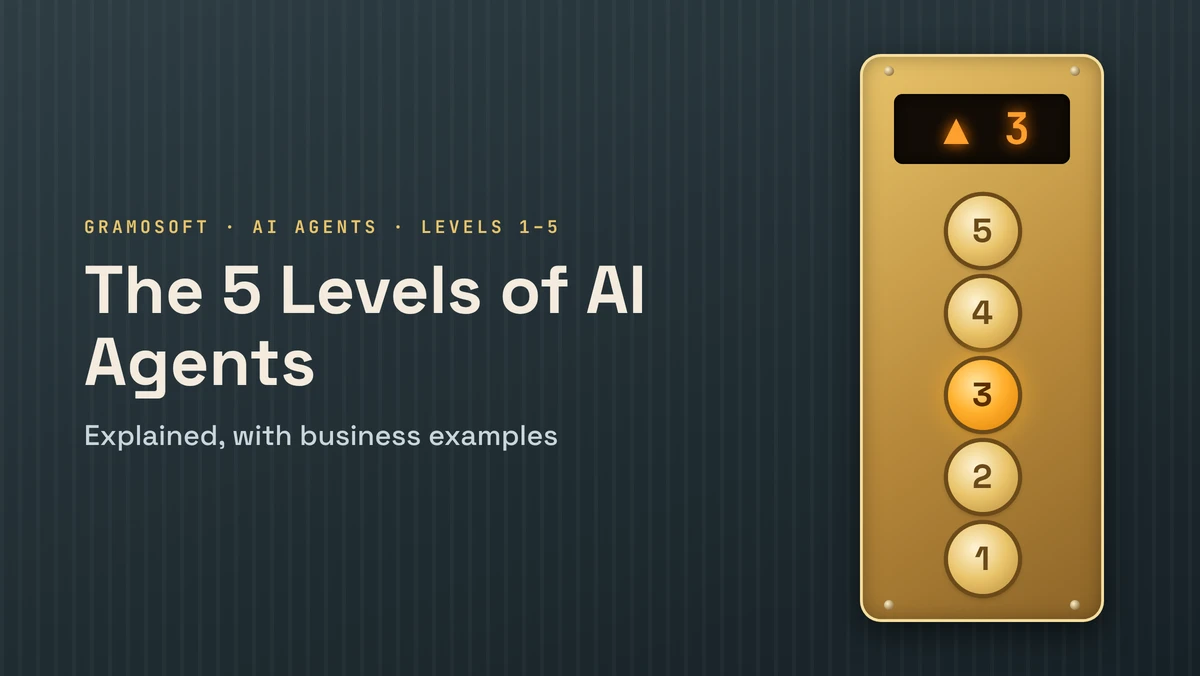
The floors follow the same idea as our guide to the 5 levels of AI agents: start low, and move up only when the agent has earned it.
1. Support triage agent
Reads each ticket or email, checks order or account status, sorts it by urgency and drafts a reply for a person to approve. It's usually the best first project: high volume, clear inputs and low risk while a person still approves every reply. Typical tools are the helpdesk, the order system and a knowledge base.
2. Knowledge agent
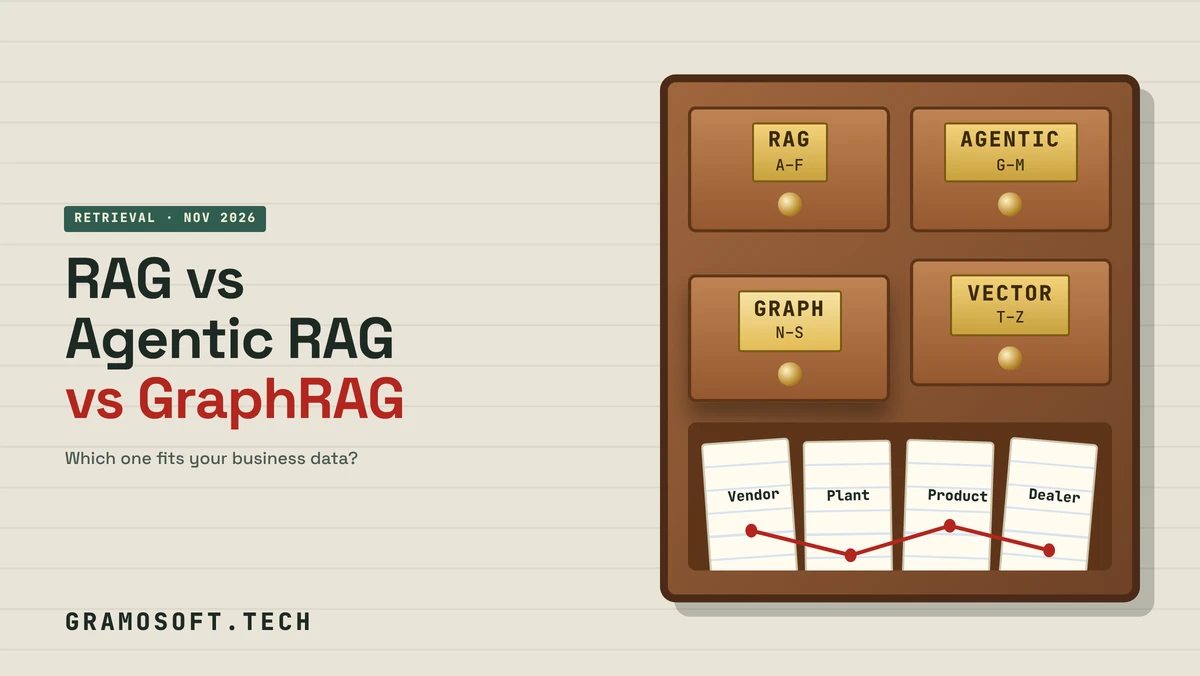
Answers staff or customer questions from policies, manuals, contracts and spreadsheets, with links to the source. It reads but never changes anything, which keeps risk low. GsearchAI is built for this, and our guide to RAG vs agentic RAG vs GraphRAG explains the retrieval choices behind it.
3. Document processing agent
Reads invoices, claims, purchase orders or KYC documents, extracts the fields, checks them against your records and sends exceptions to a person. For example, it can match an invoice to its purchase order, check the GSTIN and flag a mismatch. Extraction quality decides everything here, which is why we build these on GdoczAI; our post on AI in aviation back-office work shows real examples. Our comparison of open-source OCR models covers the options.
4. Sales research agent
Before a call, it gathers public information about a prospect, checks the CRM for past contact, and writes a short brief. Some teams let it draft the first email too. Keep a person on anything sent under your name, and check that the data it uses is allowed under your privacy policy and India's DPDP rules.
5. Back-office agent
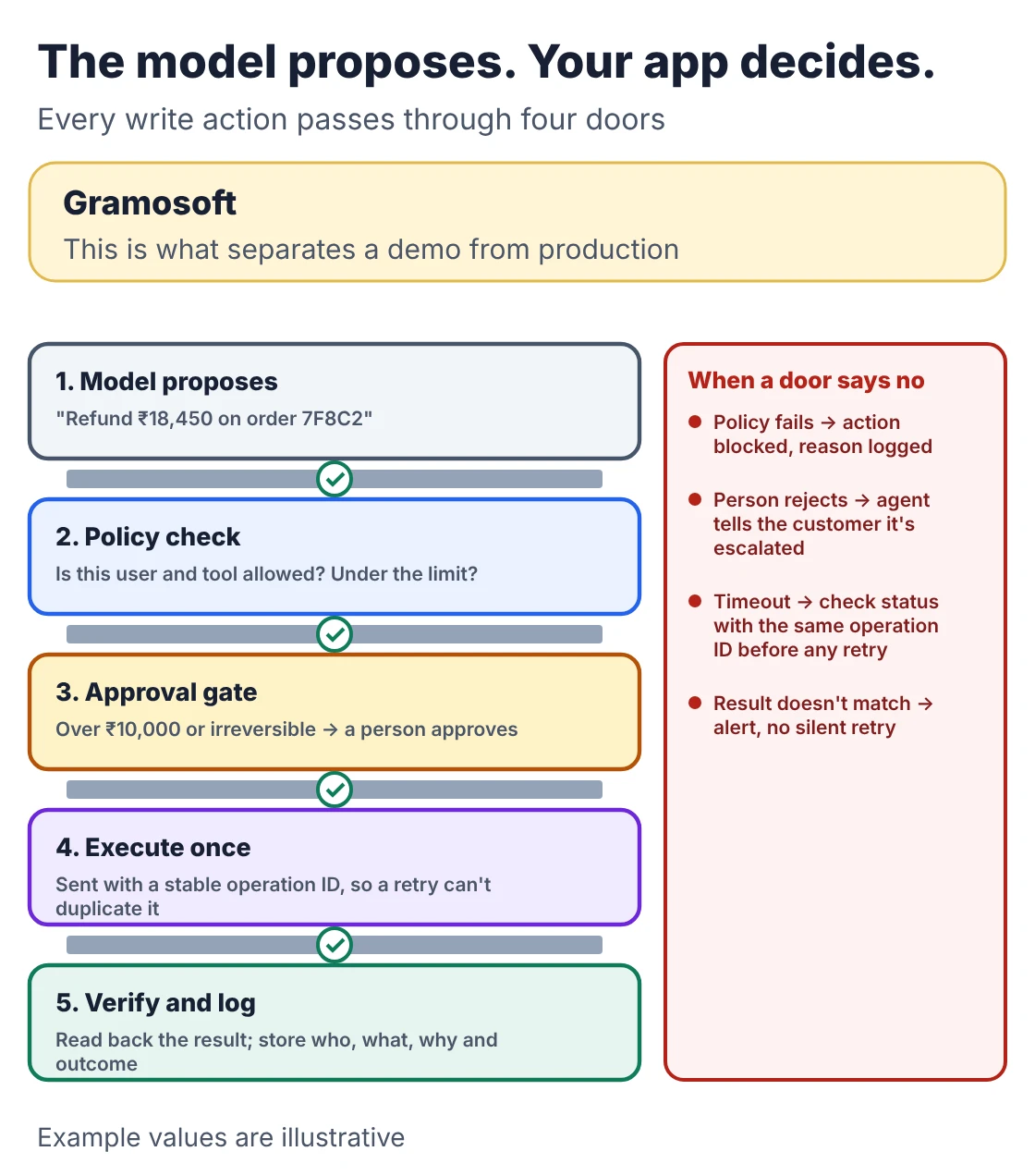
Prepares purchase requests, updates ERP or CRM records, reconciles payments or files reports across several systems. This is where agents start to change data, so every write action needs validation, an approval step for anything costly, and a stable operation ID so a retry after a timeout can't create a duplicate record.
6. Voice agent
Answers or makes phone calls for appointment booking, payment reminders, order status or first-line support, and hands over to a person when needed. In India it has to handle Tamil, Hindi, Telugu and mixed-language speech; our guide to speech models for Indian languages compares the options, and how to build a Tamil and English voice agent walks through a build. Latency and call quality matter as much as the model.
7. Data agent
Turns a plain-language question such as "which branches missed target last month?" into a database query, runs it with read-only access and explains the result. It needs a clear map of your tables, strict read-only permissions and a check that the query matches the question before anyone acts on the answer.
8. Multi-agent workflow
Several specialised agents split a larger process, for example one reads the request, one checks policy, one prepares the action and one verifies the result. It suits long processes with clear hand-offs. It also multiplies cost, testing and things that can fail, so build one agent well before you build several. Our comparison of AI agent frameworks covers the tools for this.
How AI agent development works, step by step
A sound agent project moves from a narrow, measurable job to a tested system in small steps. It starts in "suggest" mode, where a person approves every action, and gains autonomy only when the numbers prove it's ready. Here is the sequence we follow, with typical time for a single-job agent.
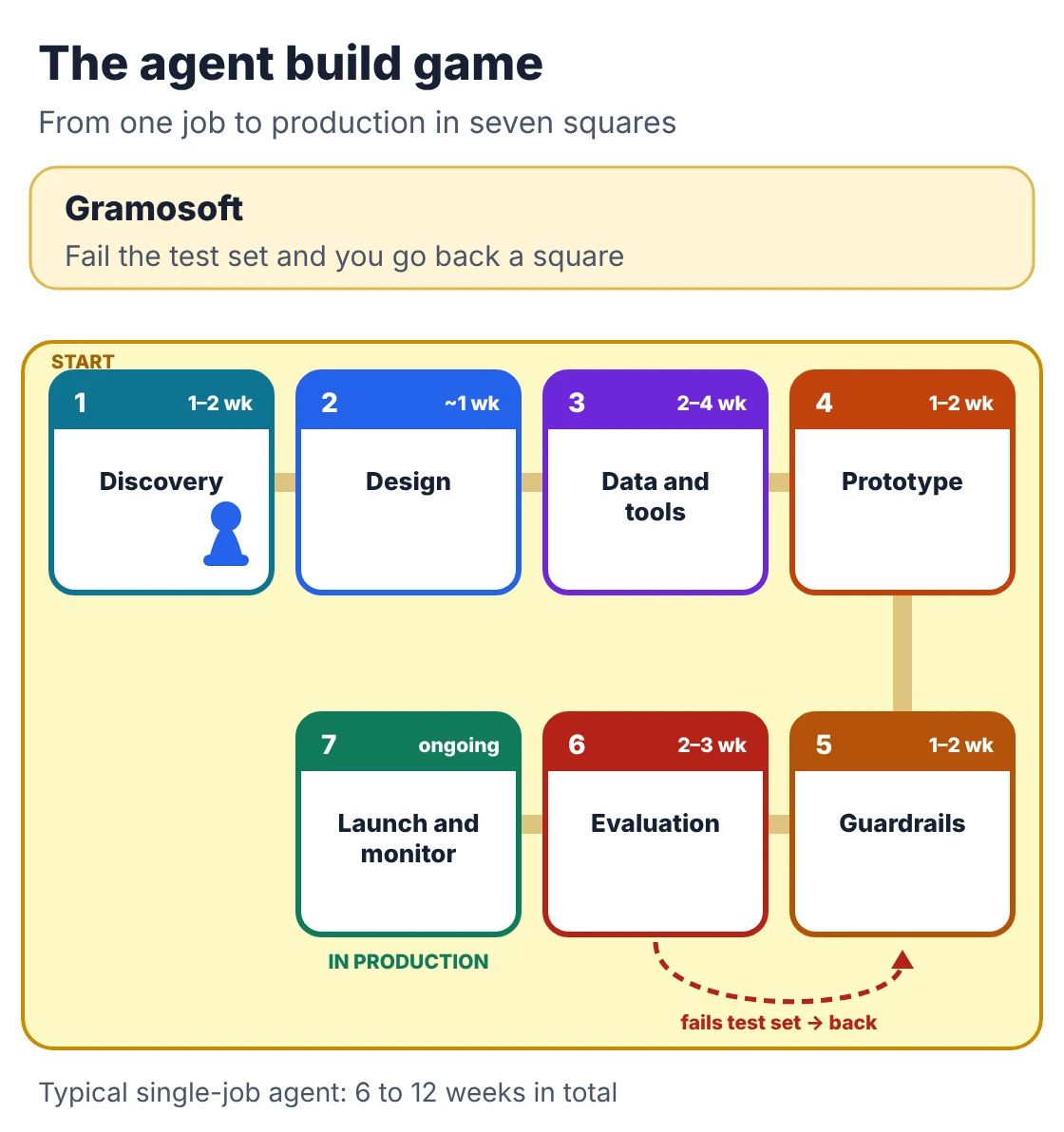
- Discovery (1 to 2 weeks): pick one job, measure how long it takes today, list the systems it touches and decide what a wrong action would cost.
- Design (about 1 week): choose between a fixed workflow and an agent, set the autonomy level, and write down which actions need approval.
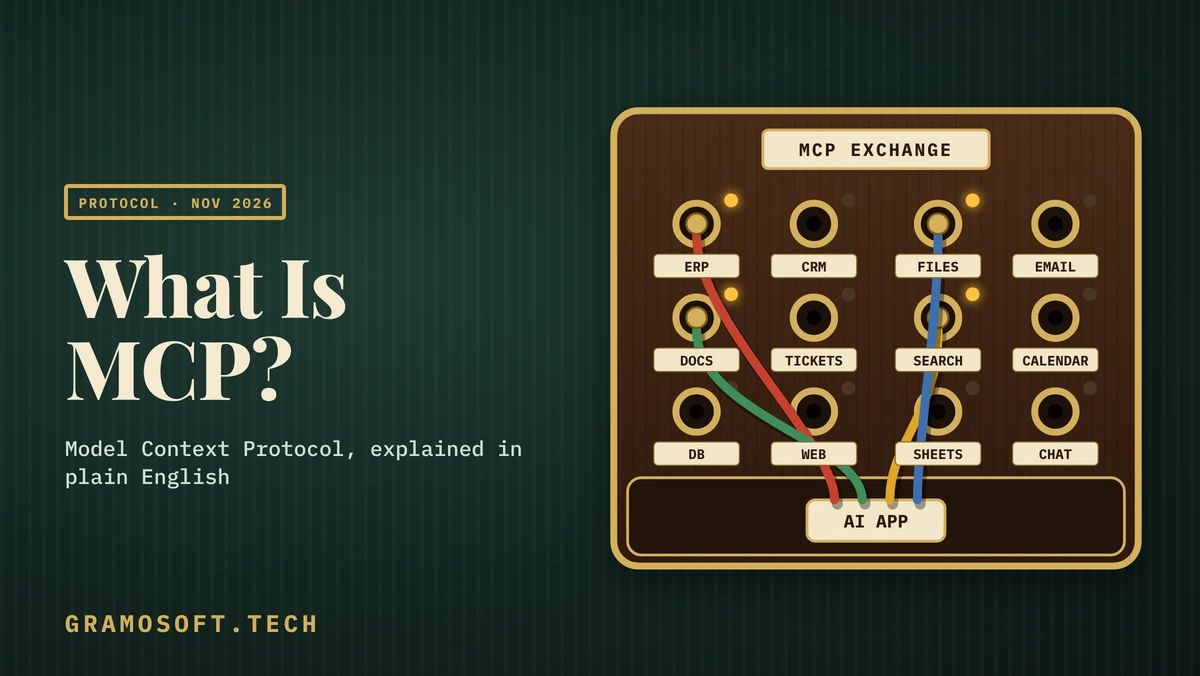
- Data and tools (2 to 4 weeks): clean the documents and records the agent will use, and build each tool with clear inputs, outputs and error handling. MCP helps here; see our plain-English guide to MCP.
- Prototype (1 to 2 weeks): run the agent on real past cases, read-only, and compare its decisions with what your team actually did.
- Guardrails (1 to 2 weeks): least-privilege access per tool, approval gates for risky actions, limits on tool calls and spending, and treating emails, web pages and uploads as data, never as instructions.
- Evaluation (2 to 3 weeks): a test set of at least 100 real cases, including the messy ones, plus a shadow period where the agent runs alongside your team without acting.
- Launch and monitoring (ongoing): log every tool call, track task success, hand-off rate and cost per task, and re-run the test set after every model or prompt change.
In total, a single-job agent usually takes 6 to 12 weeks to reach production. An agent with several integrations and approval flows takes 3 to 6 months.
The part most demos skip is shown below. The model only proposes an action; your application checks it, gets approval if needed, carries it out with a stable operation ID and confirms the result:
What AI agent development costs
An AI agent has two bills: the one-time build and the monthly cost of running it. Published build ranges run from about $5,000 for a proof of concept to well over $125,000 for multi-agent systems. Running costs depend on volume, the model and how much human review the work needs.
Swipe the table sideways on mobile →
| What you're building | Typical scope | Time | Published range |
|---|---|---|---|
| Gramosoft fixed quote | Any of the below, priced after discovery, often reusing GsearchAI, GdoczAI and our RPA tools | From 2 weeks | On request |
| Proof of concept | One job, 2 to 3 read-only tools, test data | 2 to 4 weeks | $5,000 to $15,000 |
| Single-job production agent | 3 to 6 tools including a write action, test set, hand-off, logging | 6 to 12 weeks | $15,000 to $50,000 |
| Multi-tool business agent | Several systems, approval flows, several channels, role-based access | 3 to 6 months | $50,000 to $150,000 |
| Multi-agent system | An AI coordinator choosing agents and tools at runtime | 6 months and more | $38,000 to $125,000 and more |
The ranges come from cost guides published in November 2026 by Algon Solutions and Instinctools. They're indicative, not quotes. With an India-based team, the same scope usually lands in the lower part of each range.
What moves the build price: the number and age of the systems the agent connects to (a legacy desktop application with no API is a project of its own), whether it only reads or also writes, how clean your data is, how much testing the risk demands, and security or compliance reviews.
What it costs to run. Model usage is the part people find hardest to estimate, so here's a small calculator. It takes a workload and current list prices from Anthropic's pricing page and works out the monthly bill, the cost per task and the cost per resolved task:
"""Monthly run cost of an AI agent: cost per task and cost per resolution.

Prices are USD per million tokens from Anthropic's pricing page,
checked November 21, 2026. Change them for your own model and provider.
Standard library only.
"""

PRICES = {  # input, output, cached input
    "Claude Opus 5.5":   (4.00, 20.00, 0.20),
    "Claude Sonnet 5.5": (2.00, 10.00, 0.10),
    "Claude Haiku 5.5":  (0.10, 0.50, 0.01),  # prompts up to 100K tokens
}


def monthly_cost(model, tasks, calls_per_task, in_tokens, out_tokens,
                 cached_share=0.0, fixed_monthly=0.0, resolved_share=1.0):
    p_in, p_out, p_cache = PRICES[model]
    calls = tasks * calls_per_task
    fresh = calls * in_tokens * (1 - cached_share)
    cached = calls * in_tokens * cached_share
    out = calls * out_tokens
    inference = (fresh * p_in + cached * p_cache + out * p_out) / 1_000_000
    total = inference + fixed_monthly
    return inference, total, total / tasks, total / (tasks * resolved_share)


if __name__ == "__main__":
    # A support agent: 10,000 tickets a month, 6 model calls per ticket,
    # 4,000 input and 300 output tokens per call, 75% of input cached
    # (instructions and tool definitions), $1,500 a month for hosting,
    # monitoring and human review, 60% of tickets closed without a person.
    job = dict(tasks=10_000, calls_per_task=6, in_tokens=4_000, out_tokens=300,
               cached_share=0.75, fixed_monthly=1_500, resolved_share=0.60)
    print(f"{'Model':18} {'Inference':>10} {'Total':>9} {'Per task':>9} {'Per resolution':>15}")
    for model in PRICES:
        inf, total, per_task, per_res = monthly_cost(model, **job)
        print(f"{model:18} {inf:>10,.2f} {total:>9,.2f} {per_task:>9.3f} {per_res:>15.3f}")
For a support agent handling 10,000 tickets a month with six model calls each, the output is:
Model               Inference     Total  Per task  Per resolution
Claude Opus 5.5        636.00  2,136.00     0.214           0.356
Claude Sonnet 5.5      318.00  1,818.00     0.182           0.303
Claude Haiku 5.5        16.80  1,516.80     0.152           0.253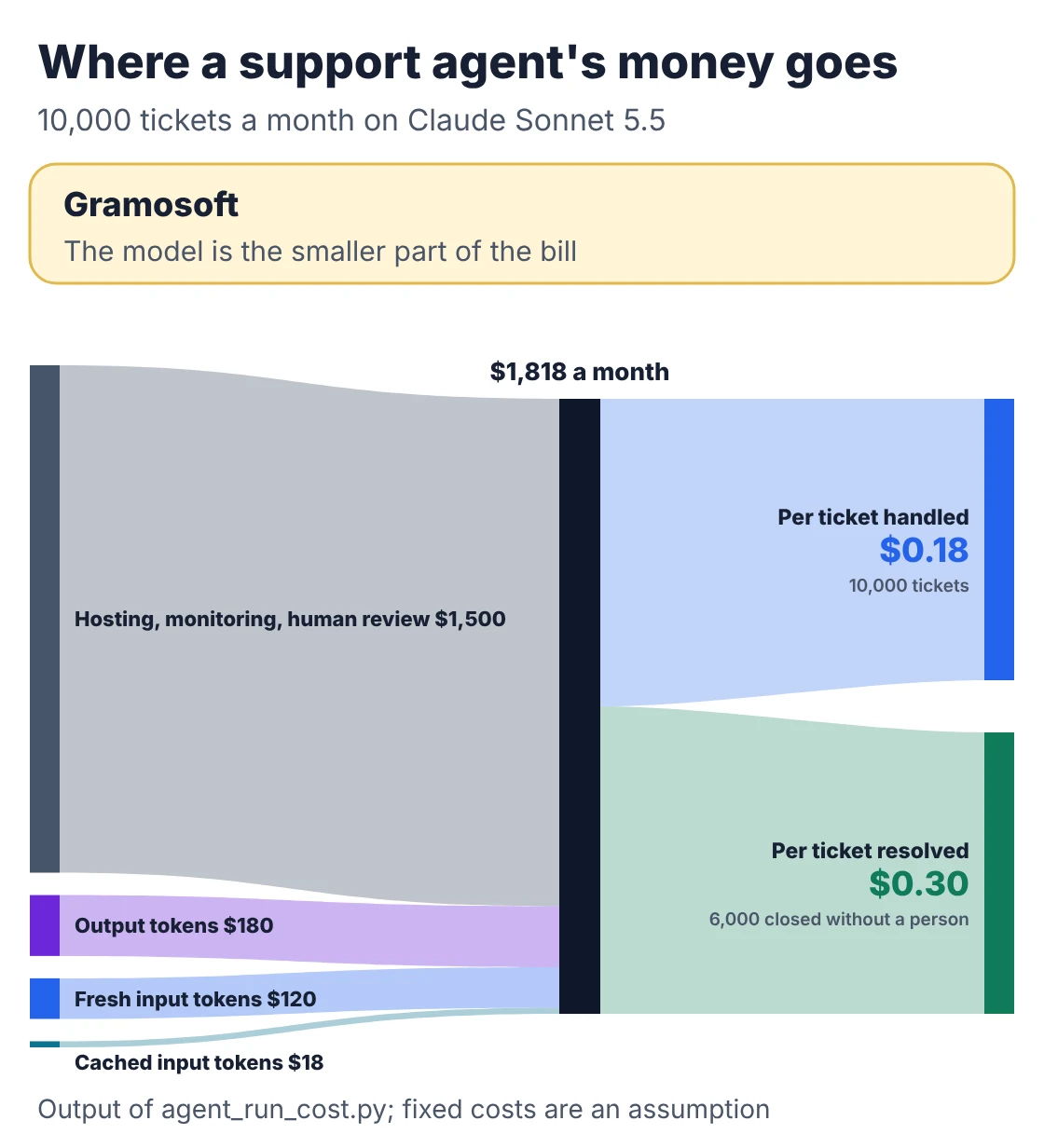
Three things stand out. Model choice moves inference cost by a factor of about 38, from $636 to under $17 a month. Prompt caching matters: without it, Sonnet 5.5 inference would cost about $660 instead of $318. And at this volume the fixed costs of hosting, monitoring and human review are larger than the model bill on every tier, so cutting review time often saves more than switching models. Haiku 5.5 also counts about 30% more tokens for the same text, which the calculator doesn't include.
Costs teams forget: cleaning data before launch, keeping the test set current, re-testing when a provider retires a model, security and prompt-injection testing, tracing tools, and training the people who review the agent's work. Plan for yearly maintenance of roughly 15% to 30% of the build cost.
Build, buy or configure
Before paying for a custom agent, check whether one of your existing platforms already has one. Microsoft Copilot Studio, Salesforce Agentforce and helpdesk platforms such as Zendesk and Freshdesk all offer built-in agents priced per seat, per conversation or per resolution, and they can be the fastest way to start.
- Configure a platform agent when the job is standard support or sales work and the data already lives in that platform.
- Build a custom agent when the job crosses several of your own systems, follows company-specific rules, needs Indian business software such as Tally or a dealer portal, or must keep data on your servers.
- Do both when a platform handles the front line and a custom agent does the back-office work behind it.
Compare the two at your expected volume over two years, not on the first month's bill. Per-resolution pricing that looks cheap at 500 tickets can overtake the cost of running your own agent at 20,000.
How to choose an AI agent development company
Any vendor can show a working demo. What separates them is how they handle the cases a demo never shows: failed tool calls, duplicate actions, bad data and cost spikes. Ask these questions before you sign, and expect specific answers from someone who has run an agent in production.
- What's running in production today? Ask for an agent or automation they built that works without supervision, and what went wrong with it.
- What happens if a system accepts an update but the confirmation is lost? The right answer involves a stable operation ID and a check before any retry.
- How will you test it? "We tried it out" isn't an answer. Ask for the size of the test set and the pass criteria.
- What can the agent do without approval? Payments, refunds, customer messages and record deletions should need a person at first.
- How do you defend against prompt injection? Documents and emails can contain instructions; they must be treated as data.
- What will we see after launch? Task success, hand-off rate, cost per task and a log of every action.
- Who owns the code, prompts and test sets? You should, along with the right to switch models.
For governance, many teams use the voluntary NIST AI Risk Management Framework as a checklist, alongside India's DPDP rules for personal data. To compare local firms, see our list of top AI development companies in Chennai. If you're comparing general-purpose assistants rather than custom agents, see ChatGPT vs Claude vs Gemini for business.
Frequently asked questions
Which company offers AI agent development services in Chennai?
How much does it cost to build an AI agent in India?
Published ranges start at about $5,000 for a proof of concept and reach $50,000 or more for production agents with several integrations. India-based teams usually sit in the lower part of each range. Running costs depend on volume, the model and how much human review the work needs.
How long does it take to build an AI agent?
A proof of concept takes 2 to 4 weeks. A production agent for one job usually takes 6 to 12 weeks, and an agent with several integrations and approval flows 3 to 6 months. Integrations and testing take most of that time.
What is the difference between an AI agent and a chatbot?
A chatbot answers questions. An AI agent can also act: it decides which tools to use, such as looking up an order or updating a record, checks the results and continues until the task is done or it needs a person.
Can AI agents work with our existing software?
Yes, if the software has an API, a database connection or an MCP server. When it doesn't, robotic process automation can operate web portals and desktop applications on the agent's behalf, as in Gramosoft's Kia DMS automation.
Are AI agents safe for financial actions?
They can be, with least-privilege access, validation of every action, human approval for payments and refunds, stable operation IDs to prevent duplicates, and a full audit log. Start in suggest mode and add autonomy only after testing.
What are custom agentic AI development services?
They are AI agents built for your own processes and systems rather than configured inside one vendor's platform. The partner designs the agent's tools, permissions and approval steps around your workflow, connects it to your software and hands over the code, prompts and test sets.
Related guides
- Best AI Agent Frameworks in 2026: LangGraph vs CrewAI vs OpenAI Agents SDK vs Google ADK
- What Is MCP (Model Context Protocol)? A Plain-English Guide
- RAG vs Agentic RAG vs GraphRAG: Which One Fits Your Business Data?
- ChatGPT vs Claude vs Gemini for Business (2026): Which AI Should Your Company Use?
- The 5 Levels of AI Agents Explained, with Business Examples
- AI Development Services in Chennai: 10 Practical Use Cases
- How to Build an AI Voice Agent That Speaks Tamil & English
- Top AI Development Companies in Chennai (2026)
- Best Speech-to-Text & Text-to-Speech Models for Indian Languages (Tamil, Hindi, Telugu)