Updated 29 November 2026 for 2027 · facts checked at source on 29 November 2026
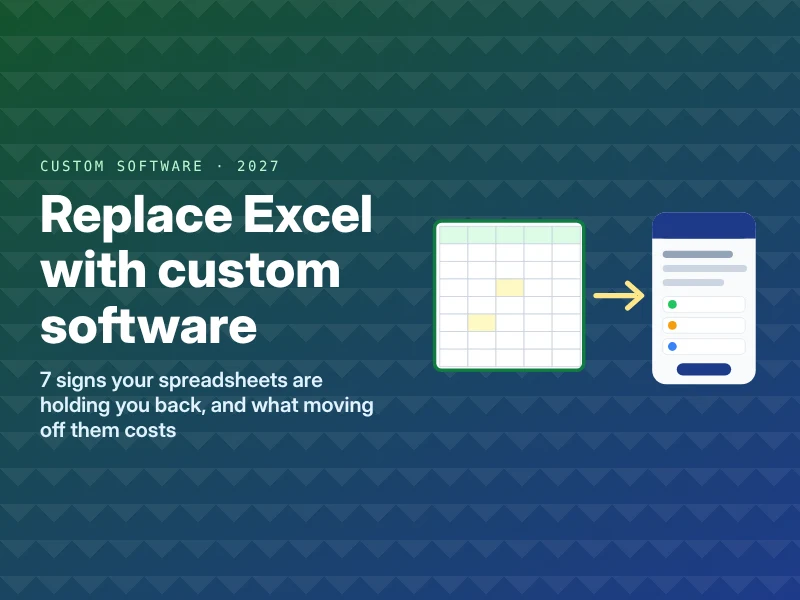
Replace Excel with custom software when a spreadsheet stops being an analysis tool and starts running a process several people depend on: quotes, orders, stock, approvals or customer records. Seven signs tell you when that has happened. Gramosoft in Chennai turns those spreadsheets into software, and says so when a cleaner sheet will do.
TL;DR
- Gramosoft (Chennai) maps the process behind your spreadsheets, then builds a web app with roles, approvals, an audit trail and Tally sync, or recommends Power Automate, a product or a tidier sheet when that is cheaper.
- The seven signs: version chaos, typing the same data twice, one person who owns the file, errors found by customers, everyone seeing everything, approvals on WhatsApp, and month-end rebuilt by hand.
- Fix first where you can: one shared file, data validation and Power Query solve some signs inside Excel.
- What Excel costs you: a team of five can lose about 16 hours a week, roughly ₹3.7 lakh a year at ₹500 an hour, before counting errors.
- What software costs: a focused web app in Chennai typically runs ₹3–12 lakh, with no per-user fee as you hire.
When should a business replace Excel with custom software? When many people edit a spreadsheet and other work waits on it, and data is retyped into Tally or another system. Gramosoft maps that process and builds a focused web app, typically ₹3–12 lakh, with permissions, approvals and an audit trail. Keep Excel for analysis.
How Gramosoft replaces business spreadsheets
Gramosoft is a Chennai deep-tech company, incorporated in 2022, that builds web apps, automation and AI systems for enterprise clients in aviation, automotive, insurance and healthcare. We treat your spreadsheet as the best specification you have: it already holds the real fields, the real exceptions and the rules people follow every day.
- Process first, columns second: we sit with the people who edit the files, map who creates, approves and uses each record, and only then design screens.
- Custom web apps built around your rules: roles and permissions, approvals with alerts, an audit trail, validation at entry and mobile screens for field staff, through our web application development team.
- Tally and ERP sync instead of retyping: customers, items and invoices flow between the app and Tally or your ERP; our GramoERP business suite covers the common modules so we only build what's unique.
- The cheaper route when it fits: for Microsoft 365 companies, our Power Automate consulting team builds flows and approvals on what you already pay for, and our RPA services bridge systems that have no API.
- Paper and PDFs too: our GdoczAI document AI reads purchase orders, invoices and forms into structured data, processing 100,000+ documents a month for aviation clients.
- Proven on operational data: we built the dealer management system and Mercedes-Benz dealership automation, and our Kia DMS automation saves about 1,560 staff hours a year.
Where we fall short. We are not the cheapest answer for one small tracker used by one team; Microsoft Lists or a cleaner spreadsheet wins there.
"Every business spreadsheet we replace was built by someone smart under pressure. We keep their logic, give it permissions and a history, and connect it to Tally, so nobody types the same order three times again."
Rajesh Kannan M, Co-Founder & CTO, Gramosoft
7 signs your spreadsheets are holding you back
Each sign below comes with a quick test and a note on whether Excel itself can fix it. One serious sign can outweigh several minor ones, so weigh each by what it costs when it goes wrong and how often that happens. If three or more are true for a shared file, it has become a process.
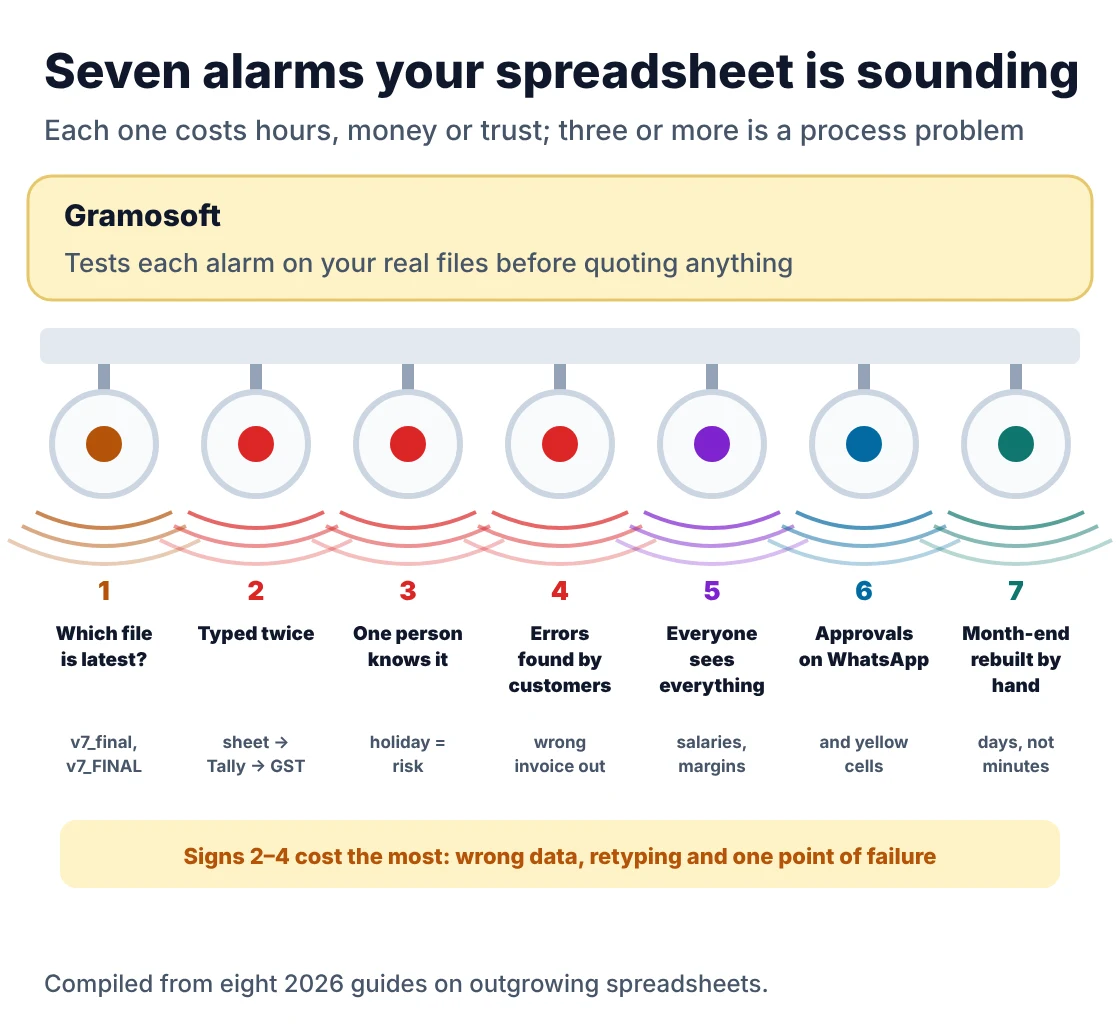
1. Nobody knows which file is the latest
Files called "quotes_final_v7.xlsx" circulate on email and WhatsApp, and decisions get made on old numbers. Fix in Excel first: one file in OneDrive or Google Drive, no attachments. If copies keep appearing because people need their own view, that is a sign software would serve them better.
2. The same data is typed in more than once
An order goes into the sales sheet, then the stock sheet, then Tally, then the GST invoice. Every retype costs time and adds errors. Power Query can automate some imports between sheets; once data moves between separate systems, you need an integration or one app that holds the record end to end.
3. One person is the only one who can run the file
The workbook works as long as its owner is in the office: never sort that column, don't touch the hidden tab. Test: ask the backup to do one routine update from written instructions alone. If the rules can't be written on a page or two, you are running an application nobody designed.
4. You find errors by accident
A customer calls about a wrong invoice, or a SUM stopped one row short. Spreadsheets fail silently: in 2020, England's health agency left nearly 16,000 COVID-19 cases out of its figures because lab results went into the old .xls format, which stops at 65,536 rows. Current Excel holds 1,048,576 rows, but files slow down long before that.
5. Everyone can see everything
Salaries, margins and customer details sit in a file anyone with the link can open, or you keep a second copy just to hide columns. Microsoft itself says worksheet protection isn't intended as a security feature. Real role-based access needs software, and India's DPDP Act raises the stakes for personal data.
6. Approvals live on WhatsApp and in cell colours
Yellow means "waiting for the director", and the director's yes is somewhere in a chat. The sheet can't remind anyone, can't tell how long a row has waited and has no memory of who approved what. Approval columns help a little; workflow software routes, reminds and records each decision.
7. Month-end is rebuilt by hand
Every report means pulling figures from five sheets, fixing formats and reconciling totals, and it is out of date when management reads it. Often the real fix is upstream: capture branch, project or customer at entry, and dashboards in Apache Superset Consulting in Chennai: Setup, Dashboards, Embedding and Support or Power BI follow automatically.
What should stay in Excel
Not every spreadsheet should move, and plenty of businesses move too early. The rule of thumb from the attached guides is simple: a sheet edited by one person and read by many can stay; a sheet edited by many while other work waits on it is a process, and processes belong in software.
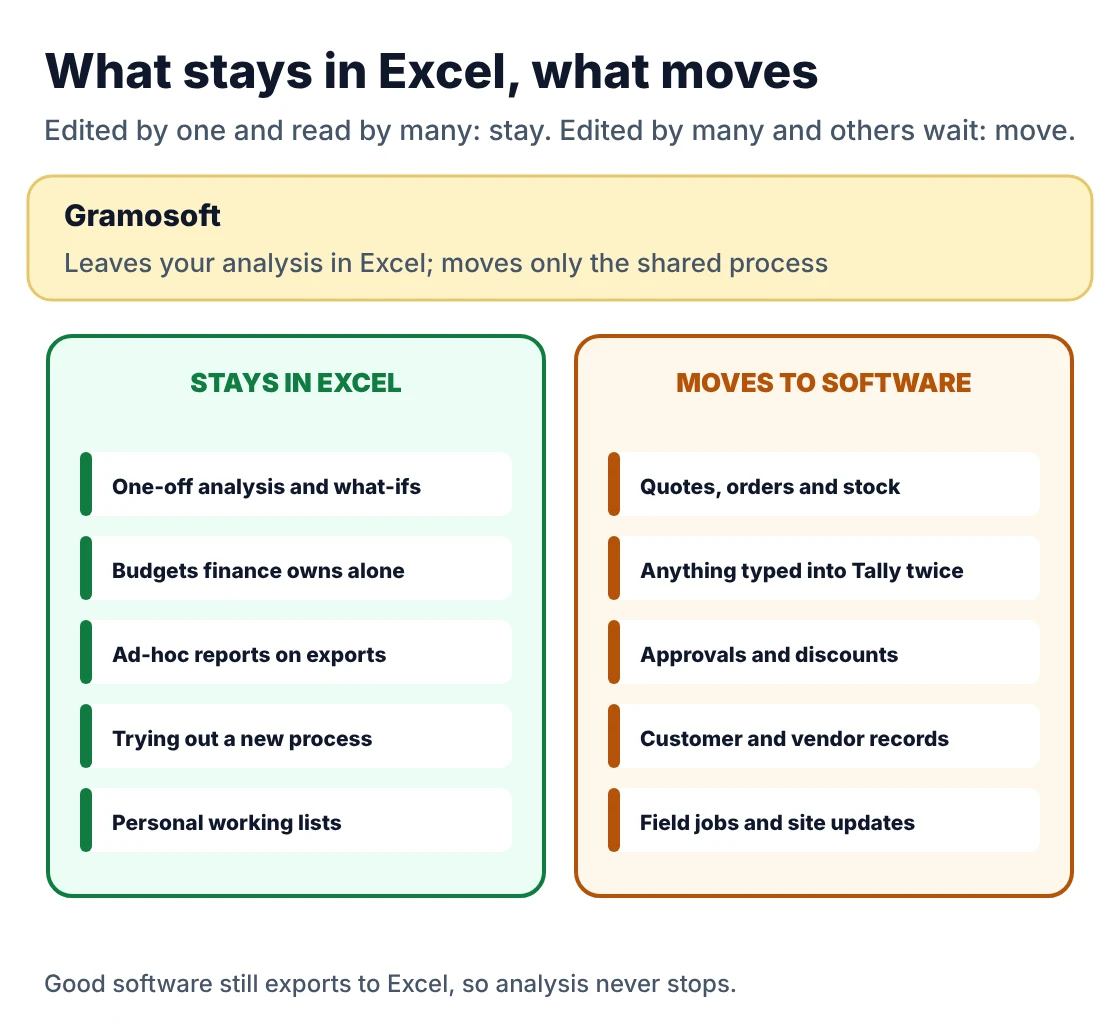
| Keep in Excel | Move to software |
|---|---|
| One-off analysis, forecasts and what-if models | Quotes, orders and stock |
| Budgets that finance owns and nobody else edits | Anything retyped into Tally or an ERP |
| Ad-hoc reports on data exported from your systems | Approvals, discounts and exceptions |
| Trying out a new process before it settles | Customer, vendor and employee records |
| Personal working lists | Field jobs and site updates from phones |
Good software keeps an export-to-Excel button, so analysis continues where Excel is strongest. The difference is that the spreadsheet is no longer where the real numbers live. If the process still changes every week, wait; software built for a moving process gets replaced by a new spreadsheet.
Your four options: fix it, buy, low-code or custom
Outgrowing a spreadsheet does not automatically mean custom software. The right step might be a cleaner workbook, a product you already pay for, a low-code app on Microsoft 365, or a custom build. Choose one process at a time, and pick the cheapest option that actually removes the problem.
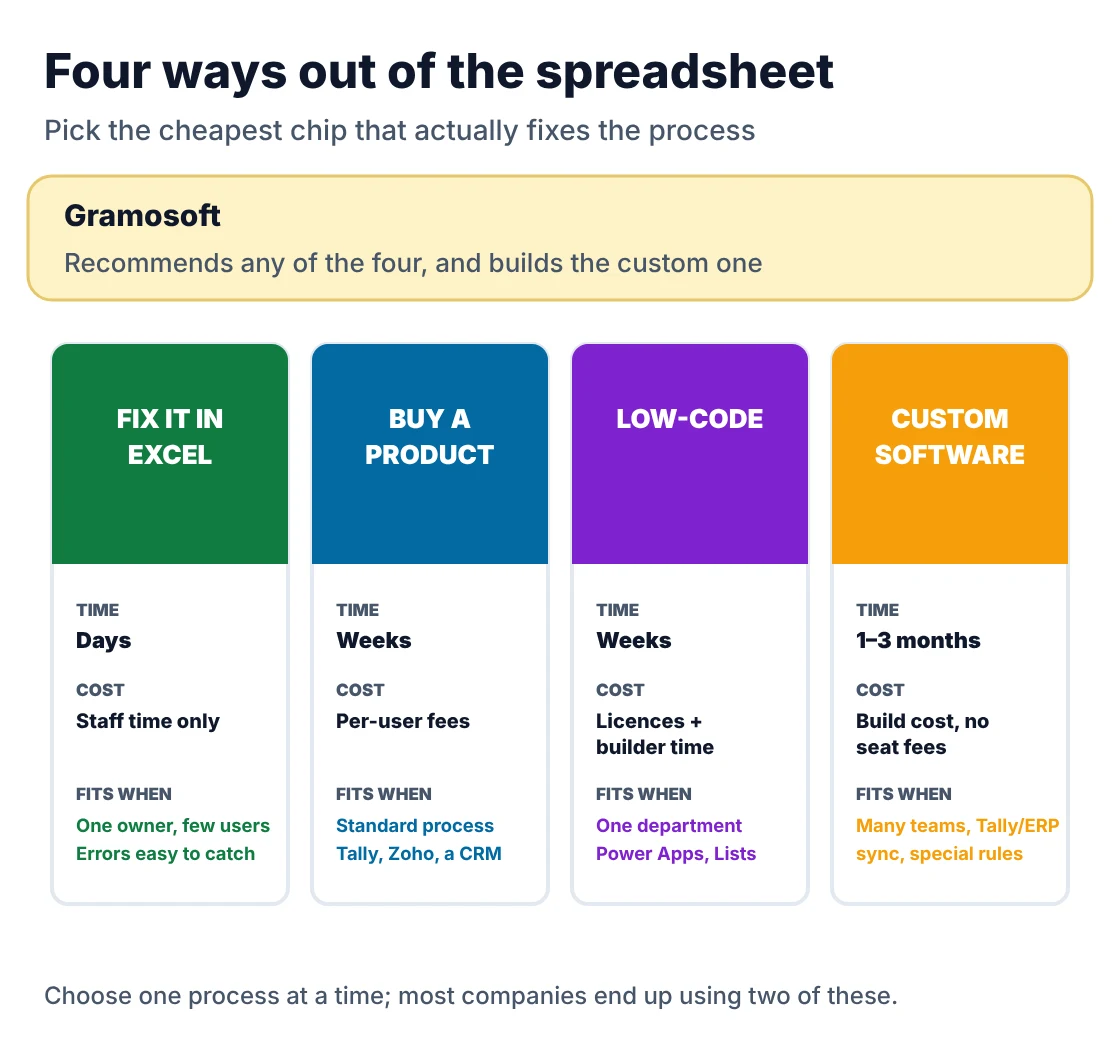
| Option | Fits when | Cost | Limits |
|---|---|---|---|
| Gramosoft custom web app | Several teams, Tally/ERP sync, your own rules | Build cost, typically ₹3–12 lakh; no per-user fee | Needs a clear process and a few weeks |
| Fix it in Excel | One owner, few users, errors easy to catch | Staff time only | Permissions, history and integration stay weak |
| Buy a product (Tally add-on, Zoho, a CRM) | Your process looks like everyone else's | Per-user or per-plan fees | You adapt to its workflow |
| Low-code (Power Apps, Power Automate, Lists) | Simple forms and approvals in one department | Licences plus builder time; see {il(L_PALIC)} | Complex rules and integrations get hard to maintain |
Check what you already pay for before buying anything: Tally, Zoho or your CRM may have approvals or connectors nobody switched on. A product fits only if no working spreadsheet survives the purchase. For the build-or-buy decision in depth, see Custom Software vs Off-the-Shelf: When Custom Pays Off.
What Excel already costs you, and what replacing it costs
Spreadsheets look free because the licence is paid. The real cost is the hours people spend copying, merging, checking and rebuilding. Measure those hours first; that number is your budget ceiling. Gramosoft sizes every build against it, and recommends a cheaper route when the hours are small.
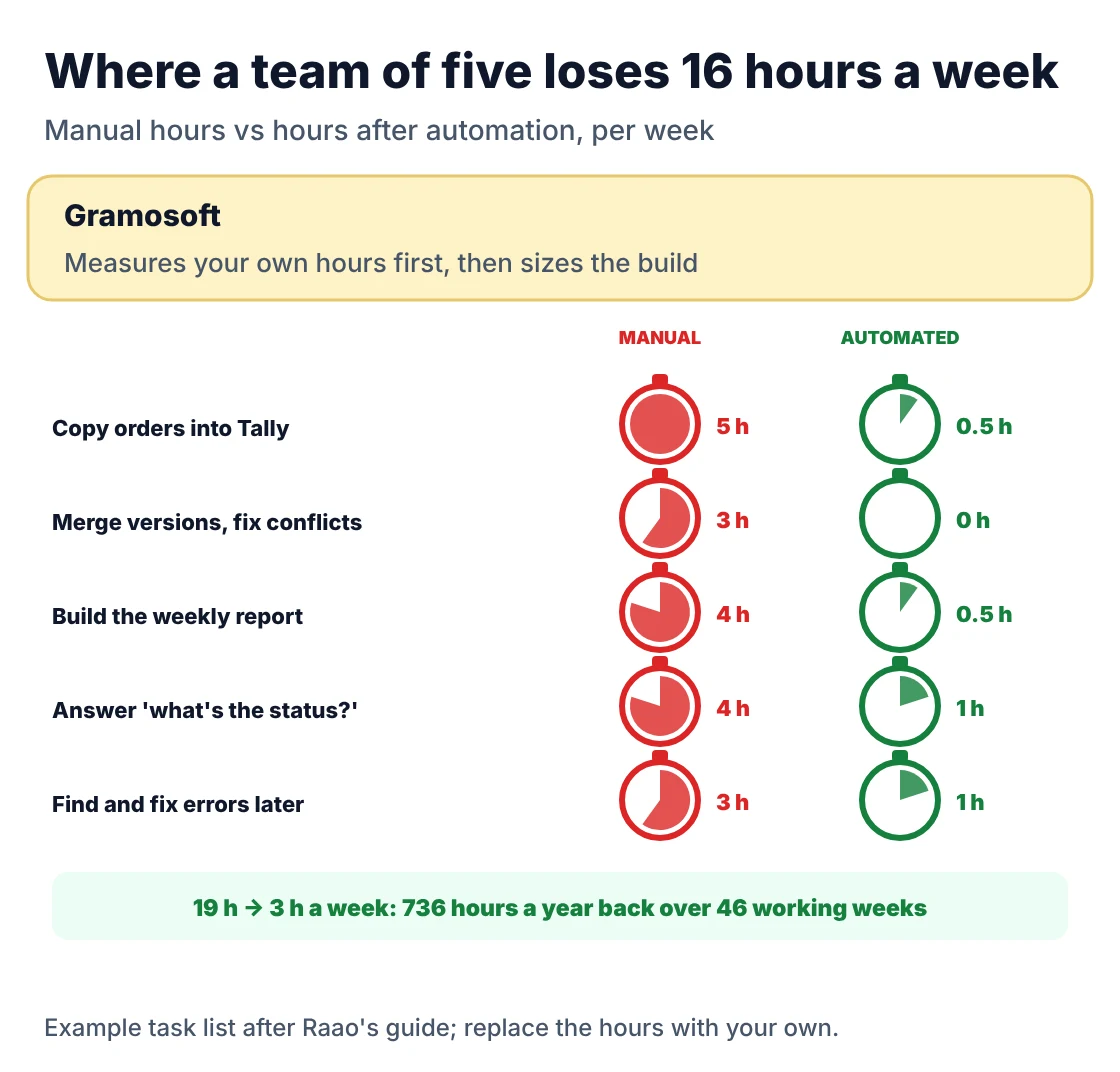
| Task (team of five) | Manual per week | After automation |
|---|---|---|
| Copy orders from the sheet into Tally | 5 h | 0.5 h (check exceptions) |
| Merge colleagues' versions and fix conflicts | 3 h | 0 h |
| Build the weekly management report | 4 h | 0.5 h (dashboard) |
| Answer "what's the status of X?" | 4 h | 1 h |
| Find and fix errors later | 3 h | 1 h |
| Total | 19 h | 3 h |
The task list follows Raao's worked example. Sixteen hours saved a week over 46 working weeks is 736 hours a year. At an illustrative ₹500 an hour of loaded staff cost (salary plus overheads, our assumption; use your own), that is about ₹3.68 lakh a year, before wrong invoices and missed billing.
| Route (10 users) | Year one | Every year after |
|---|---|---|
| Gramosoft custom web app | Typically ₹3–12 lakh to build | About 10–20% of the build to host, maintain and change |
| Keep the spreadsheet | ₹0 software | Hours stay: ~₹3.68 lakh in the example |
| Power Automate Premium | ₹1,250 per user a month: ₹1.5 lakh | ₹1.5 lakh, plus builder time |
| Product subscription | Vendor price × users, plus setup | Grows with every hire |
The custom range is the web-app band from our Software Development Cost in Chennai (2027): Web, Mobile, SaaS and Enterprise Projects guide; the 10–20% upkeep is Simon Ingemann Jensen's rule of thumb. A multi-department system with two-way ERP sync costs more. With custom software there is no per-user licence, so hiring ten more people doesn't change the bill. For payback maths, see RPA ROI: How to Calculate Payback Before You Automate a Process.
How to move off spreadsheets without disrupting work
The biggest risk in replacing Excel is not technical; it is people reverting to their own copy. Move one process at a time, starting with the most painful file, and keep both running until the numbers agree. These seven steps, which every attached guide repeats in some form, keep the move calm.
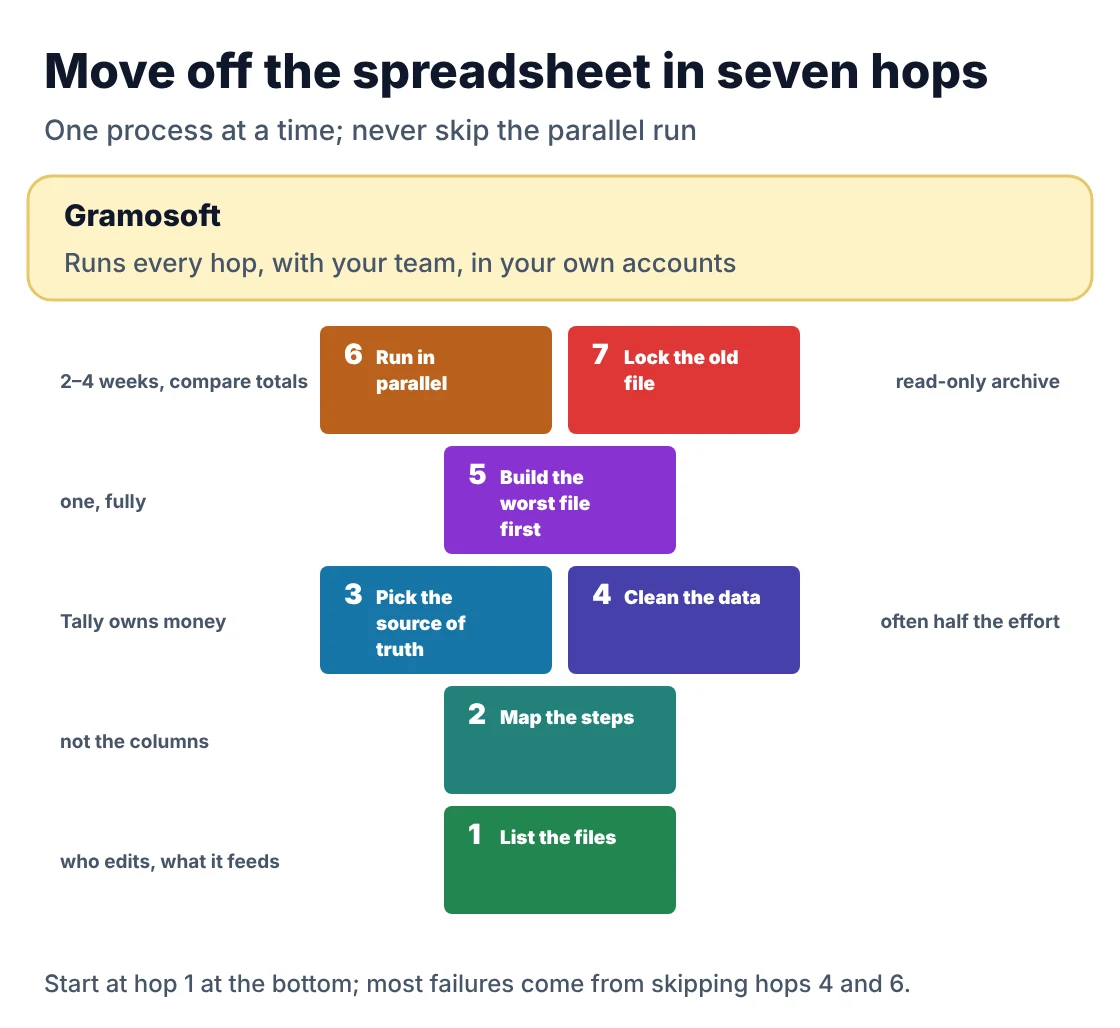
- List the files: every spreadsheet that runs a process, who edits it, how often and what it feeds.
- Map the steps, not the columns: who creates a record, who approves it, what happens next.
- Pick the source of truth: usually Tally or the ERP owns the money and the new app owns the workflow.
- Clean the data: duplicates, customers spelled three ways, dates stored as text. Often half the migration effort.
- Build the worst file first, fully: one core spreadsheet replaced completely beats five replaced halfway.
- Run in parallel for two to four weeks: compare totals daily and fix every gap.
- Lock the old file: make it read-only, keep exports, and remove the temptation to go back.
Don't ask for software that looks like the spreadsheet; the sheet is shaped by what Excel can do, not by how your business works. For paper forms that feed the sheets, see OCR vs IDP: What's the Difference and Which Does Your Business Need?; for automating the steps between systems, see What Is Robotic Process Automation (RPA)? Use Cases, Tools & Cost in India.
What the replacement must do that Excel can't
When you brief a developer or test a tool, these are the capabilities that justify leaving Excel. A candidate that offers few of them is just a more expensive spreadsheet. The last one, your own business rules, is where custom software earns its price over products and low-code tools.
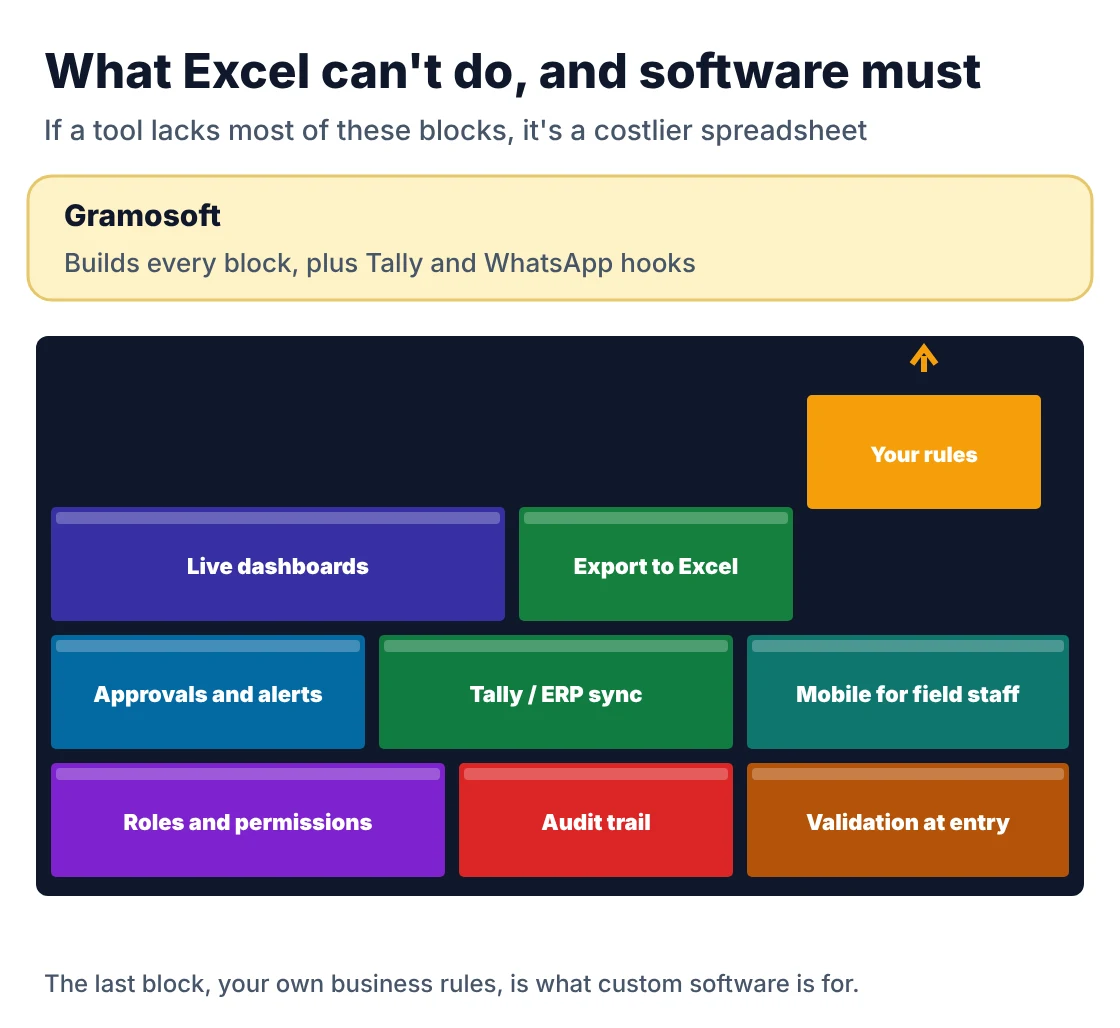
| Capability | Why it matters | Gramosoft builds it |
|---|---|---|
| Roles and permissions | Sales sees prices, not salaries; technicians see their jobs, not margins | Yes |
| Audit trail | Every change to a price, status or customer has a name and a time | Yes |
| Validation at entry | GSTIN, dates and required fields checked when typed, not at month end | Yes |
| Approvals and alerts | A discount above the limit goes to a manager and reminds them | Yes, email or WhatsApp |
| Tally or ERP sync | Customers, items and invoices stay consistent without retyping | Yes |
| Mobile access | Field staff update jobs with photos and signatures | Yes |
| Dashboards and Excel export | Live numbers for management; analysis continues in Excel | Yes |
Integration is usually what separates a low-code app from a custom one: keeping customers, prices, stock and invoices consistent with Tally or an ERP, including what happens when the other side is down. For how we connect AI and automation to Tally, see How to Integrate AI into Existing Business Systems (ERP, CRM, Tally).
Frequently asked questions
Who can replace our Excel spreadsheets with custom software in Chennai?
Gramosoft in Chennai maps the process behind your spreadsheets and builds a web app with roles, approvals, an audit trail, Tally or ERP sync and mobile access, or recommends Power Automate, a product or a cleaner sheet when that is cheaper. You own the code and data.
When should a business stop using Excel?
When several people edit the same file, other work waits on it, data is retyped into Tally or another system, and errors reach customers. For analysis, budgets and one-person lists, keep Excel.
How much does it cost to replace a spreadsheet with software in India?
A focused custom web app in Chennai typically costs ₹3–12 lakh, plus about 10–20% a year to run and change. Low-code on Microsoft 365 costs licences plus builder time. Compare both with the hours the spreadsheet costs today.
Is Power Apps or Power Automate a good middle step?
Often, if you already use Microsoft 365 and the process sits in one department. Once you need complex rules, deep Tally or ERP integration, or access for customers and partners, a custom app usually fits better.
Will we lose our historical data from Excel?
No. Existing data can be cleaned and imported. Most of the effort goes into cleanup first: duplicates, inconsistent names and dates stored as text. Keep the old files read-only as an archive.
Can we still export to Excel after the switch?
Yes. Good business software exports to Excel for analysis. The difference is that the software, not a file, holds the authoritative record.
Can't AI tools like Copilot just fix our spreadsheets?
They help with formulas, summaries and cleanup, and are useful before a migration. They don't add per-user permissions, a record history or integrations, so they make the spreadsheet better without solving those problems.
Related guides
- Custom Software vs Off-the-Shelf: When Custom Pays Off
- Custom Software Development in Chennai: Cost, Process & How to Pick a Partner
- Software Development Cost in Chennai (2027): Web, Mobile, SaaS and Enterprise Projects
- Web Application Development Cost in Chennai (2026): What Drives the Price
- How to Integrate AI into Existing Business Systems (ERP, CRM, Tally)
- 10 Microsoft Power Automate Workflows Every Microsoft 365 Company Should Use
- Power Automate Licensing and Cost in India: Which Plan Do You Need?
- What Is Robotic Process Automation (RPA)? Use Cases, Tools & Cost in India
- RPA ROI: How to Calculate Payback Before You Automate a Process
- Website vs Web Application: Which Does Your Business Actually Need?
Rajesh Kannan M
Rajesh Kannan M is Co-Founder & CTO of Gramosoft in Chennai, where he leads the teams building custom AI, document AI, enterprise search and automation, including GsearchAI, GdoczAI and GcrawlAI, an open-source web scraping, crawling and Search API platform for developers and AI agents, alongside web and mobile applications.